
Use this indicator directly on TradingView — the world's most popular charting platform.
What does the Wyckoff SOS & SOW indicator do?
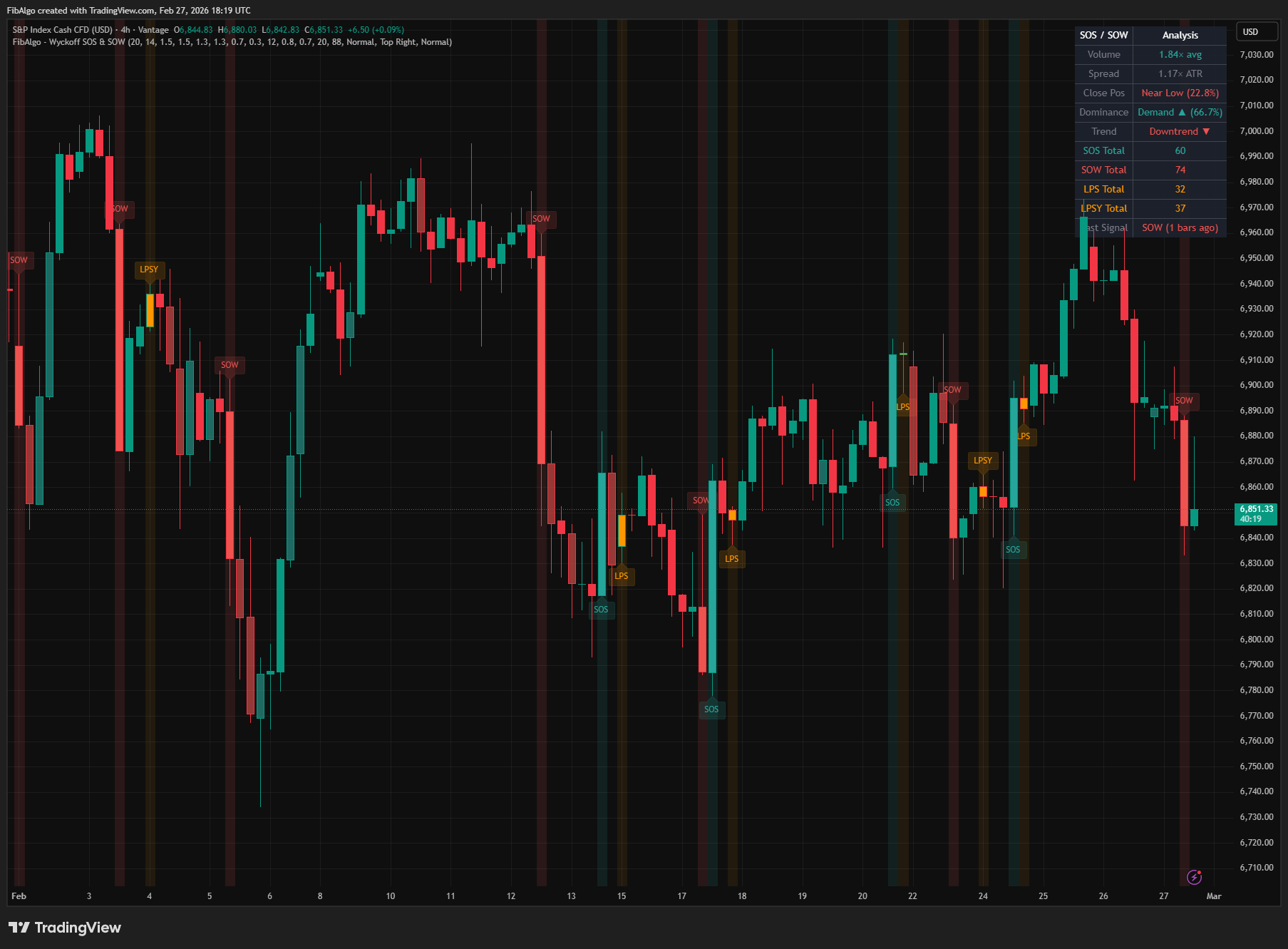
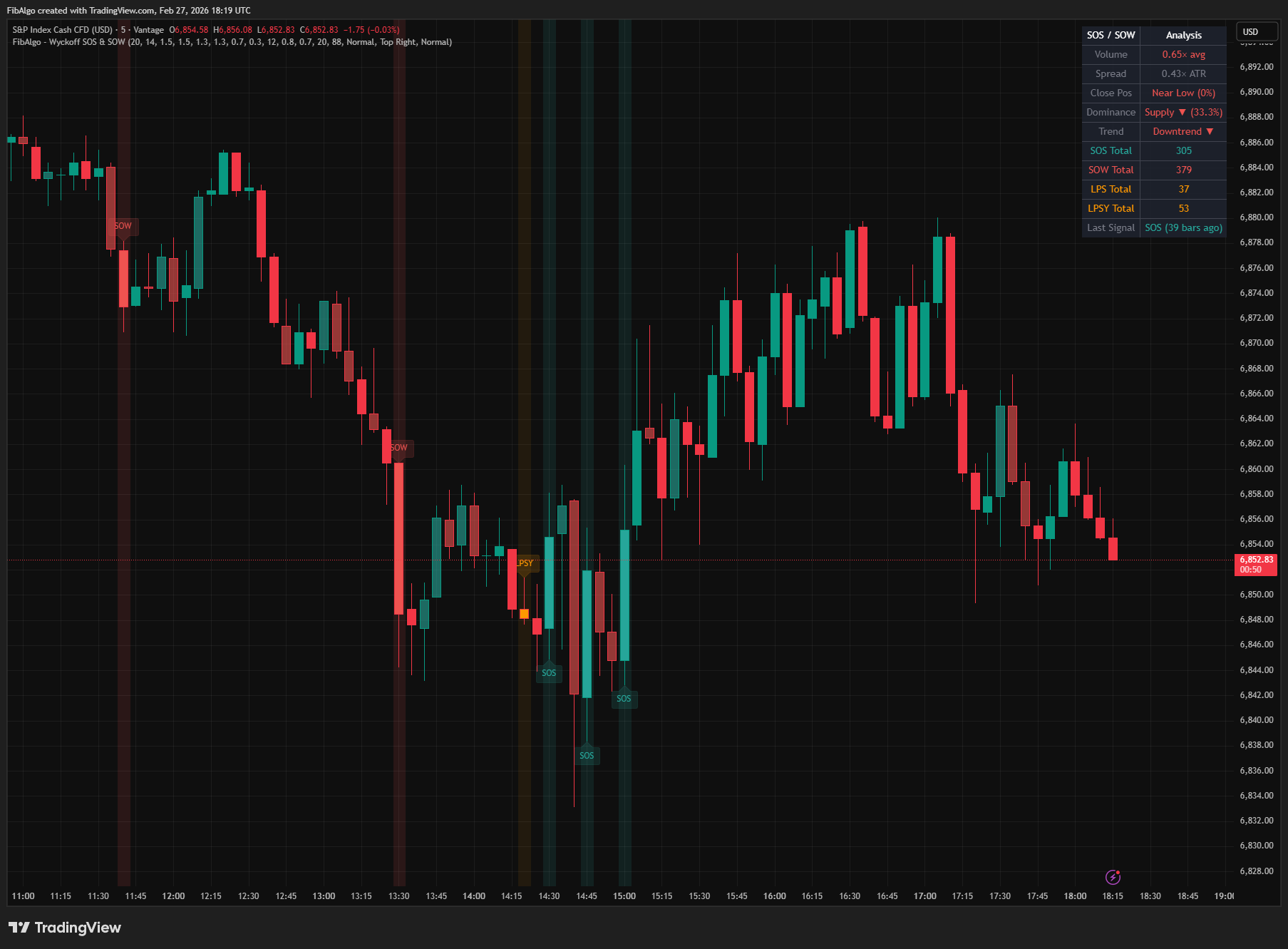
FibAlgo - Wyckoff SOS & SOW identifies Sign of Strength (SOS) and Sign of Weakness (SOW) events — the defining moments in Wyckoff analysis where demand or supply decisively gains the upper hand. Beyond single-bar detection, the indicator tracks the critical follow-up events: Last Point of Support (LPS) after SOS and Last Point of Supply (LPSY) after SOW, confirming trend continuation. A running demand/supply dominance balance and strength bar coloring provide continuous context for every bar on the chart.
Key Concepts
- Sign of Strength (SOS) — A price advance on wide spread, high volume, and close near the high. Indicates demand is decisively overcoming supply. In accumulation, SOS often follows a spring and validates the bullish thesis. In markup, it confirms trend continuation.
- Sign of Weakness (SOW) — A price decline on wide spread, high volume, and close near the low. Indicates supply is overwhelming demand. In distribution, SOW confirms the bearish thesis. In markdown, it signals continuation of selling pressure.
- Last Point of Support (LPS) — A pullback after SOS on narrow spread and diminished volume. Price holds above the SOS low, confirming that supply has been absorbed and demand remains in control. In Wyckoff analysis, LPS is the area traders study for a long setup.
- Last Point of Supply (LPSY) — A feeble rally after SOW on narrow spread and light volume. Price stays below the SOW high, confirming demand exhaustion. In Wyckoff analysis, LPSY is the area traders study for a short setup.
- Demand/Supply Dominance — A running tally of demand bars vs supply bars over a configurable lookback period. Shows whether the current market environment favors buyers or sellers, providing context for SOS/SOW interpretation.
- Strength Scoring — Each SOS/SOW event receives a 25-100% score based on how far volume, spread, and close position exceed their detection thresholds. A bar that barely qualifies scores around 25% (Weak), while one that greatly exceeds all thresholds approaches 100% (Strong). Graded as Strong (75%+), Moderate (50-74%), or Weak (below 50%).
How does the Wyckoff SOS & SOW indicator work?
1. Sign of Strength (SOS) Detection A Sign of Strength bar requires all of the following conditions simultaneously:
- Up bar (close above open)
- Wide spread — bar range exceeding the ATR (default 14-period) multiplied by the SOS Spread Multiplier (default 1.3×)
- Close near high — close position above the SOS Close Near High threshold (default 0.7, meaning close in the top 30% of the bar)
- High volume — exceeding the Volume MA (default 20-period) multiplied by the SOS Volume Multiplier (default 1.5×)
- Volume expansion (optional, default on) — current bar's volume exceeds the previous bar's volume, showing increasing effort on the advance
2. Sign of Weakness (SOW) Detection A Sign of Weakness bar requires all conditions below:
- Down bar (close below open)
- Wide spread exceeding the SOW Spread Multiplier (default 1.3×) times ATR
- Close near low — close position below the SOW Close Near Low threshold (default 0.3)
- High volume exceeding the SOW Volume Multiplier (default 1.5×) times volume average
- Volume expansion (optional) — current volume exceeds previous bar
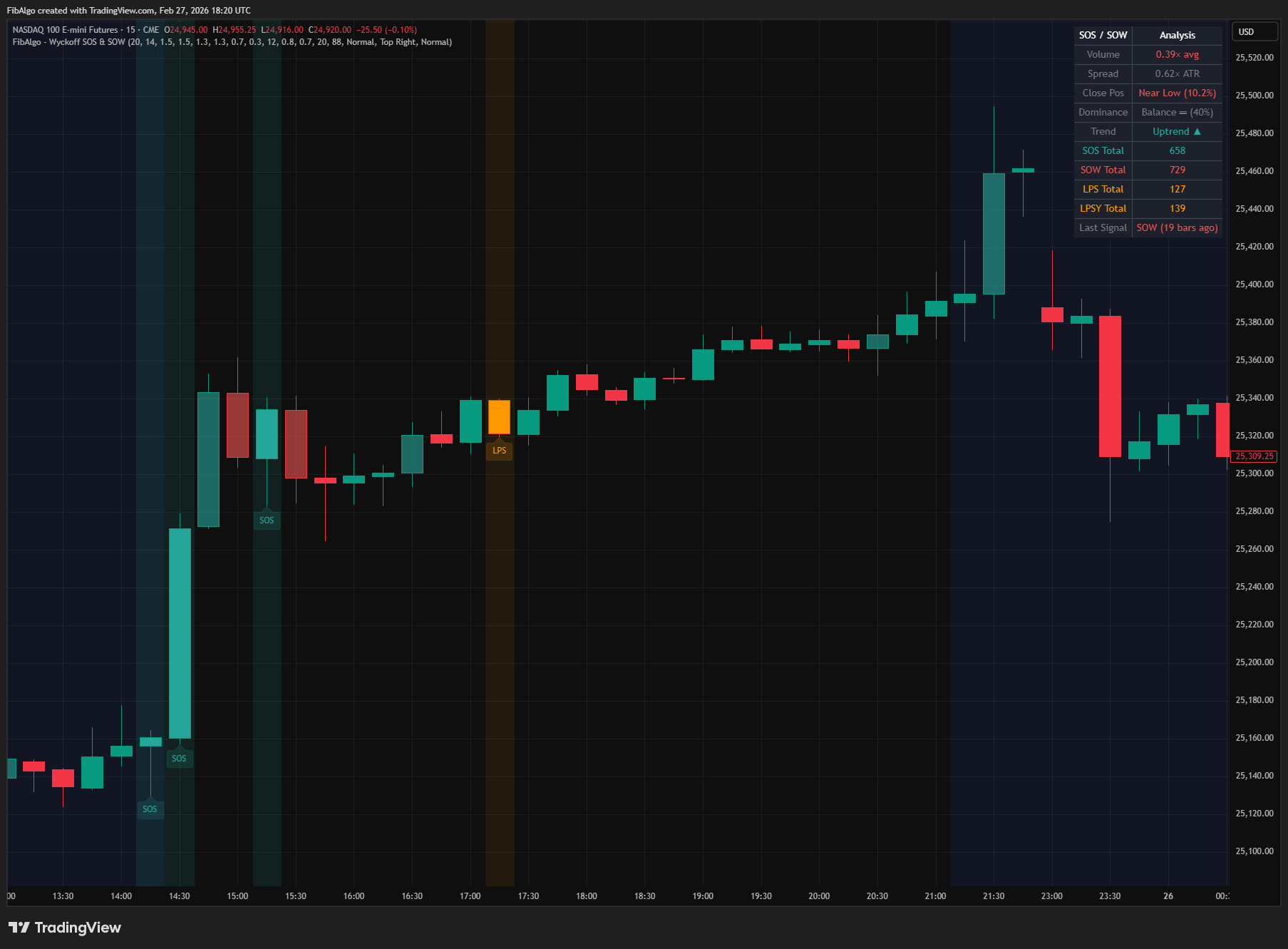
3. Last Point of Support (LPS) Detection After an SOS is detected, the indicator watches for the first pullback within a configurable window (default 12 bars):
- Narrow spread — bar range below the Narrow Spread Threshold (default 0.8× ATR)
- Low volume — below the Low Volume Threshold (default 0.7× average)
- Price holds above the SOS bar's low — confirming support
- Price has pulled back below the SOS bar's close — confirming it is actually a pullback
When LPS is confirmed, it signals bullish trend continuation — demand has absorbed any selling on the pullback. If price trades below the SOS low before the LPS forms, the setup is cancelled and no LPS is marked for that SOS.
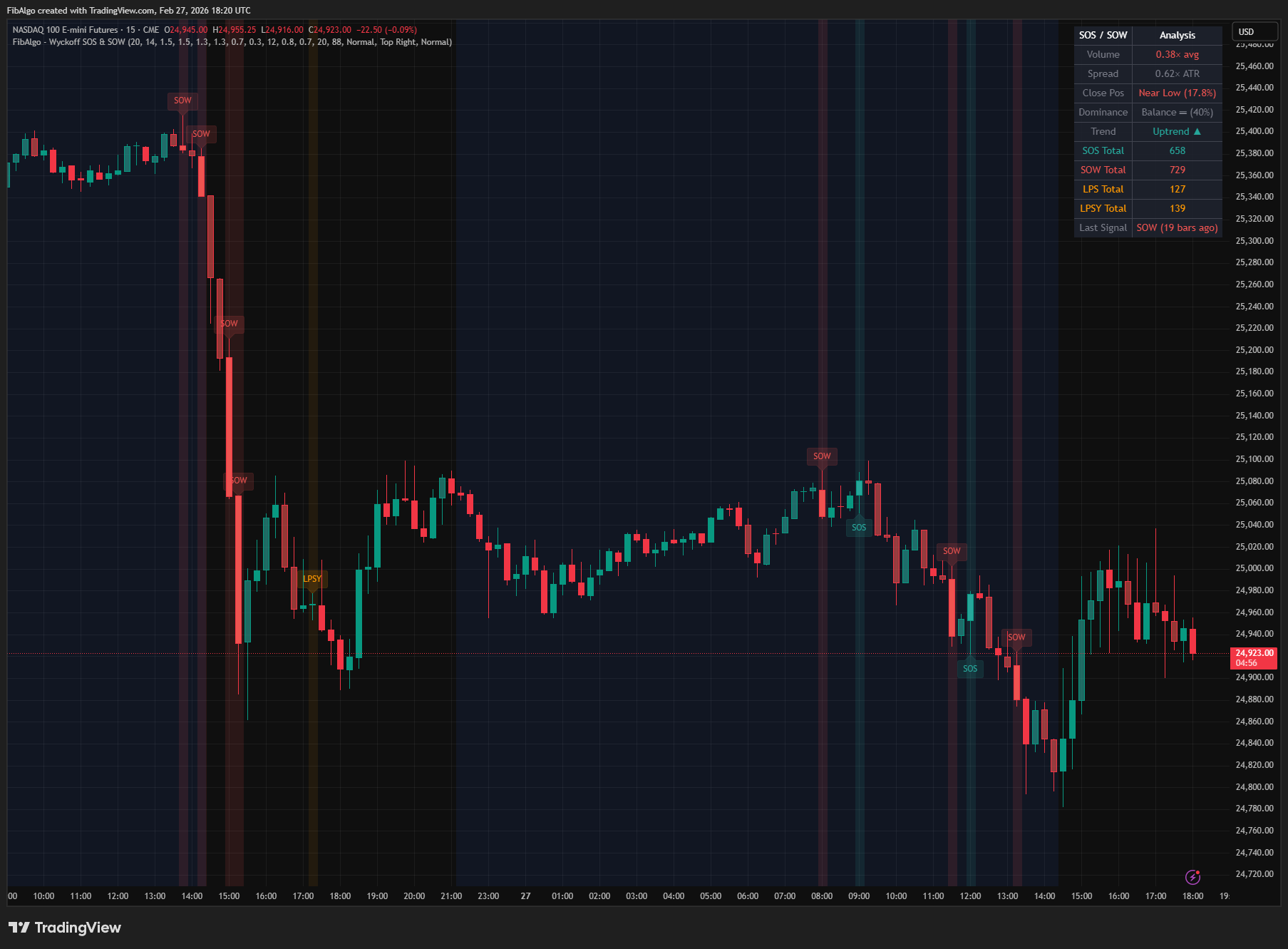
4. Last Point of Supply (LPSY) Detection After a SOW is detected, the indicator watches for a feeble rally within the same window:
- Narrow spread below the threshold
- Low volume below the threshold
- Price stays below the SOW bar's high — confirming resistance
- Price has rallied above the SOW bar's close — confirming it is an attempted rally
When LPSY is confirmed, it signals bearish trend continuation — demand is exhausted. If price trades above the SOW high before the LPSY forms, the setup is cancelled and no LPSY is marked for that SOW.
5. Demand/Supply Dominance & Strength Bar Coloring The indicator continuously classifies every bar based on three characteristics:
- Demand bar: up bar + close above 60% + volume above average → tinted bullish
- Supply bar: down bar + close below 40% + volume above average → tinted bearish
- Neutral bar: does not meet either criteria → no coloring
The running dominance percentage (demand bars / total demand+supply bars over the lookback period) is displayed in the info table, ranging from 0% (pure supply) to 100% (pure demand). Above 65% = Demand dominant, below 35% = Supply dominant, between = Balance.
Features
- Sign of Strength Detection — Identifies wide-spread up bars closing near high on expanding volume, confirming demand dominance in Wyckoff methodology
- Sign of Weakness Detection — Identifies wide-spread down bars closing near low on expanding volume, confirming supply dominance
- Last Point of Support (LPS) — Detects the first narrow-spread, low-volume pullback after SOS that holds above support, confirming bullish trend continuation
- Last Point of Supply (LPSY) — Detects the first narrow-spread, low-volume rally after SOW that fails below resistance, confirming bearish trend continuation
- Strength Scoring — Grades each SOS/SOW event (Strong/Moderate/Weak) based on volume magnitude, spread width, and close position for reliability assessment
- Volume Expansion Check — Optional requirement that current bar's volume exceeds the previous bar's volume, ensuring genuine expanding effort on the move
- Demand/Supply Dominance Balance — Running percentage of demand vs supply bars over a configurable lookback, showing the prevailing market character
- Strength Bar Coloring — Colors all non-signal bars by their demand/supply characteristics for continuous visual feedback on market background
- Separate SOS and SOW Thresholds — Independent volume, spread, and close position thresholds for bullish and bearish signals, allowing asymmetric sensitivity
- State Machine Pattern Tracking — Multi-bar pattern recognition (SOS→LPS, SOW→LPSY) with automatic window expiry, cancellation when price breaks the SOS low or SOW high, and state management
- Background and Bar Coloring — Optional background tinting on signal bars and full bar coloring for instant visual identification
- Info Table — Real-time metrics including Volume Ratio, Spread/ATR, Close Position, Dominance Balance, Trend, event counts, and last signal age
- Comprehensive Alert System — Individual alerts for SOS, SOW, LPS, and LPSY events with detailed messages including symbol, timeframe, price, volume ratio, strength grade (SOS/SOW), and the SOS low or SOW high being held (LPS/LPSY). Alerts fire once the bar has closed
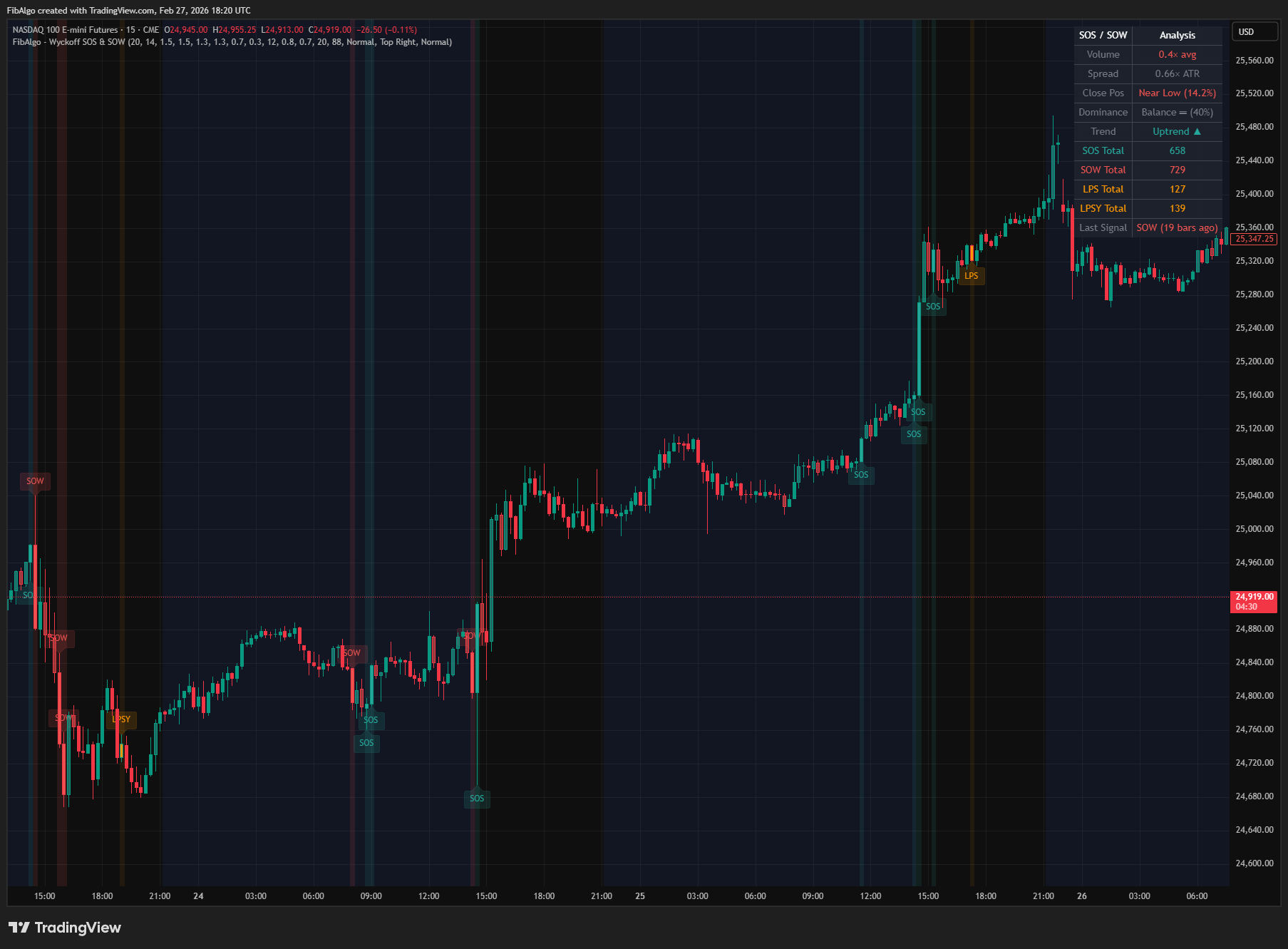
How to use the Wyckoff SOS & SOW indicator
- Add the indicator to your chart. It works on all timeframes but is most effective on 15-minute to daily charts where volume dynamics are reliable.
- Watch for SOS events during accumulation ranges or after springs — a wide-spread up bar on high volume closing near the high confirms demand is taking control.
- When LPS follows SOS, it confirms the bullish thesis. The LPS pullback (narrow spread, light volume, holding above SOS low) is the area Wyckoff traders study for a long setup.
- Watch for SOW events during distribution ranges or after upthrusts — a wide-spread down bar on high volume closing near the low confirms supply dominance.
- When LPSY follows SOW, it confirms the bearish thesis. The LPSY rally attempt (narrow, light volume, staying below SOW high) is the area Wyckoff traders study for a short setup.
- Use the Strength Score to filter signals. Strong SOS/SOW events (75%+) carry more significance than Weak ones.
- Monitor the Dominance Balance in the info table. Values above 65% indicate demand-dominant conditions favorable for SOS signals; below 35% indicates supply-dominant conditions favorable for SOW signals.
- Strength bar coloring provides continuous context between signal events — watch for clusters of demand bars (bullish) or supply bars (bearish) to gauge the prevailing character.
- Combine with other Wyckoff indicators: use Selling & Buying Climax analysis for initial TR formation, then look for SOS/SOW within the trading range for Phase D confirmation.
- Adjust the Volume Multiplier higher (1.8-2.0) for less noise on volatile instruments, or lower (1.2-1.3) for calmer markets where volume spikes are smaller.
Limitations
- This indicator does not generate buy or sell signals. It identifies SOS, SOW, LPS, and LPSY events for educational and analytical purposes based on Wyckoff methodology.
- SOS and SOW detection are single-bar classifications. Not every wide-spread, high-volume bar is a genuine Wyckoff SOS/SOW — context (accumulation vs distribution vs trend) matters for interpretation.
- SOS, SOW, LPS and LPSY are evaluated on closed bars only. The forming bar never receives an event label, and alerts fire once the bar has closed, so labels and alerts do not repaint. Strength bar coloring and the info table update live on the forming bar.
- If price trades below the SOS low (or above the SOW high) before the follow-up forms, the setup is cancelled and no LPS (or LPSY) is marked for that event.
- LPS/LPSY detection uses a finite follow-up window. In some cases, the pullback or rally may occur outside this window and go undetected.
- Only one LPS or LPSY is detected per SOS/SOW event. In practice, multiple LPS or LPSY bars can occur, but only the first is marked.
- Requires volume data. On symbols without volume no events are detected, and the info table shows "No volume data".
- Volume data reliability varies by instrument and exchange. Forex spot volume is typically tick volume and may not accurately represent institutional activity.
- The strength score is a relative measure based on the configured thresholds. Changing thresholds affects which events qualify but not the scoring formula.
- Dominance balance is based on bar counting, not volume-weighted. A single ultra-high-volume bar counts the same as a moderately high-volume bar.
- Past SOS/SOW events do not guarantee future price direction. Always combine with broader Wyckoff analysis and risk management.
Trading involves risk. This indicator is an analysis tool, not financial advice: use it alongside your own analysis and risk management.
Release notes
v2.0LatestClosed-bar signals and cancelled failed setups
SOS, SOW, LPS and LPSY are now decided on closed bars, a setup is cancelled when price breaks the signal bar before the follow-up, and LPS/LPSY need a real pullback or rally.
After updating
- Delete and re-create your alerts for this indicator with the "Any alert() function call" condition. TradingView alerts keep running the script version they were created with.
- Alert messages now start with the symbol and timeframe. If you filter alert messages automatically, for example through a webhook, update your filters.
Fixed
- SOS, SOW, LPS and LPSY are decided on closed bars only. Labels and alerts no longer appear mid-bar and vanish, and LPS/LPSY no longer fire on the first tick after a signal.
- A setup is cancelled if price trades below the SOS low or above the SOW high before the LPS/LPSY forms.
- LPS needs a close below the SOS close and LPSY a close above the SOW close, so bars still moving with the signal are no longer marked.
- Demand and supply bars are classified only once the volume average exists.
Improved
- Symbols without volume show "No volume data" in the table, and the table's Volume and Spread colors follow bar direction.
- Tooltips match the volume expansion setting, alerts include the symbol and timeframe, and LPS/LPSY alerts include volume. Tooltips and alerts now say a signal suggests continuation instead of confirming it.
Frequently Asked Questions
What is a sign of strength (SOS) in Wyckoff?
A sign of strength is a price advance on wide spread and high volume that closes near the high, showing that demand is decisively overcoming supply. In accumulation it often follows a spring and supports the bullish case; during a markup it confirms that the uptrend is continuing.
What is a sign of weakness (SOW) in Wyckoff?
A sign of weakness is the bearish mirror of SOS: a price decline on wide spread and high volume that closes near the low, showing supply overwhelming demand. In distribution it supports the bearish case, often after an upthrust; during a markdown it signals that selling pressure is continuing.
What is LPS in Wyckoff?
LPS, the last point of support, is a pullback after a sign of strength on narrow spread and lower volume that holds above the SOS low. It shows that supply has been absorbed and demand is still in control, which is why Wyckoff traders study the LPS area for a long setup.
What is LPSY in Wyckoff?
LPSY, the last point of supply, is a feeble rally after a sign of weakness on narrow spread and light volume that stays below the SOW high. It shows that demand is exhausted, and Wyckoff traders study the LPSY area for a short setup.
Where do SOS and SOW appear in a Wyckoff schematic?
They typically appear in Phase D, when demand or supply takes control of the trading range after the Phase C test by a spring or upthrust. An SOS in accumulation points toward a markup, and an SOW in distribution points toward a markdown. They can also appear within an existing trend as confirmation that it is continuing.
Learn More
- Technical Analysis for Crypto Trading: The Definitive GuideLearn technical analysis from basics to advanced for cryptocurrency trading. Master chart patterns, indicators, volume analysis, and multi-timeframe strategies.
- Smart Money Concepts (SMC): How Institutional Traders Move MarketsLearn Smart Money Concepts including order blocks, fair value gaps, liquidity sweeps, and breaker blocks. Understand how institutions trade.
- Risk Management in Crypto Trading: The Complete Survival GuideMaster position sizing, stop losses, portfolio allocation, and emotional discipline for crypto trading. Learn why risk management matters most.
Start Using Wyckoff SOS & SOW
This indicator is free to use on TradingView. Add it to your charts and use it alongside your own analysis.
Related indicators
View All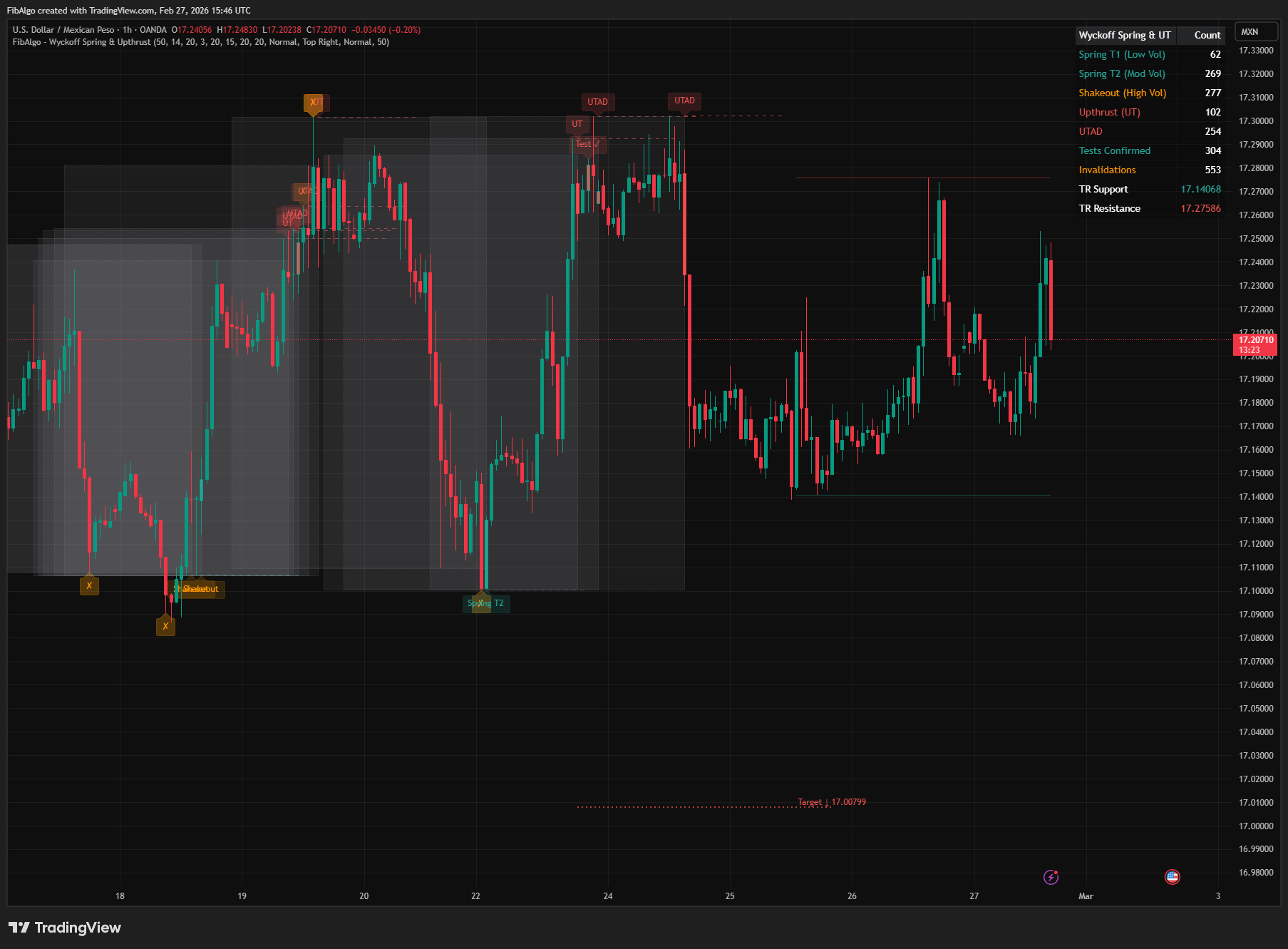
Wyckoff Spring & Upthrust
TradingView indicator that detects Wyckoff Springs and Upthrusts — the two most actionable reversal events with volume classification and price targets.
See Details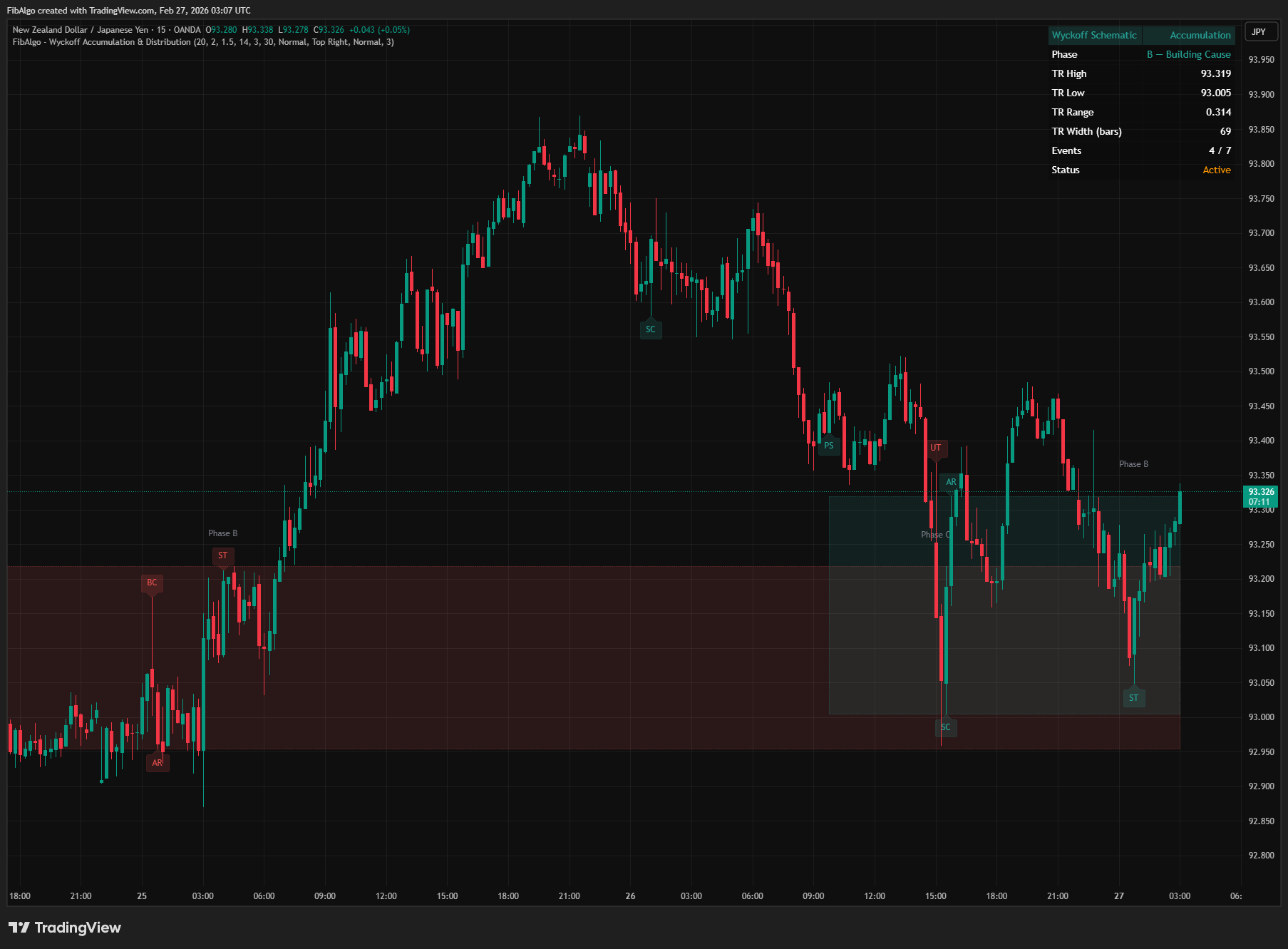
Wyckoff Accumulation & Distribution
TradingView indicator that automatically detects Wyckoff Accumulation and Distribution schematics as each bar closes, with phase classification (A through E).
See Details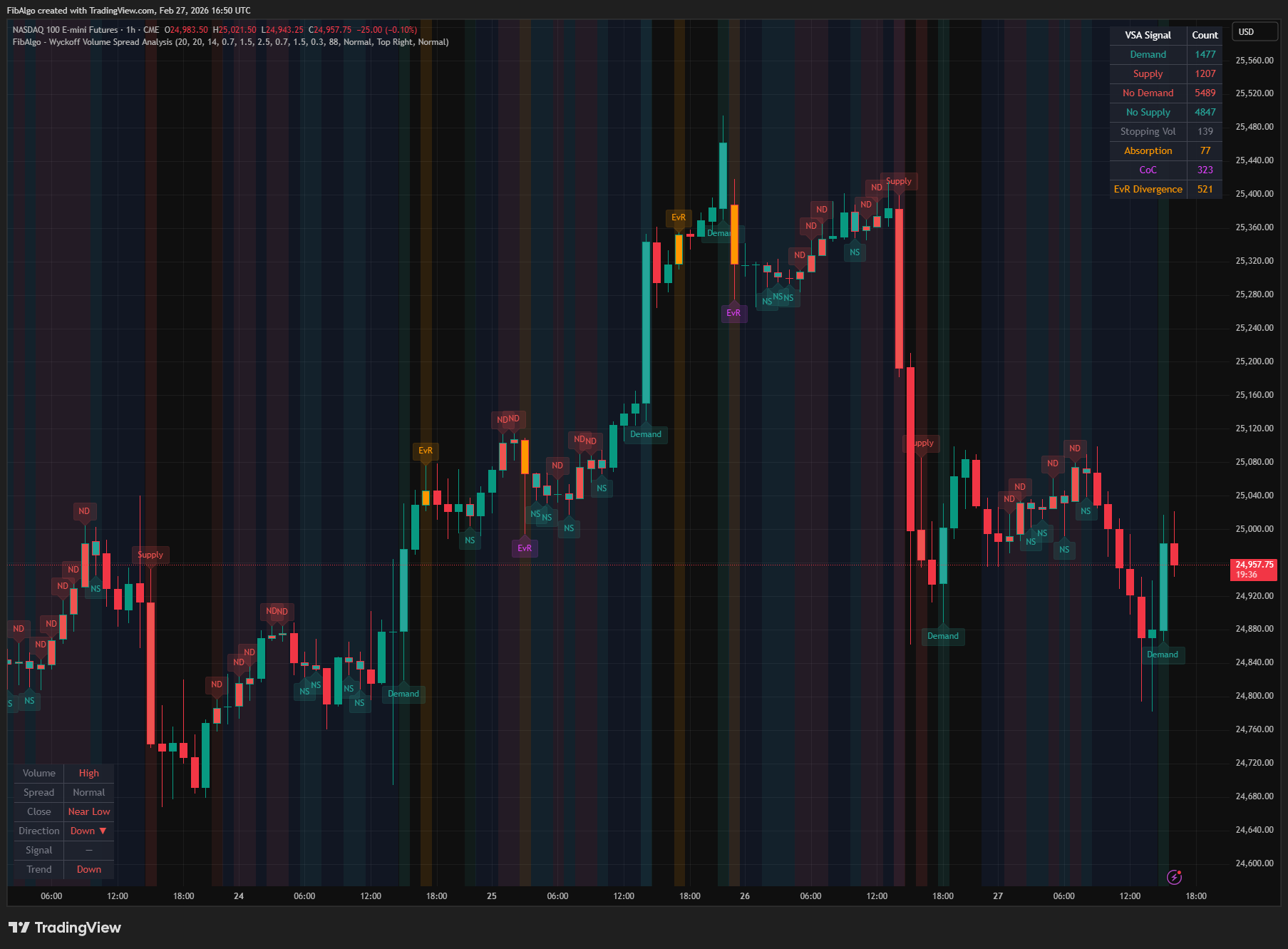
Wyckoff Volume Spread Analysis
TradingView indicator that classifies bars into eight Wyckoff VSA signal types by analyzing volume, spread width, and close position.
See Details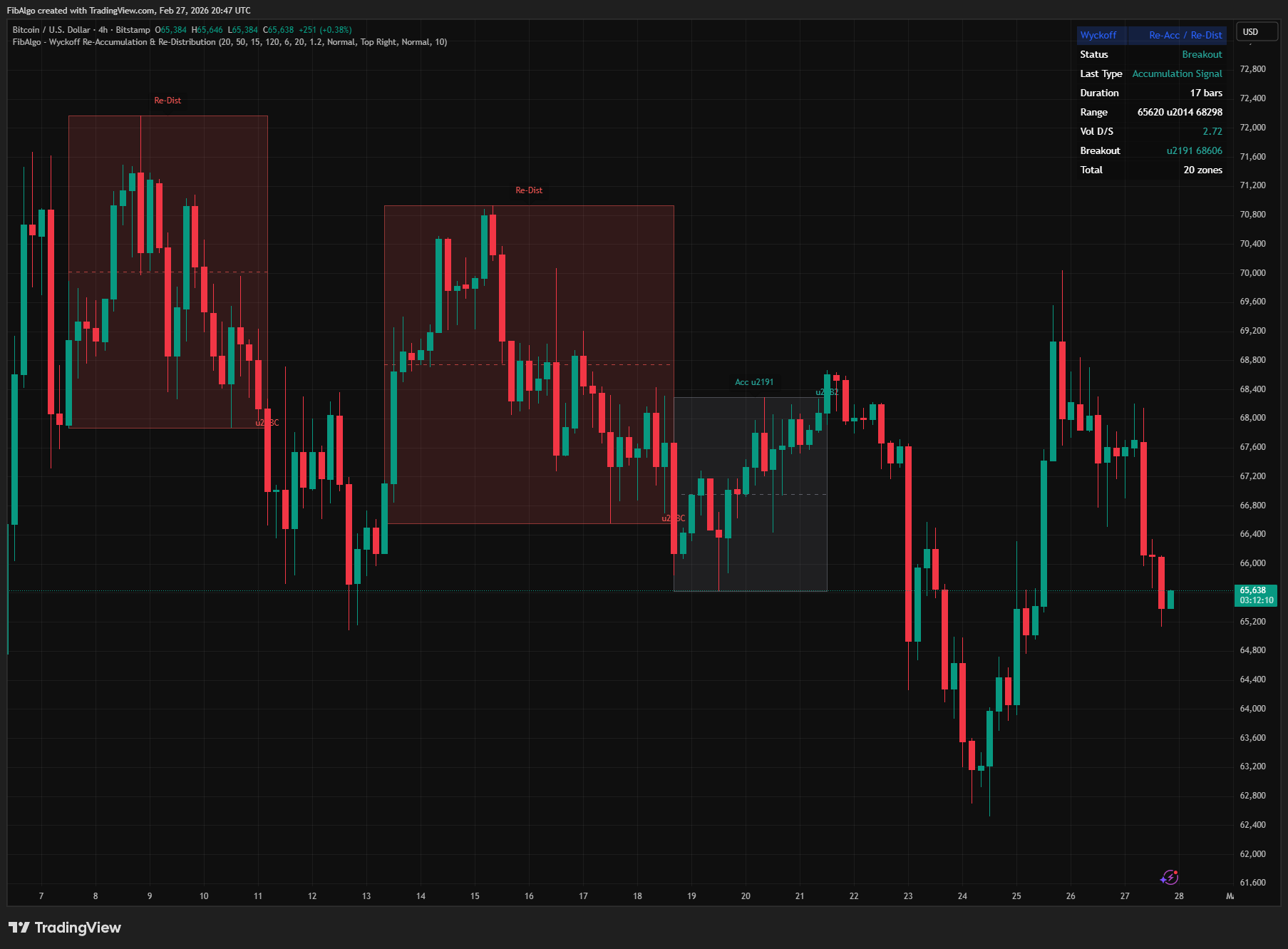
Wyckoff Re-Accumulation & Re-Distribution
TradingView indicator that detects Wyckoff Re-Accumulation and Re-Distribution patterns — consolidation pauses within established market trends.
See Details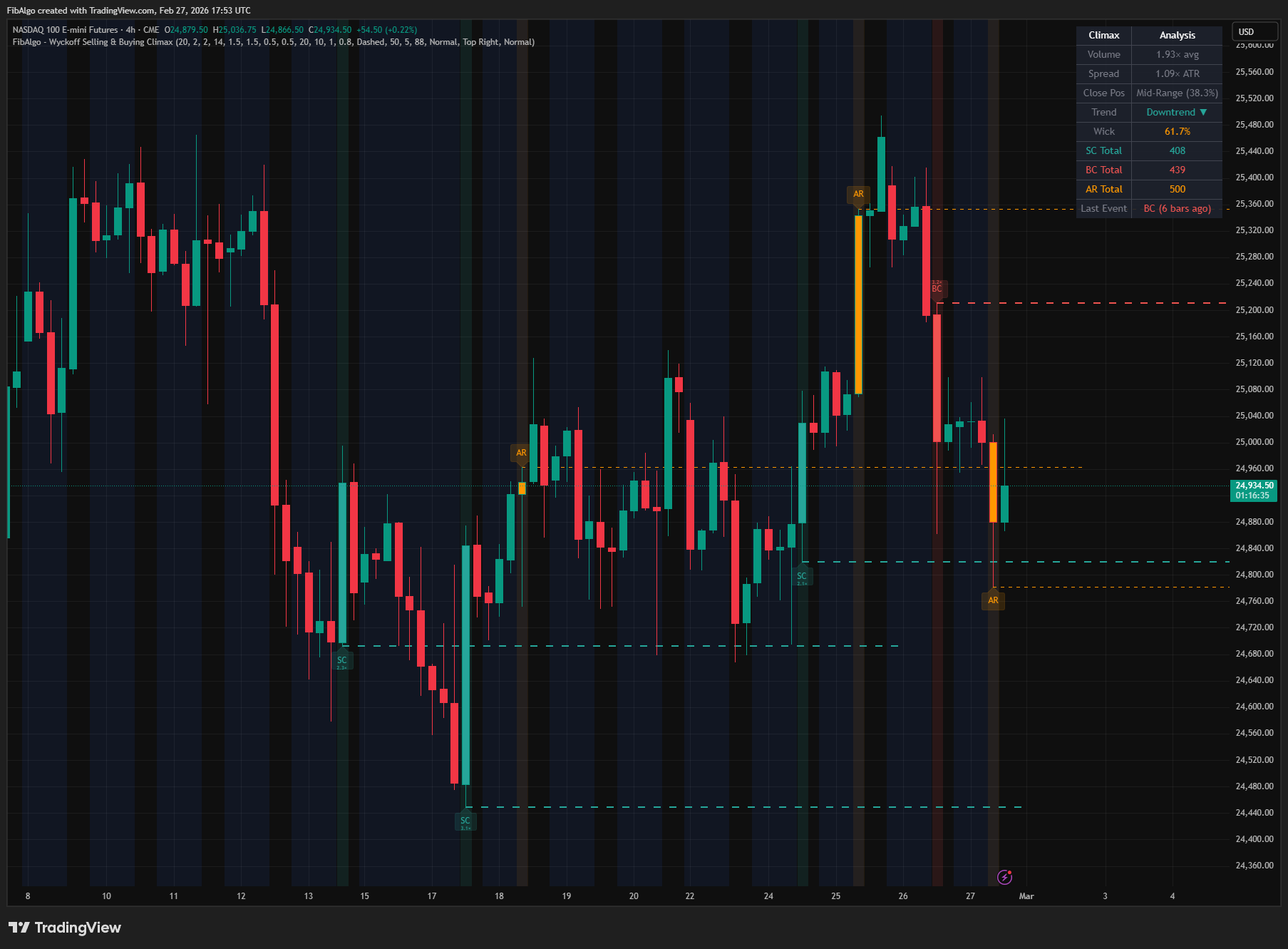
Wyckoff Selling & Buying Climax
TradingView indicator that detects Wyckoff Selling and Buying Climax events — extreme institutional pressure signaling potential trend exhaustion.
See Details