
Use this indicator directly on TradingView — the world's most popular charting platform.
What does the Fibonacci Screener (PEZ) indicator do?
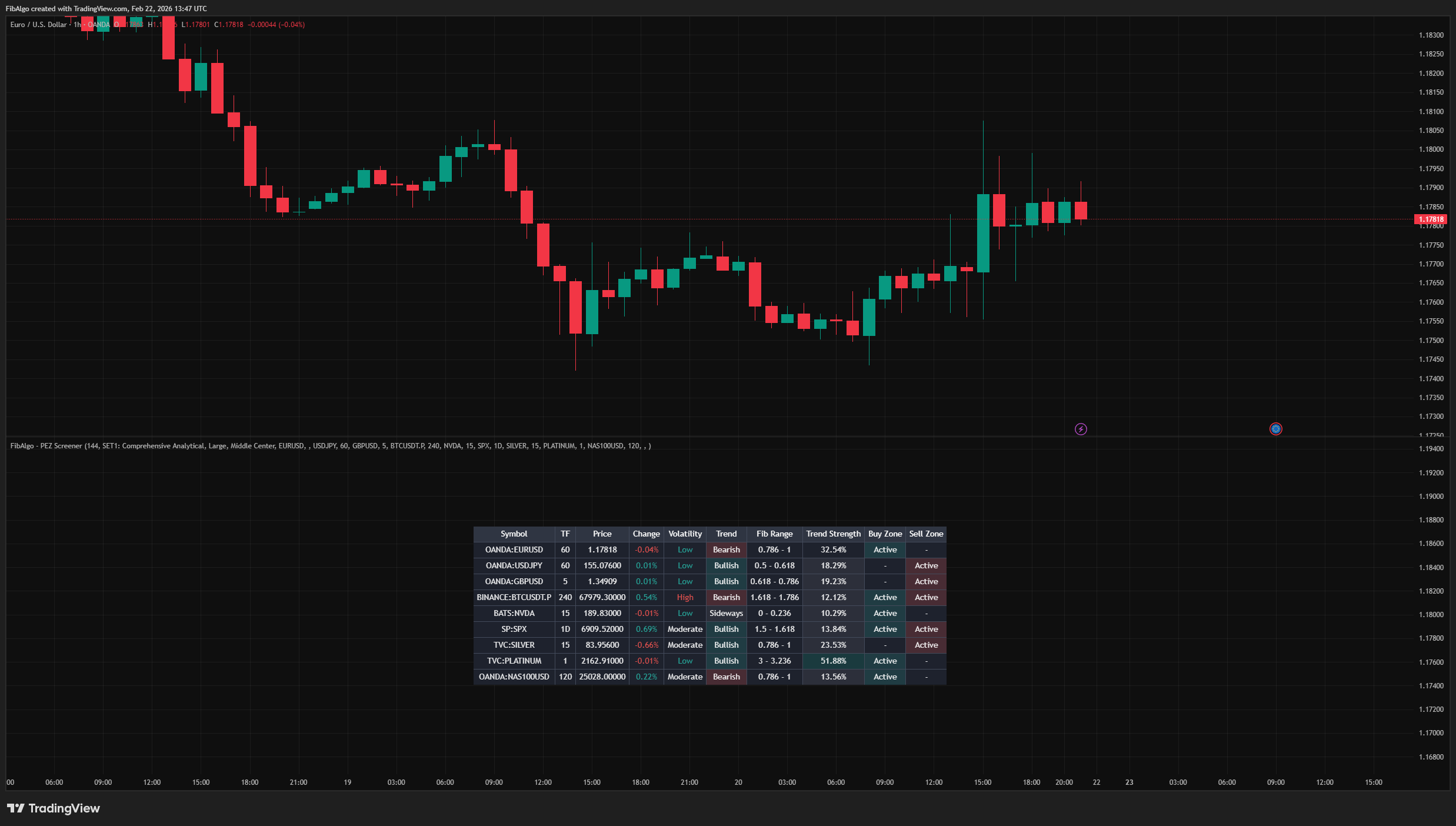
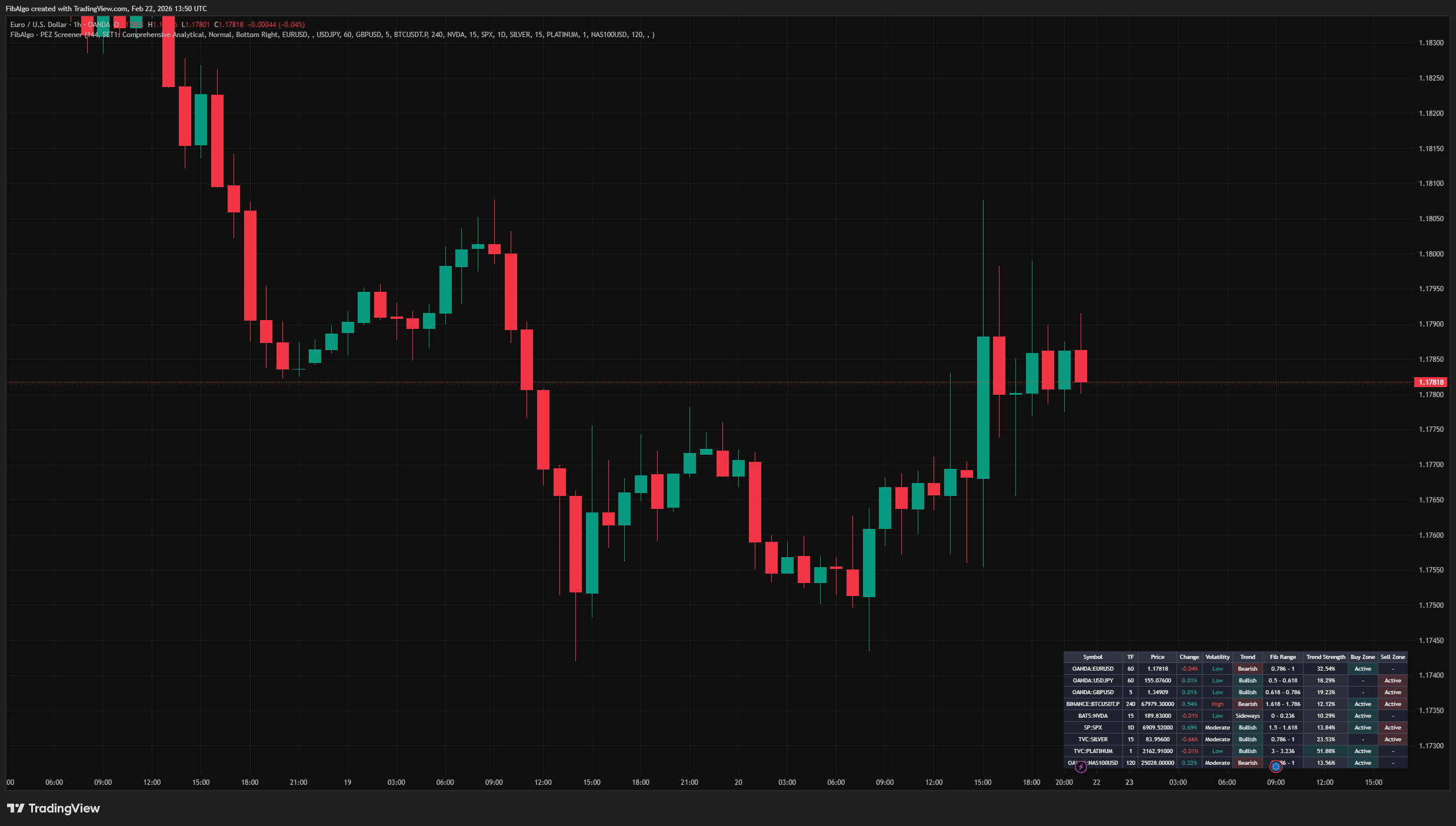
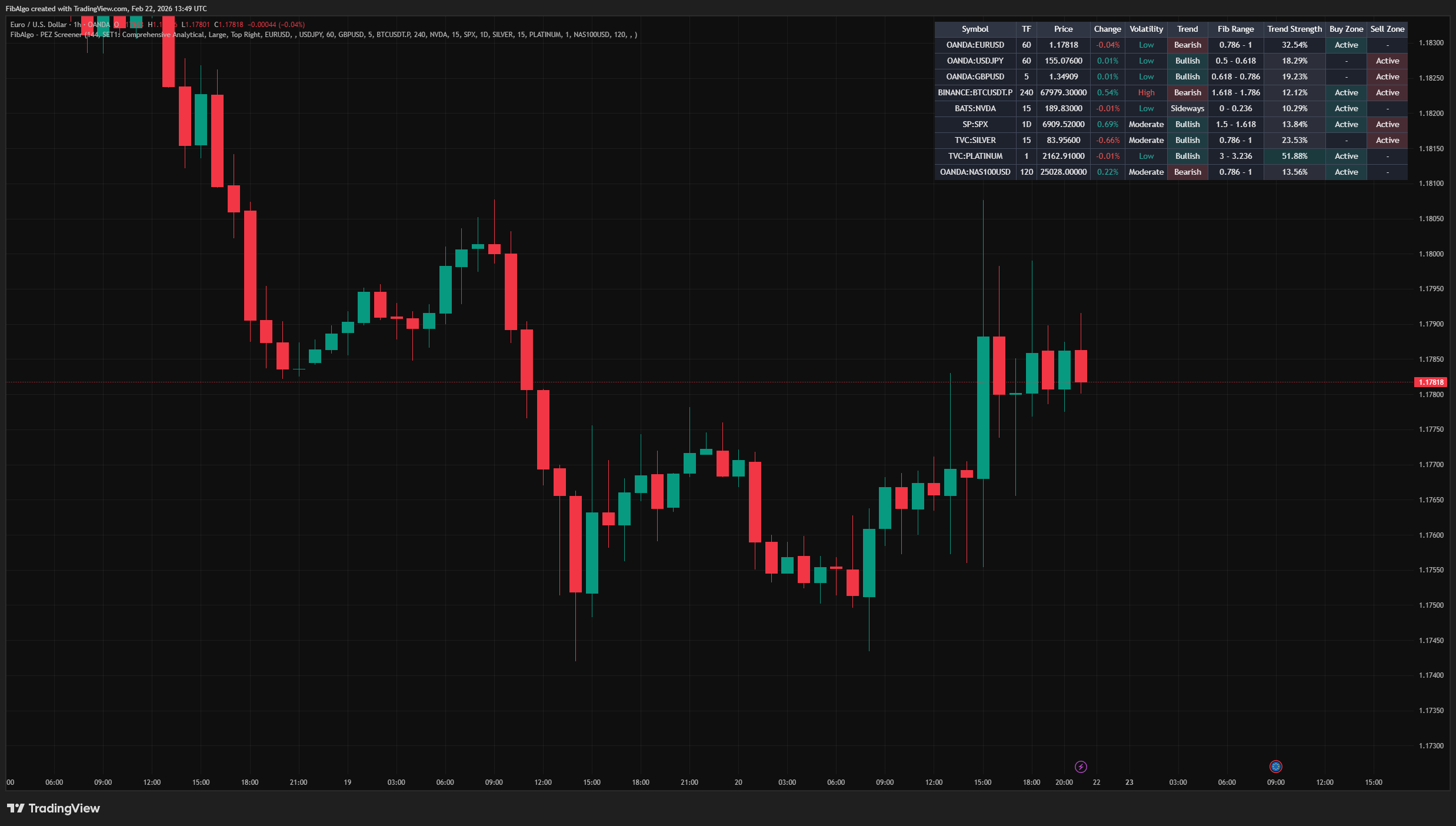
FibAlgo - Screener (PEZ) is a multi-symbol companion screener for the FibAlgo - Perfect Entry Zone indicator. It displays a real-time table that monitors up to 10 symbols simultaneously, showing Fibonacci range positions, trend direction, buy/sell zone status, volatility, and trend strength — all from a single chart.
Rather than switching between charts manually, this screener applies a simplified version of the PEZ Fibonacci analysis — zigzag pivot detection, Fibonacci range positioning, and zone activity detection — across multiple symbols and timeframes, presenting the results in a customizable dashboard table.
Key Concepts
Multi-Symbol Fibonacci Scanning
The screener applies zigzag pivot detection and Fibonacci range analysis to each symbol independently via request.security(). For every symbol, the system identifies the most recent pivot structure (A → B pivots), determines the current Fibonacci range the price sits within, and calculates whether a buy or sell zone is active.
Zone Activity Logic
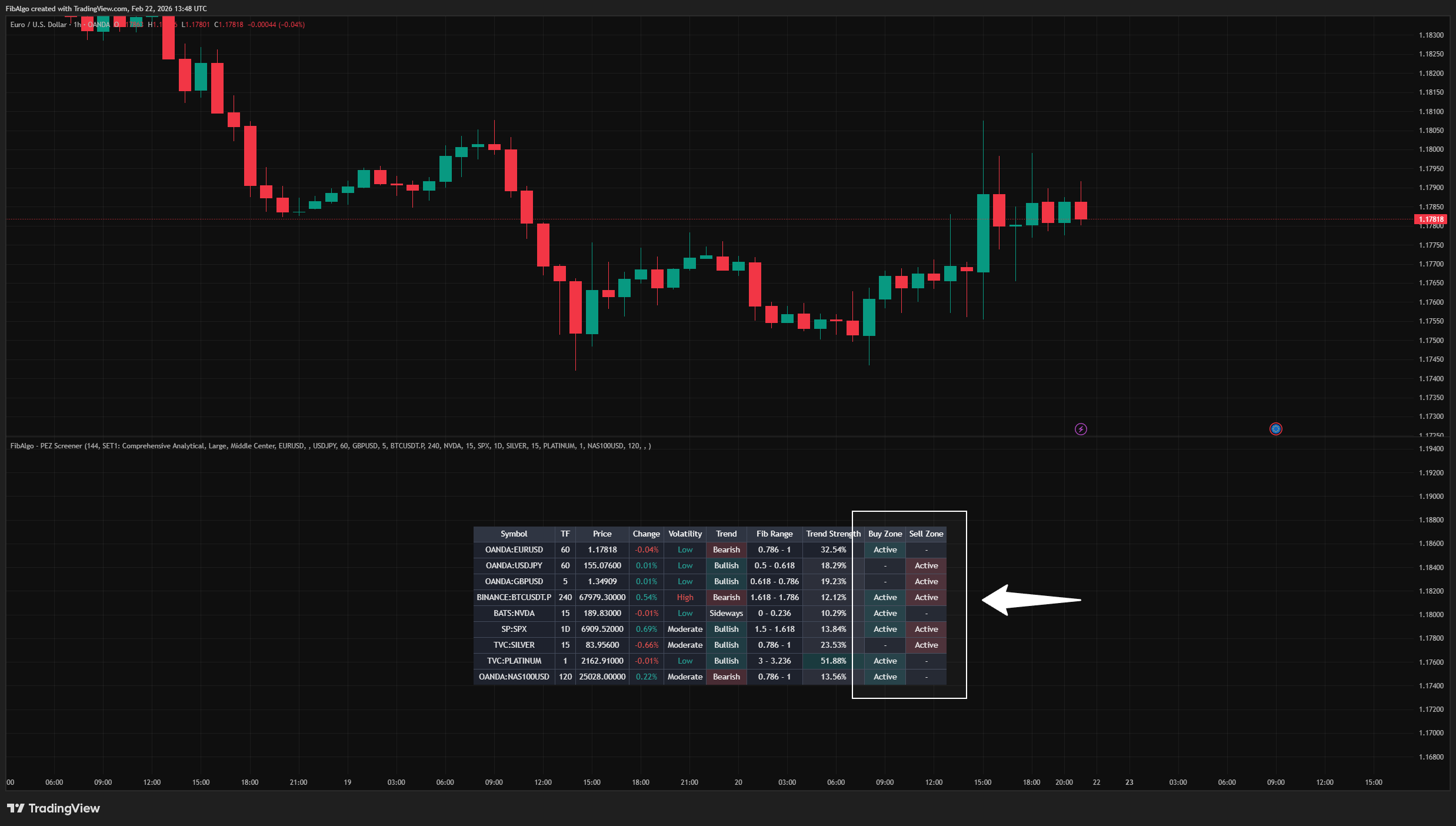
For each scanned symbol, the screener determines zone status based on the current Fibonacci level position and pivot direction:
- When the last pivot is a Peak High (uptrend) and the Fib level is below 3.0, a Buy Zone is flagged as Active.
- When the last pivot is a Peak High and the Fib level is above 1.0, a Sell Zone is flagged as Active.
- The logic inverts for Peak Low (downtrend) pivots.
This allows quick identification of symbols that are currently sitting in potential entry areas.
Trend and Volatility Context
Each symbol row also includes:
- Trend Direction — Determined by comparing the current close to the midpoint of the A and B pivots. Bullish if price is above midpoint in a downtrend structure, Bearish if below midpoint in an uptrend structure, Sideways otherwise.
- Trend Strength (ADX) — The Average Directional Index value, indicating how strong the current trend is regardless of direction.
- Volatility — ATR as a percentage of price, classified as Low, Moderate, or High based on configurable thresholds.
How does the Fibonacci Screener (PEZ) indicator work?
Step 1 — Symbol Configuration
The user adds up to 10 symbols with individual timeframe selections. Each empty symbol slot is automatically skipped. If no timeframe is specified, the chart's current timeframe is used.
Step 2 — Data Retrieval
For each active symbol, the screener calls request.security() with the full PEZ calculation function. This computes the zigzag, pivot structure, Fibonacci range, trend direction, ADX, volatility, and zone status on the target symbol's timeframe.
Step 3 — Table Rendering
Results are displayed in a color-coded table:
- Green text for positive price changes, red for negative.
- Green background for active Buy Zones, red for active Sell Zones.
- Trend column background: green for Bullish, red for Bearish, gray for Sideways.
- Trend Strength background highlights strong trends (ADX > 50).
Features
Multi-Symbol Dashboard
- Monitor up to 10 symbols simultaneously from a single chart.
- Individual timeframe selection for each symbol.
- Automatic detection of active symbols — empty slots are skipped.
Customizable Table Layout
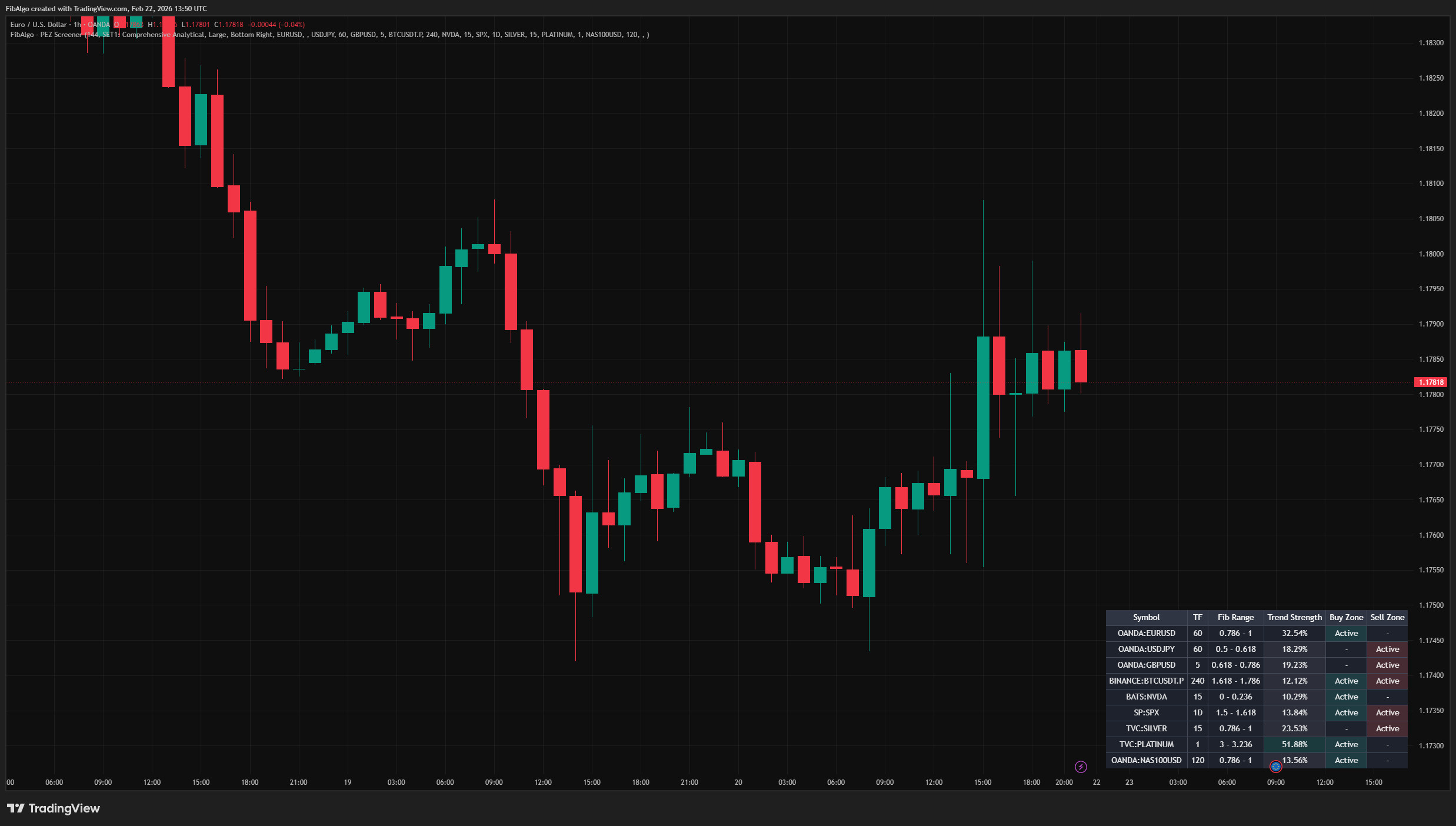
- 10 individually toggleable columns (Symbol, TF, Price, Change, Volatility, Trend, Fib Range, Trend Strength, Buy Zone, Sell Zone).
- Three table size options (Small, Normal, Large).
- Nine table position options (any corner, center, or edge).
Four Fibonacci Analysis Sets
- SET1: Comprehensive Analytical — 25 levels including deep extensions up to 4.0.
- SET2: Advanced Harmonic — Harmonic pattern ratios (0.886, 1.130, 1.272, etc.).
- SET3: Standard Trend — Classic Fibonacci levels for trending markets.
- SET4: Universal Standard — Minimal set focusing on the most significant ratios.
Real-Time Color Coding
- Buy/Sell zone activity highlighted with green/red backgrounds.
- Trend direction color-coded per row.
- Price change and volatility with contextual coloring.
- Strong trend highlighting for ADX values above 50.
How to use the Fibonacci Screener (PEZ) indicator
Getting Started
Add the screener to any chart. Open the indicator settings and add your desired symbols in the "Symbol List" section. Each symbol has its own timeframe selector — leave it empty to use the chart's current timeframe.
Reading the Table
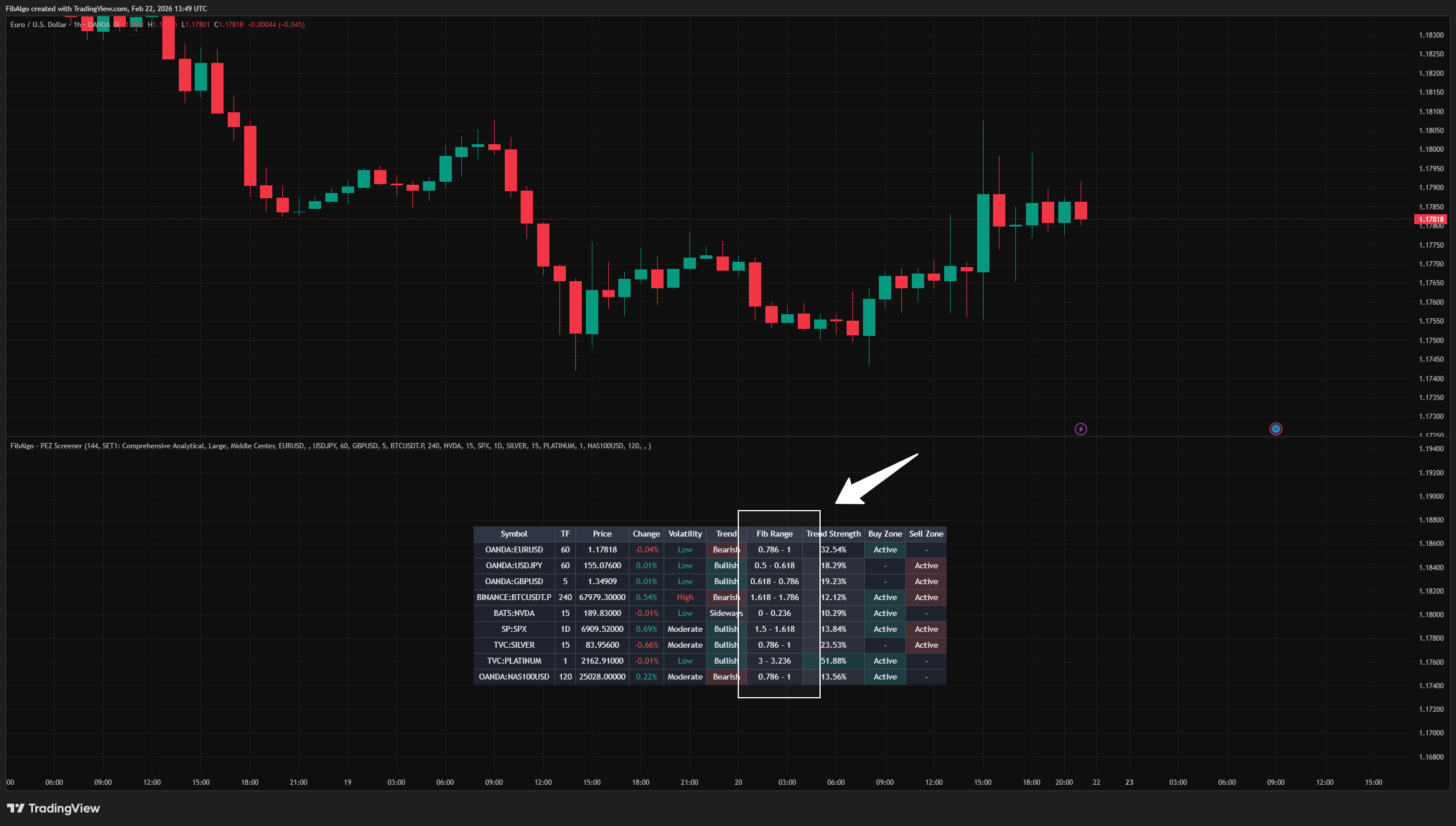
- Fib Range — Shows which Fibonacci level range the price currently occupies (e.g., "0.618 - 0.786").
- Buy Zone / Sell Zone — "Active" means the symbol is currently in a potential entry area based on its Fibonacci position.
- Trend — Bullish, Bearish, or Sideways based on price relative to the pivot midpoint.
- Trend Strength — ADX percentage. Values above 25 suggest a trending market, above 50 a strong trend.
- Volatility — Low, Moderate, or High based on ATR relative to price.
Suggested Workflow
1. Add the symbols you regularly trade or monitor.
2. Scan the table for symbols showing "Active" in the Buy Zone or Sell Zone columns. 3. Check the Trend and Trend Strength columns for additional context — an active zone aligned with a strong trend may warrant closer examination on the full chart. 4. Switch to the symbol's chart and apply the main indicator for detailed zone analysis, including confidence scores, repeat counts, and zone flip states. 5. Use the Volatility column as additional context when comparing symbols.
Limitations
- This screener is a monitoring tool, not a trading system. It does not generate buy/sell orders.
- The screener uses request.security() for each symbol. TradingView limits the number of security calls per indicator. With 10 symbols and 8 data fields each, the indicator approaches these limits.
- Zone activity is a simplified representation of the full PEZ indicator's zone logic. For detailed confidence scores, repeat counts, and zone flip states, use the main indicator on the specific symbol's chart.
- Fibonacci range calculations depend on having sufficient price history for zigzag pivot detection. Newly listed instruments or very short timeframes may show "N/A" until enough data accumulates.
- ADX and ATR values are computed on each symbol's selected timeframe. Comparing values across different timeframes requires understanding that these metrics are timeframe-dependent.
The Fibonacci analysis methodology and zigzag pivot detection are based on well-established technical analysis principles. The multi-symbol screener architecture, dynamic table rendering, and column visibility system are original contributions.
Trading involves risk. This indicator is an analysis tool, not financial advice: use it alongside your own analysis and risk management.
Frequently Asked Questions
What is the Screener (PEZ) indicator?
Multi-symbol TradingView screener that monitors up to 10 symbols simultaneously with Fibonacci range positions, trend direction, and zone status.
Is Screener (PEZ) free to use on TradingView?
Screener (PEZ) is an exclusive indicator included in the FibAlgo Ultimate and Lifetime plans. Visit fibalgo.com for pricing details.
How do I add Screener (PEZ) to my TradingView chart?
Subscribe to FibAlgo, then search for "Screener (PEZ)" in the TradingView Indicators panel. Once your account is linked, the indicator will be available in your invite-only scripts.
What trading strategies work best with Screener (PEZ)?
Screener (PEZ) is the scanning step before a trade rather than a strategy on its own. Add up to 10 symbols, each on its own timeframe, and look for rows where the Buy Zone or Sell Zone column shows “Active”. An active zone that lines up with a strong trend (trend strength above 25) is the one to open on its full chart, where Perfect Entry Zone shows the confidence, repeat count and flip state behind it.
Learn More
- Fibonacci Trading Strategy: The Complete GuideMaster Fibonacci retracement, extension, and time zones for crypto and forex trading. Learn how institutional traders use Fibonacci levels.
- AI Trading Indicators: How Machine Learning Changes Technical AnalysisHow AI-assisted trading indicators work: machine-learning pattern recognition, adaptive parameters and their limits, explained for traders.
- Best TradingView Indicators: Top 15 Tools Every Trader NeedsComprehensive ranking of the best TradingView indicators for crypto, forex, and stocks. Includes setup guides, settings optimization, and strategy combinations.
Unlock exclusive FibAlgo tools
Get every exclusive FibAlgo indicator on TradingView with Ultimate or Lifetime.
Related indicators
View All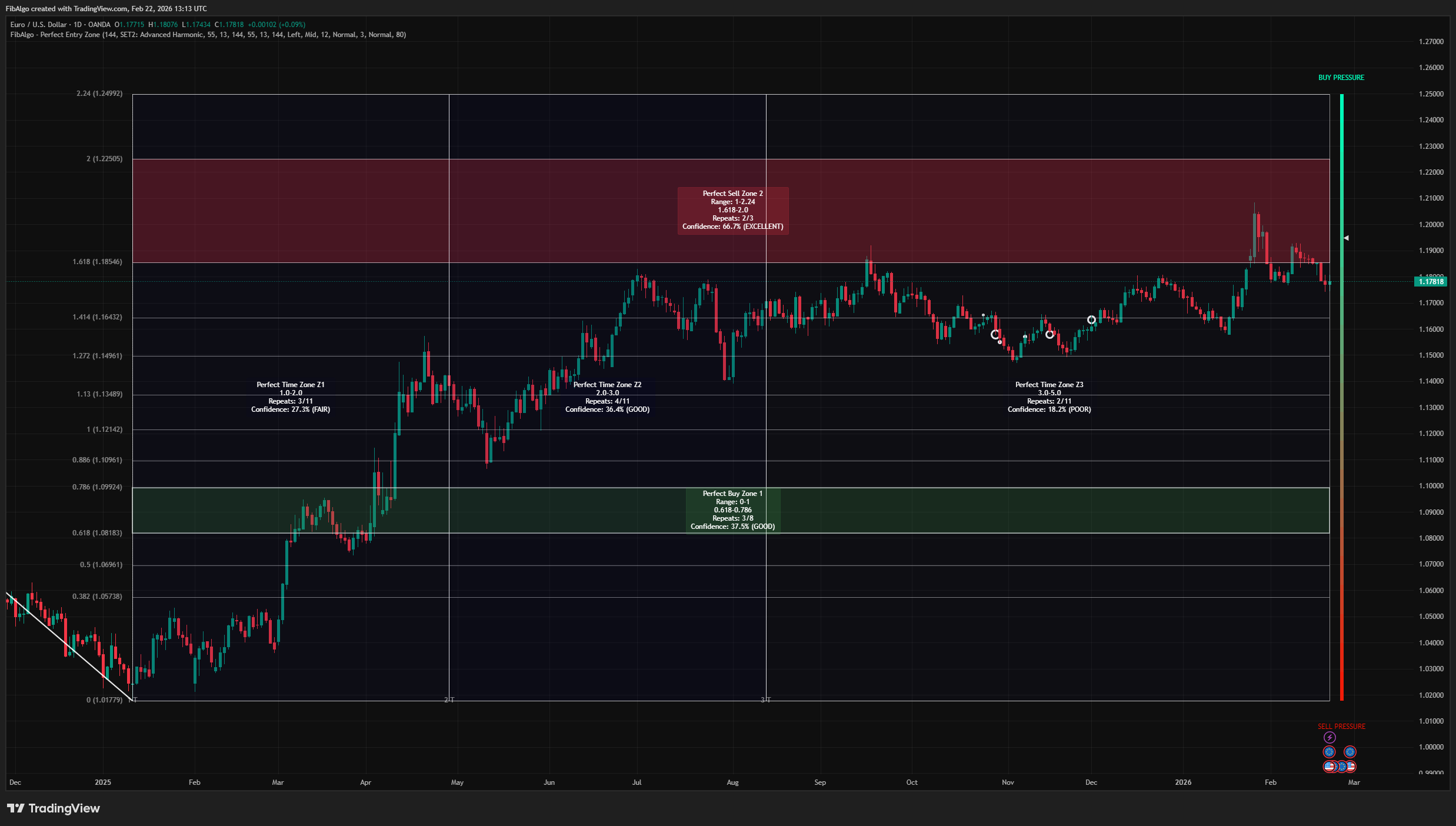
Perfect Entry Zone
Adaptive Fibonacci-based support and resistance indicator for TradingView that identifies recurring retracement zones and projects Fibonacci time zones.
See Details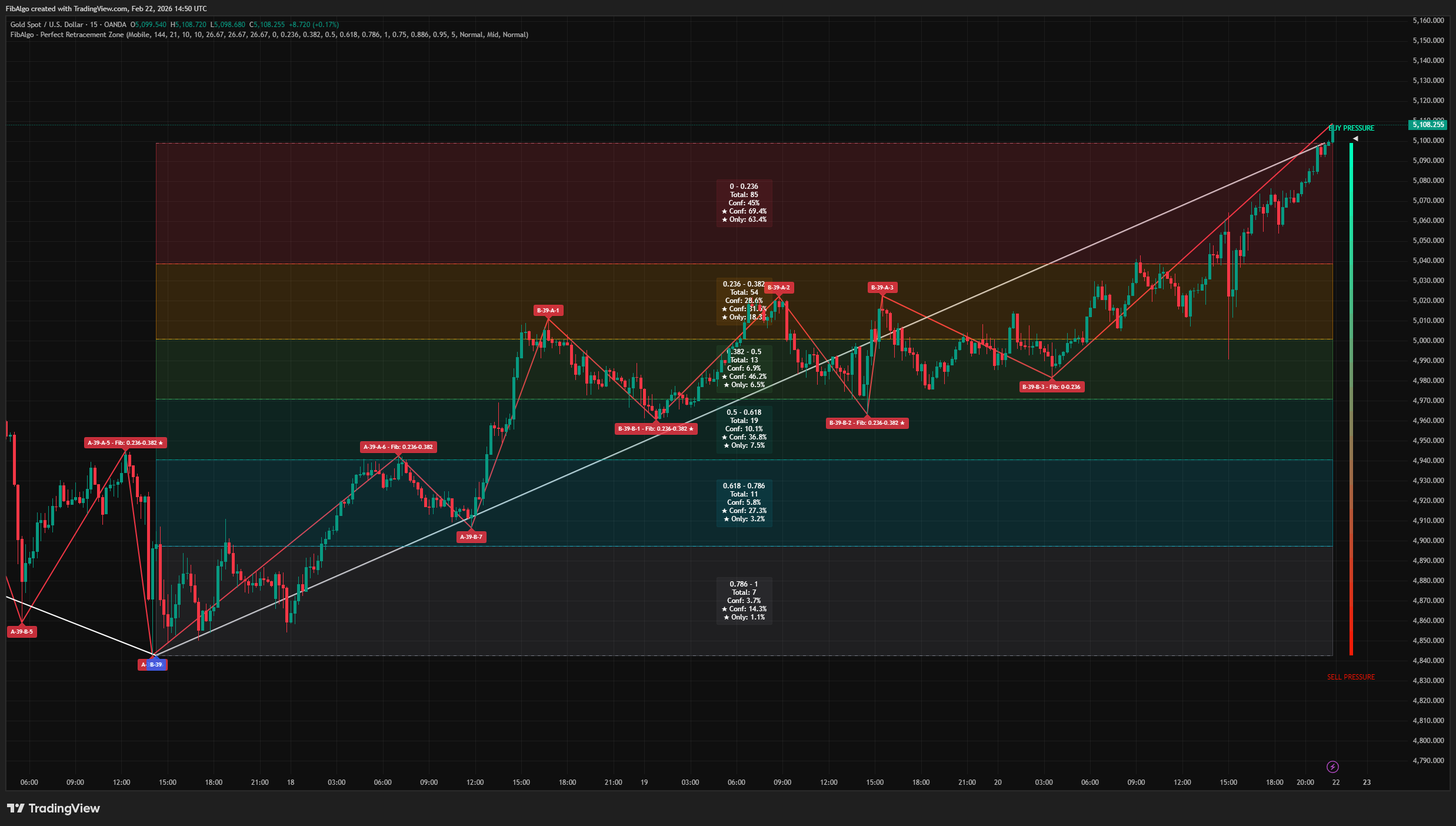
Perfect Retracement Zone
Dynamic Fibonacci retracement indicator for TradingView that identifies statistically significant support and resistance zones using pivot frequency analysis.
See Details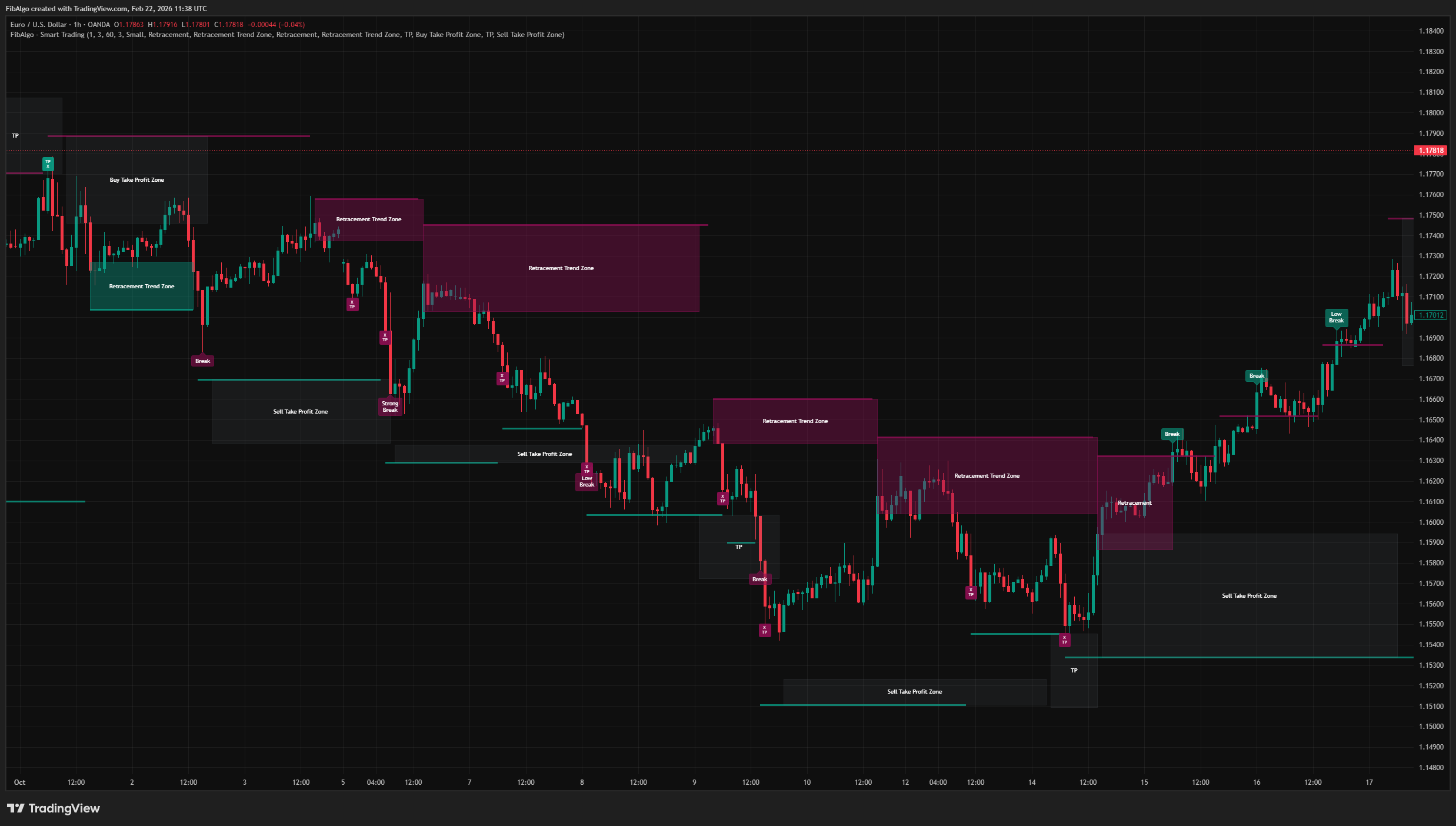
Smart Trading
Volatility-adaptive trend analysis indicator for TradingView that identifies dynamic support and resistance levels with breakout classification and take-profit zones.
See Details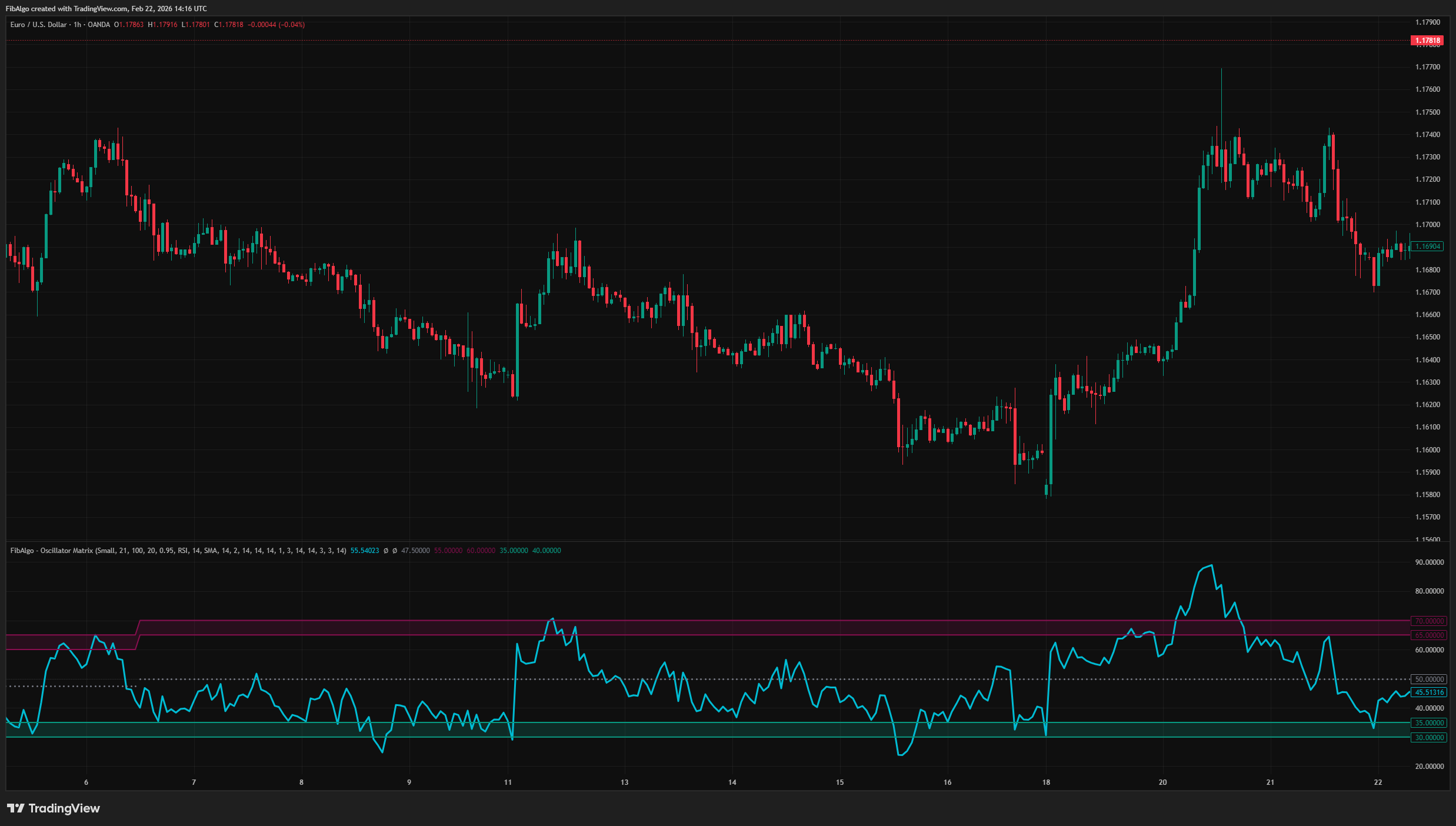
Oscillator Matrix
Statistical oscillator indicator for TradingView that identifies dynamic overbought and oversold zones based on actual pivot frequency distributions.
See Details