
Use this indicator directly on TradingView — the world's most popular charting platform.
What does the ICT Power of 3 (AMD) indicator do?
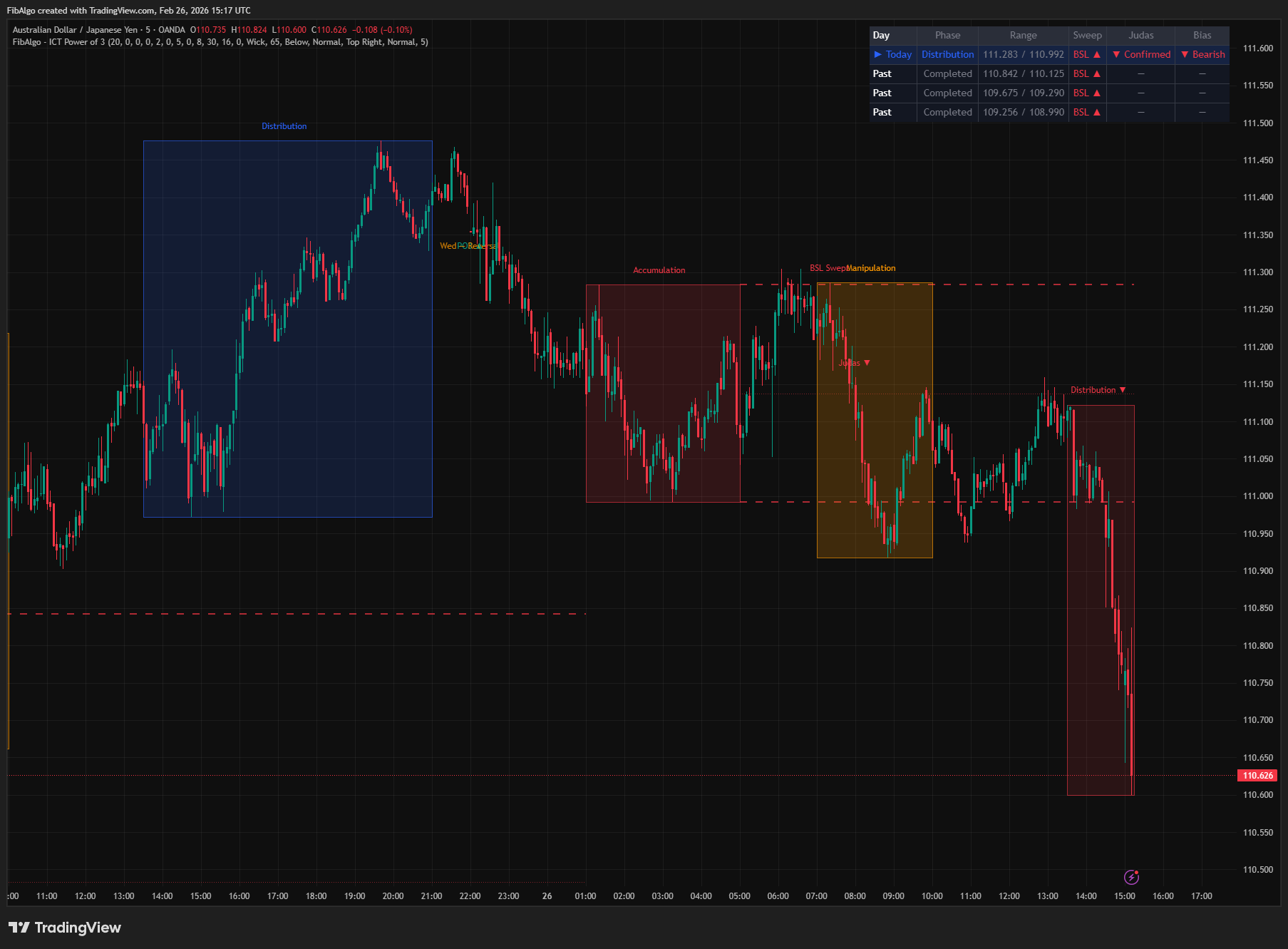
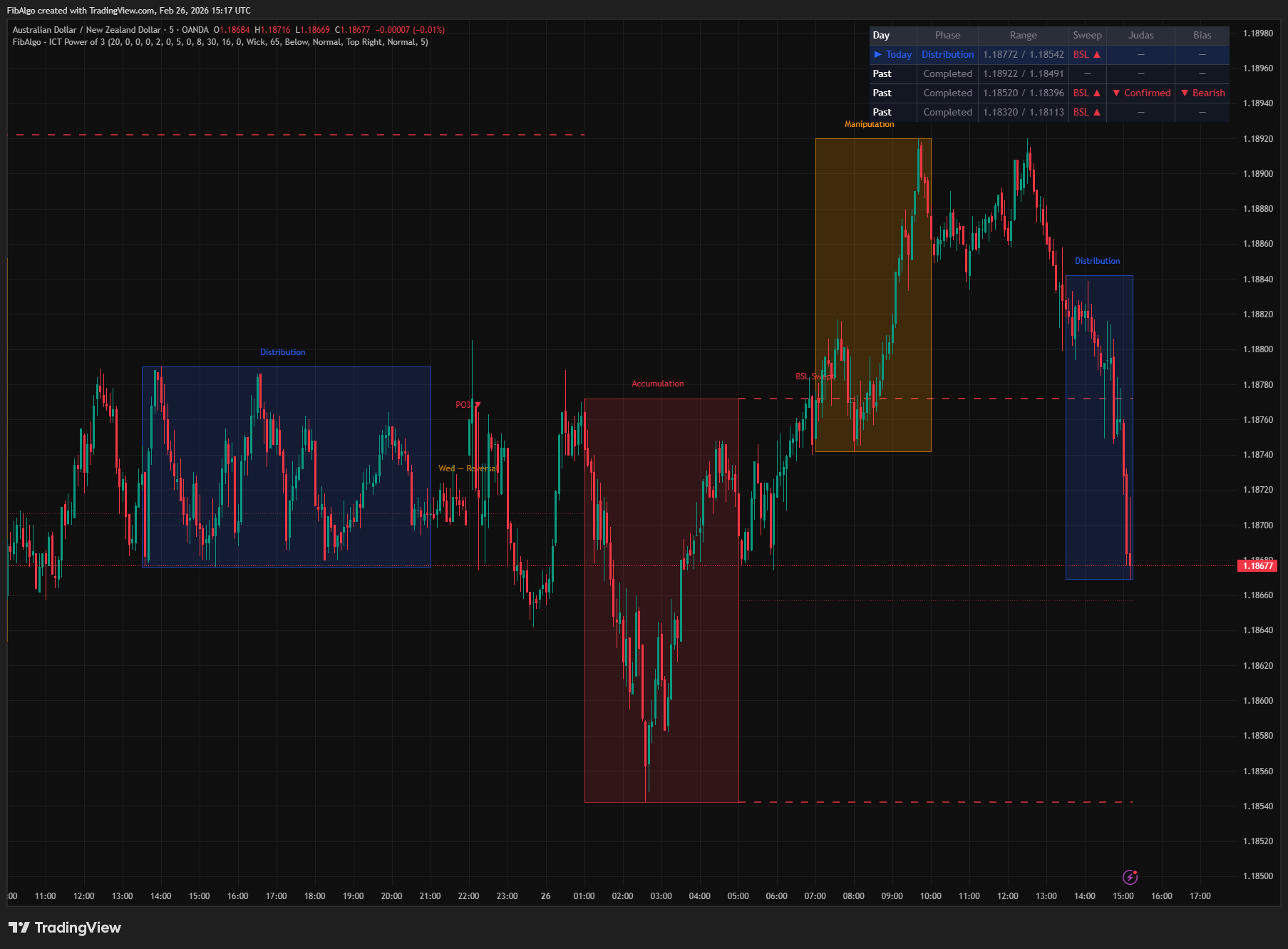
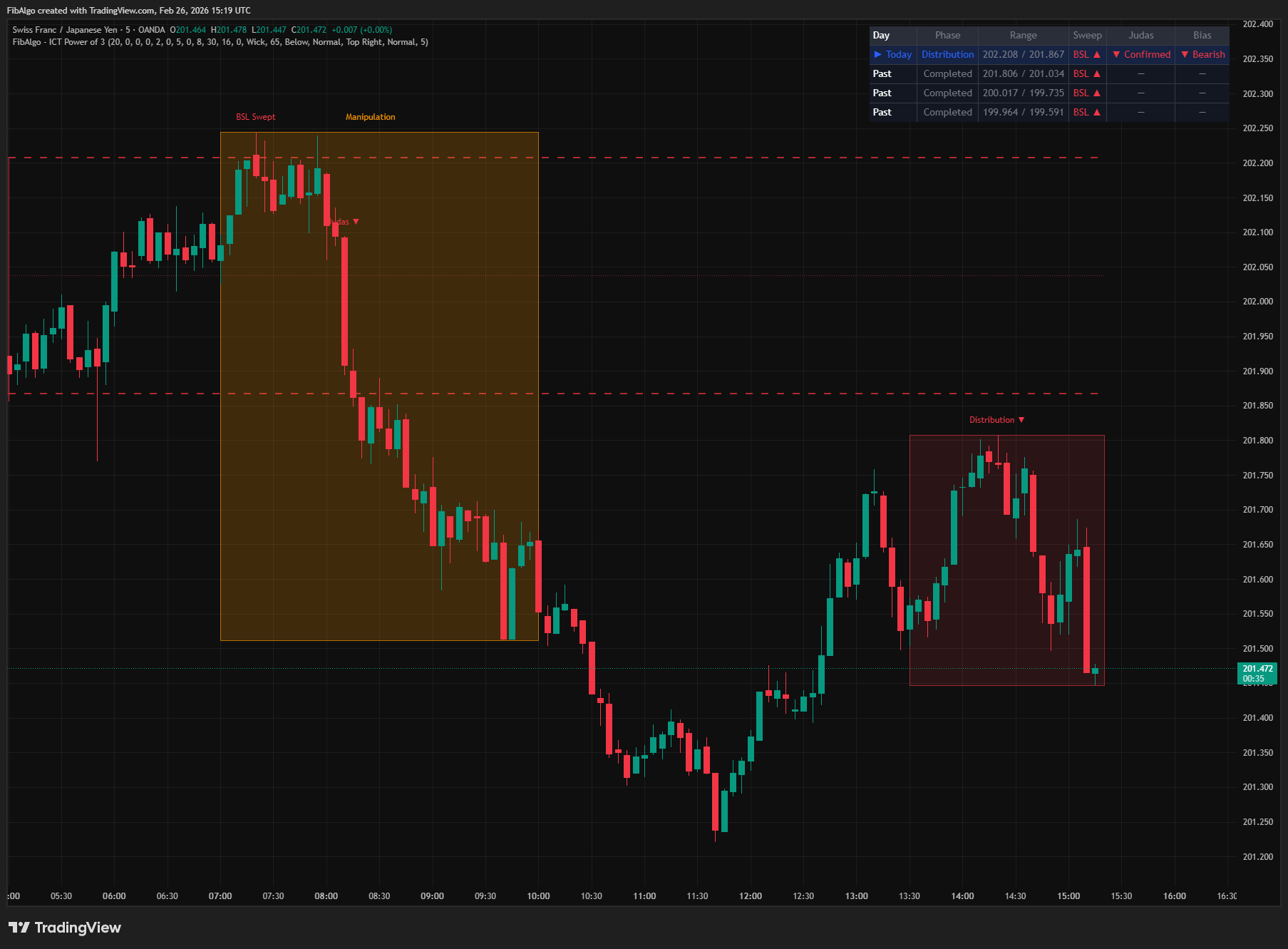
This indicator visualizes the ICT Power of 3 (AMD — Accumulation, Manipulation, Distribution) daily cycle using cross-session analysis. It maps the three institutional price delivery phases across trading sessions: Asia builds the consolidation range (Accumulation), London sweeps that range with a Judas Swing (Manipulation), and New York delivers the true directional move (Distribution). The indicator draws session boxes, tracks accumulation range levels, detects BSL/SSL sweeps with Judas Swing confirmation and invalidation, scores completed daily candles for PO3 structure, and displays a weekly AMD template overlay.
Key Concepts
- Accumulation (Asia Range) — The consolidation range formed during the Asian session (default 20:00–00:00 ET). This range defines the high and low levels that Smart Money will target for liquidity. The range is tracked dynamically and freezes when the session ends.
- Manipulation (Judas Swing) — During the London Kill Zone (default 02:00–05:00 ET), price sweeps beyond the accumulation range to grab liquidity — either above the high (BSL sweep, bearish signal) or below the low (SSL sweep, bullish signal). This false breakout is the Judas Swing.
- Distribution (True Move) — The New York session (default 08:30–16:00 ET) delivers the real directional move opposite to the manipulation sweep. If BSL was swept, distribution trends bearish. If SSL was swept, distribution trends bullish.
- BSL / SSL Sweep — Buy Side Liquidity (BSL) rests above the accumulation high; Sell Side Liquidity (SSL) rests below the accumulation low. The manipulation phase targets one of these pools. Detection can use wick or close-based methods.
- Judas Swing Invalidation — The extreme of the Judas Swing (the highest high after a BSL sweep, the lowest low after an SSL sweep) is the level the scenario must hold. A close beyond it means the false move was not false, so the day's bias is cancelled.
- Daily PO3 Candle — A retrospective scoring system that analyzes the previous day's completed daily candle. Open position, close position, manipulation wick size, and body ratio produce a score on a 0–100 scale (the highest reachable score is 91) indicating how well the OHLC structure matches the PO3 pattern. A candle also needs a manipulation wick of at least 10% of its range to qualify.
- Weekly AMD Template — ICT's weekly framework: Monday = Accumulation, Tuesday = Manipulation, Wednesday = Reversal, Thursday/Friday = Distribution. Day-of-week labels map this template onto your chart.
How does the ICT Power of 3 (AMD) indicator work?
1. Accumulation Phase (Asia Session) When the Asian session opens (default 20:00 ET), a new daily AMD cycle begins. The indicator draws an Accumulation box and tracks the session's high and low in real time. The box expands dynamically as new extremes form. When the session ends (default 00:00 ET), the range is frozen and becomes the reference for the rest of the day. Sessions are evaluated on intraday charts only. If the chart has no bar inside this window (for example US stocks or cash indices), no cycle forms and the summary table says so.
2. Range Extension Lines Once the accumulation range is set, dashed horizontal lines extend the range high and low forward through London and New York sessions. An optional dotted midpoint (EQ) line marks the equilibrium level — this is the reversal confirmation threshold for the Judas Swing. These lines act as key reference levels for the entire trading day.
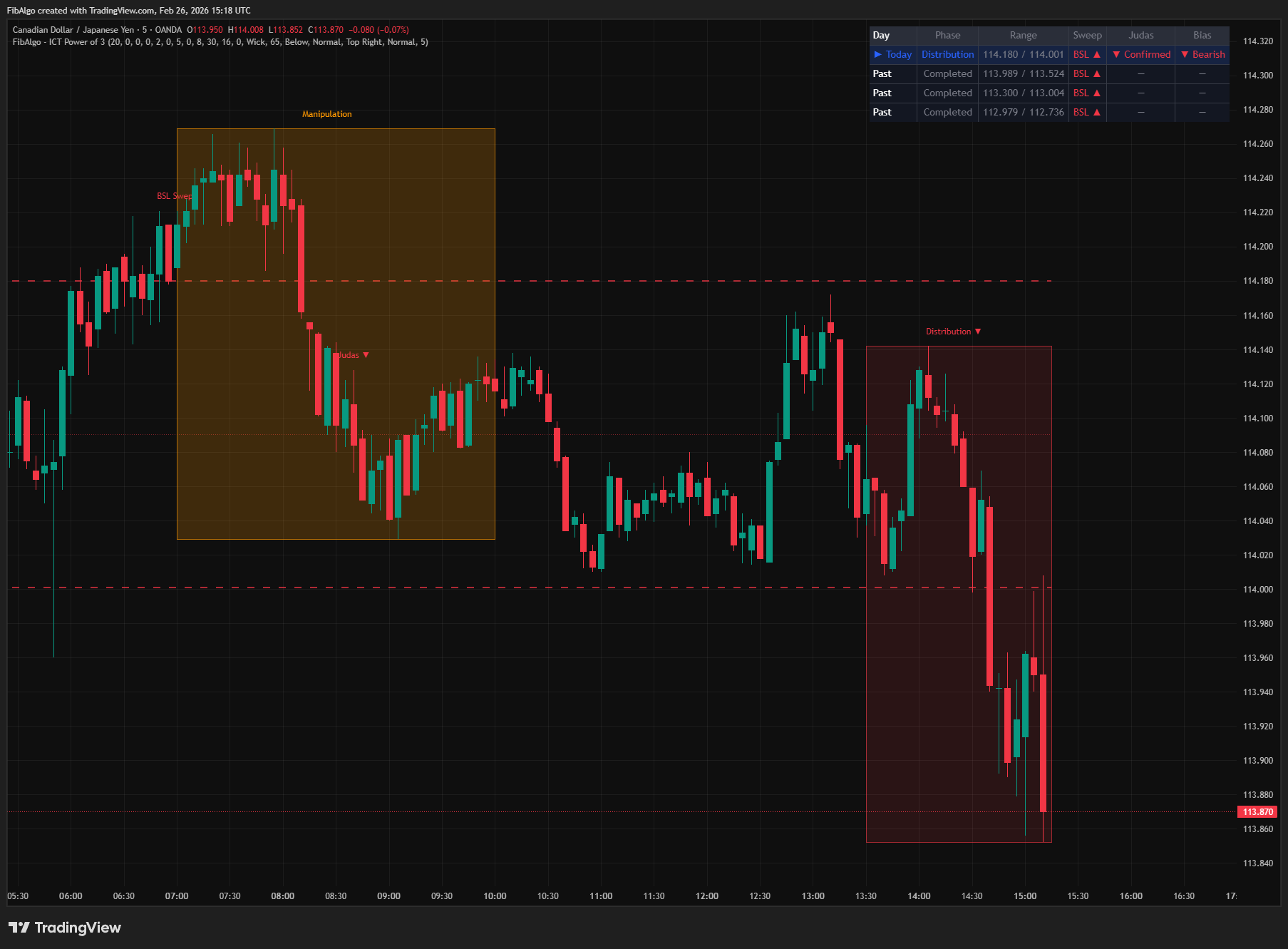
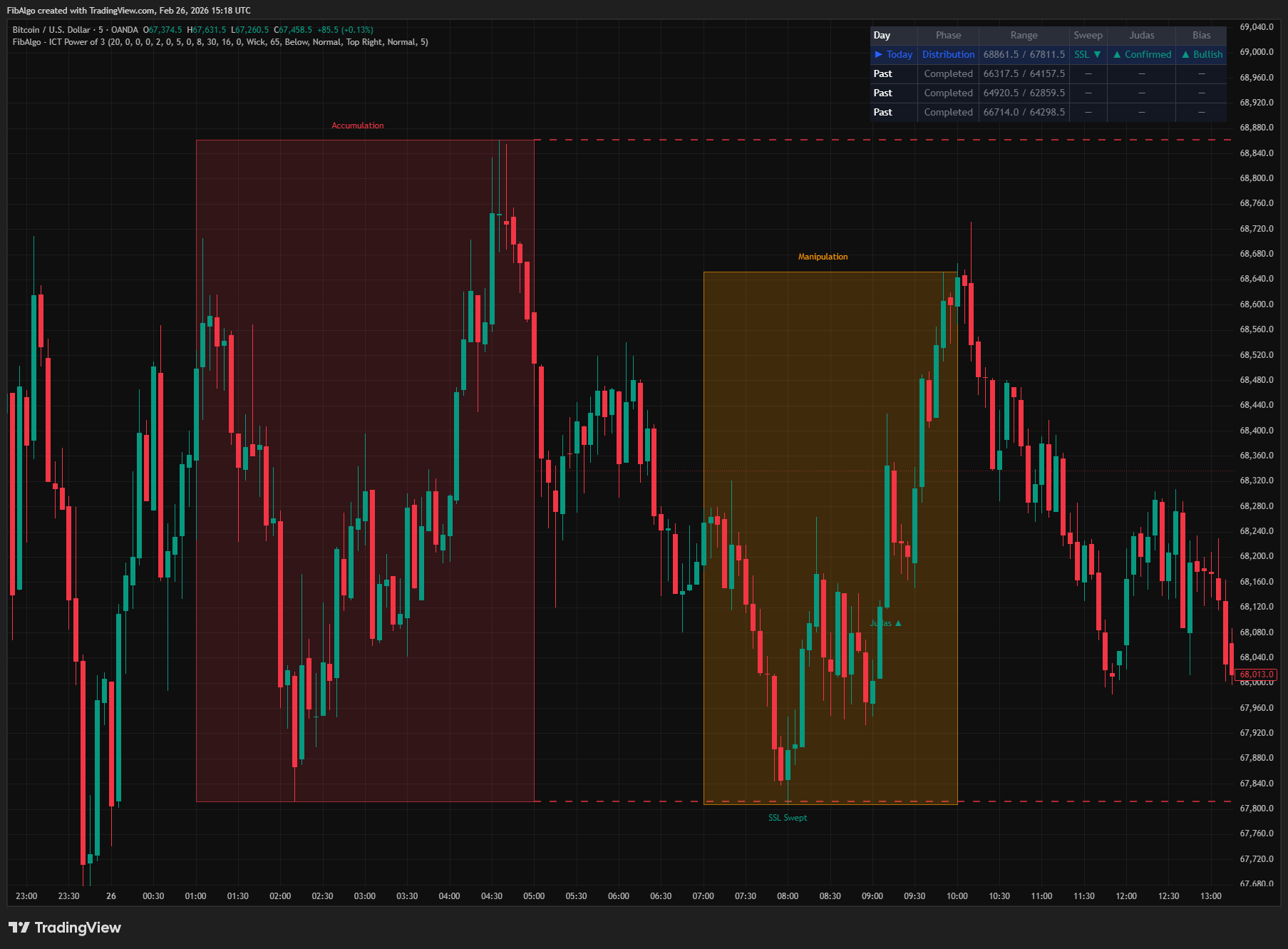
3. Manipulation Phase (London Kill Zone) When the London Kill Zone opens (default 02:00 ET), the Manipulation box begins drawing. The indicator monitors for a sweep — price breaking above the accumulation high (BSL sweep) or below the accumulation low (SSL sweep). Sweep detection supports two methods:
- Wick — High/low wick beyond the range (more sensitive, default).
- Close — Candle must close beyond the range (stricter confirmation).
When a sweep is detected, a "BSL Swept" or "SSL Swept" label appears at the extreme. The first confirmed sweep direction sets the daily bias — subsequent sweeps in the same session do not override it (one-shot detection).
4. Judas Swing Confirmation and Invalidation After the sweep, the indicator tracks the Judas swing extreme and checks for reversal confirmation. When "Require Reversal Confirmation" is enabled, the Judas Swing is only confirmed when price closes back past the accumulation midpoint (EQ level). This can happen immediately on the sweep candle or on a subsequent candle in the London window (delayed reversal). When the option is disabled, the sweep itself confirms the Judas Swing. Once confirmed, a "Judas ▲" (bullish) or "Judas ▼" (bearish) label appears; when confirmation happens on the sweep candle, it is added to the sweep label as a second line. The direction is then locked for the day and never flips. If a candle later closes beyond the Judas swing extreme before the New York session ends, the bias is invalidated: the Distribution box and label return to the neutral color and the summary table shows "Invalidated".
5. Distribution Phase (New York Session) When the New York session opens (default 08:30 ET), the Distribution box appears. It is color-coded by the confirmed bias:
- Green — Bullish distribution (SSL was swept, Judas confirmed upward).
- Red — Bearish distribution (BSL was swept, Judas confirmed downward).
- Blue — Unconfirmed or invalidated (no sweep, no Judas confirmation, or a close beyond the Judas swing extreme).
The box expands as NY price action develops. The phase label shows the directional arrow when confirmed ("Distribution ▲" or "Distribution ▼").
6. Daily PO3 Candle Scoring At the first bar of each new day, the indicator scores the previous day's completed daily candle for PO3 structure using four factors: how close the open is to one extreme (30 pts), how close the close is to the opposite extreme (30 pts), manipulation wick size relative to range (20 pts), and body-to-range ratio (20 pts). Candles that reach the threshold and have a manipulation wick of at least 10% of the day's range receive a "PO3 ▲" or "PO3 ▼" label, placed on the scored candle at its manipulation extreme (the low for bullish, the high for bearish). The score uses the confirmed previous-day candle on both historical and live bars, so labels do not change after a reload. The highest reachable score is 91. Available on charts up to 1D.
7. Weekly Template Day-of-week labels are placed at the start of each trading day following ICT's weekly AMD framework: Monday (Accumulation), Tuesday (Manipulation), Wednesday (Reversal), Thursday (Distribution), Friday (Distribution). The label uses the weekday of the trading day, so on futures and forex (sessions open the previous evening) and crypto (days start at 00:00 UTC) each label names the day that is starting. These provide macro context for the daily cycle. Available on charts up to 1D.
Features
- Cross-Session AMD Visualization — Three large session boxes (Asia, London, NY) matching the classic ICT Power of 3 layout. Each box tracks its session's high/low in real time.
- Accumulation Range Extension Lines — Dashed high/low lines and dotted midpoint (EQ) extending from Asia close through London and NY sessions as key reference levels.
- Automatic Sweep Detection — Identifies BSL or SSL sweeps via wick or close method. One-shot detection locks the first sweep direction as daily bias.
- Judas Swing Confirmation — Optional reversal confirmation requiring price to close past the accumulation midpoint. Supports both immediate and delayed (multi-bar) confirmation.
- Bias Invalidation — A close beyond the Judas swing extreme before the New York session ends cancels the day's bias.
- BSL/SSL Swept Labels — Clear markers at the exact sweep point showing which liquidity pool was targeted.
- Dynamic Distribution Box Coloring — Green for confirmed bullish, red for confirmed bearish, blue for unconfirmed or invalidated direction.
- Daily PO3 Candle Scoring — Retrospective analysis of completed daily candles on a 0–100 scale (highest reachable score 91) based on open position, close position, manipulation wick, and body ratio. A manipulation wick of at least 10% of the range is required.
- Weekly AMD Template Labels — Day-of-week labels mapping ICT's weekly framework: Mon/Tue = Accumulation/Manipulation, Wed = Reversal, Thu/Fri = Distribution. Based on the trading day of each session.
- Fully Configurable Session Times — Adjust Asia, London, and NY windows to any ET times via hour/minute inputs.
- Summary Table — Shows current phase, accumulation range, sweep status, Judas confirmation, and directional bias (or "Invalidated") for recent daily cycles. Shows a short message when the chart has no Accumulation-session bars.
- Multi-Timeframe Compatible — The session cycle runs on intraday charts and works best on 1m to 15m charts. Daily PO3 and weekday labels also work on the 1D chart. All session times are ET-based regardless of chart timezone.
- Alert System — Three configurable alerts: Accumulation Range Swept, Judas Swing Confirmed, Daily PO3 Candle Detected. Each includes symbol, timeframe and the relevant price levels. Close-based events (Close sweep method, Judas confirmation) alert once the bar closes. The Daily PO3 alert also works when its labels are hidden.
- History Management — Configurable history depth (1–30 days) with automatic cleanup of older cycles.
How to use the ICT Power of 3 (AMD) indicator
- Identify the Daily Range: Apply to a 5m or 15m chart. Watch the Accumulation box form during Asia — this is your reference range for the entire day.
- Monitor for Sweeps: When London opens, watch for price to break above the accumulation high (BSL) or below the accumulation low (SSL). The sweep label tells you which liquidity pool was targeted.
- Confirm the Judas Swing: After the sweep, wait for the Judas confirmation label. Once confirmed, the daily bias is set — expect distribution in the opposite direction during NY. If the Distribution box turns back to blue, the bias was invalidated.
- Trade the Distribution: Use the Distribution box's directional coloring as a visual bias filter. Green = expect bullish continuation, Red = expect bearish continuation.
- Use Range Lines as S/R: The accumulation high/low extension lines act as key support/resistance levels throughout the day. The midpoint (EQ) line is the equilibrium level.
- Check Daily PO3 Candles: PO3 labels on previous days show which daily candles exhibited clean AMD structure — useful for understanding recurring patterns.
- Weekly Context: Use the weekly template labels to understand where the current day sits within the weekly AMD cycle.
- Combine with ICT Tools: Pair with Order Blocks (WHERE price reacts), Fair Value Gaps (WHERE price rebalances), Liquidity Levels (WHERE stops rest), and Market Structure (WHICH direction) for complete ICT analysis.
Limitations
- This indicator is a visualization tool — it does not generate buy/sell signals. Use it for structural understanding and confluence with other ICT tools.
- Works best on intraday timeframes (1m–15m). On 1H+ charts, session boxes may appear compressed and less informative. On 1D only the Daily PO3 and weekday labels are drawn; above 1D the indicator only shows the table message.
- Symbols with no bars between 20:00 and 00:00 ET (for example US stocks, ETFs and cash indices) form no AMD cycles; the summary table shows a message instead.
- Session times are fixed in Eastern Time (ET / America/New_York). They automatically adjust for US Daylight Saving Time. If you trade instruments in other timezone conventions, adjust the time windows accordingly.
- The daily PO3 candle score is retrospective — it labels yesterday's completed candle, not the current one.
- Not every day produces a clean AMD cycle. If London does not sweep the accumulation range, the daily cycle remains unconfirmed (blue Distribution box, no bias in the summary table).
- Sweep detection is one-shot per day: the first confirmed sweep direction sets the bias. If both BSL and SSL are swept in the same London session, only the first detection counts. A single bar that exceeds both sides is recorded as a BSL sweep.
- Only bars inside the Manipulation window are checked for sweeps. If the Asia high or low was already exceeded before the London open, the first London bar that is still beyond the level is marked as the sweep.
- Bias invalidation uses candle closes; a wick beyond the Judas swing extreme does not cancel the bias.
- The weekly template (Mon=Accum, Tue=Manip, Wed=Rev, Thu/Fri=Dist) is a general ICT guideline, not a guaranteed pattern. Market conditions vary.
- A new AMD cycle forms on every day that has bars in the Accumulation session: markets closed on weekends and holidays form none on those days, while 24/7 crypto markets form one every day, including weekends.
- Asset-specific behavior may vary — forex, indices, and crypto may show different AMD session characteristics.
Trading involves risk. This indicator is an analysis tool, not financial advice: use it alongside your own analysis and risk management.
Release notes
v2.0LatestRuntime error, PO3 scoring and weekday label fixes
The indicator no longer stops with a runtime error on stocks, cash indices and daily charts, the daily PO3 score rates the right day, and weekday labels follow the trading day.
After updating
- Delete and re-create your alerts for this indicator with the "Any alert() function call" condition. TradingView alerts keep running the script version they were created with.
Fixed
- Fixed a runtime error on charts with no bars in the Accumulation session, such as US stocks, ETFs, cash indices and 1D and higher charts. The table now shows a short message instead.
- Daily PO3 now scores the previous day on historical bars too (it scored the day before that), with the label on the scored candle. A PO3 candle now also needs a manipulation wick of at least 10% of its range.
- Weekday labels follow the trading day and are no longer one day off on futures, forex and crypto.
- Session boxes are no longer drawn on 1D and higher charts.
- Alerts: the Judas alert now fires when reversal confirmation is off, close-based alerts wait for the bar close, and alert texts include price levels and the timeframe.
- Sweep and Judas labels on the same bar no longer overlap; they share one label.
Added
- A confirmed bias is cancelled if price closes beyond the Judas swing extreme before the New York close. The distribution box then turns neutral and the table shows Invalidated.
Frequently Asked Questions
What is the ICT Power of 3?
The Power of 3 (PO3), also called AMD, splits the trading day into three phases: accumulation, when a range builds; manipulation, when price makes a false move through one side of that range to take liquidity; and distribution, the real move in the opposite direction. ICT uses it to explain why the day's first breakout is often a trap. The indicator maps the three phases onto the Asian, London and New York sessions.
What does AMD stand for in ICT?
AMD stands for accumulation, manipulation and distribution, the three phases of the Power of 3. In this indicator, accumulation is the Asian session range, manipulation is the London sweep of that range and distribution is the New York move. ICT applies the same idea to the week: Monday accumulation, Tuesday manipulation, Wednesday reversal, Thursday and Friday distribution, which the indicator can show as day labels.
What is the Judas swing?
The Judas swing is the false move of the manipulation phase: price breaks above the accumulation high to take buy side liquidity, or below the low to take sell side liquidity, and then turns around. With reversal confirmation switched on, the indicator confirms a Judas swing only when price closes back past the midpoint of the Asian range; it then marks it with a Judas arrow and sets the day's bias, which is cancelled if price closes beyond the Judas swing extreme before the New York close.
What time is the Judas swing?
By default the indicator looks for it in the London killzone, 02:00–05:00 New York time, after the Asian accumulation range of 20:00–00:00 has formed. While US daylight saving time is in effect, that London window is 06:00–09:00 UTC, and 07:00–10:00 UTC the rest of the year. The New York distribution session then runs from 08:30 to 16:00 New York time. All three windows can be adjusted in the settings.
How do you trade the Power of 3?
Use a 5-minute or 15-minute chart and let the Asian range form. When London sweeps one side of it, wait for the Judas confirmation: a sweep of the high points to a bearish day, a sweep of the low to a bullish one. During New York, the distribution box turns green for a confirmed bullish day, red for a bearish one and blue when nothing was confirmed or the bias was invalidated. The range high, low and midpoint lines serve as reference levels for the rest of the day.
Does every day follow the Power of 3 pattern?
No. If London does not sweep the Asian range, the day stays unconfirmed: the distribution box is blue and the summary table shows no bias. The indicator counts only the first sweep of the London session, so a day that takes both sides is read from its first sweep. The daily PO3 score is also retrospective: it rates yesterday's completed candle, not today's.
Learn More
- Smart Money Concepts (SMC): How Institutional Traders Move MarketsLearn Smart Money Concepts including order blocks, fair value gaps, liquidity sweeps, and breaker blocks. Understand how institutions trade.
- Risk Management in Crypto Trading: The Complete Survival GuideMaster position sizing, stop losses, portfolio allocation, and emotional discipline for crypto trading. Learn why risk management matters most.
- Technical Analysis for Crypto Trading: The Definitive GuideLearn technical analysis from basics to advanced for cryptocurrency trading. Master chart patterns, indicators, volume analysis, and multi-timeframe strategies.
Start Using ICT Power of 3
This indicator is free to use on TradingView. Add it to your charts and use it alongside your own analysis.
Related indicators
View All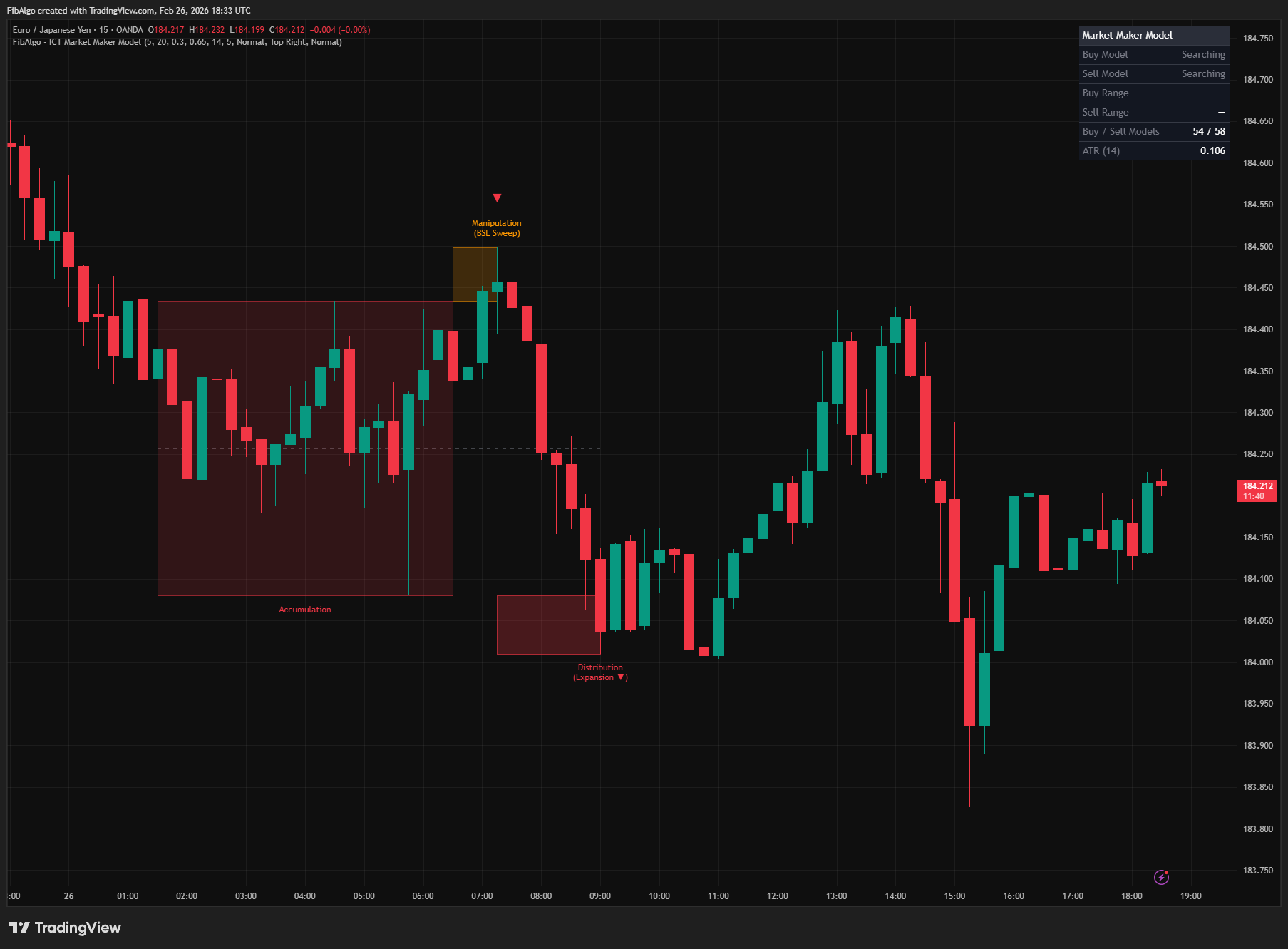
ICT Market Maker Model
TradingView indicator that detects ICT Market Maker Model — the Accumulation, Manipulation, and Distribution institutional price cycle.
See Details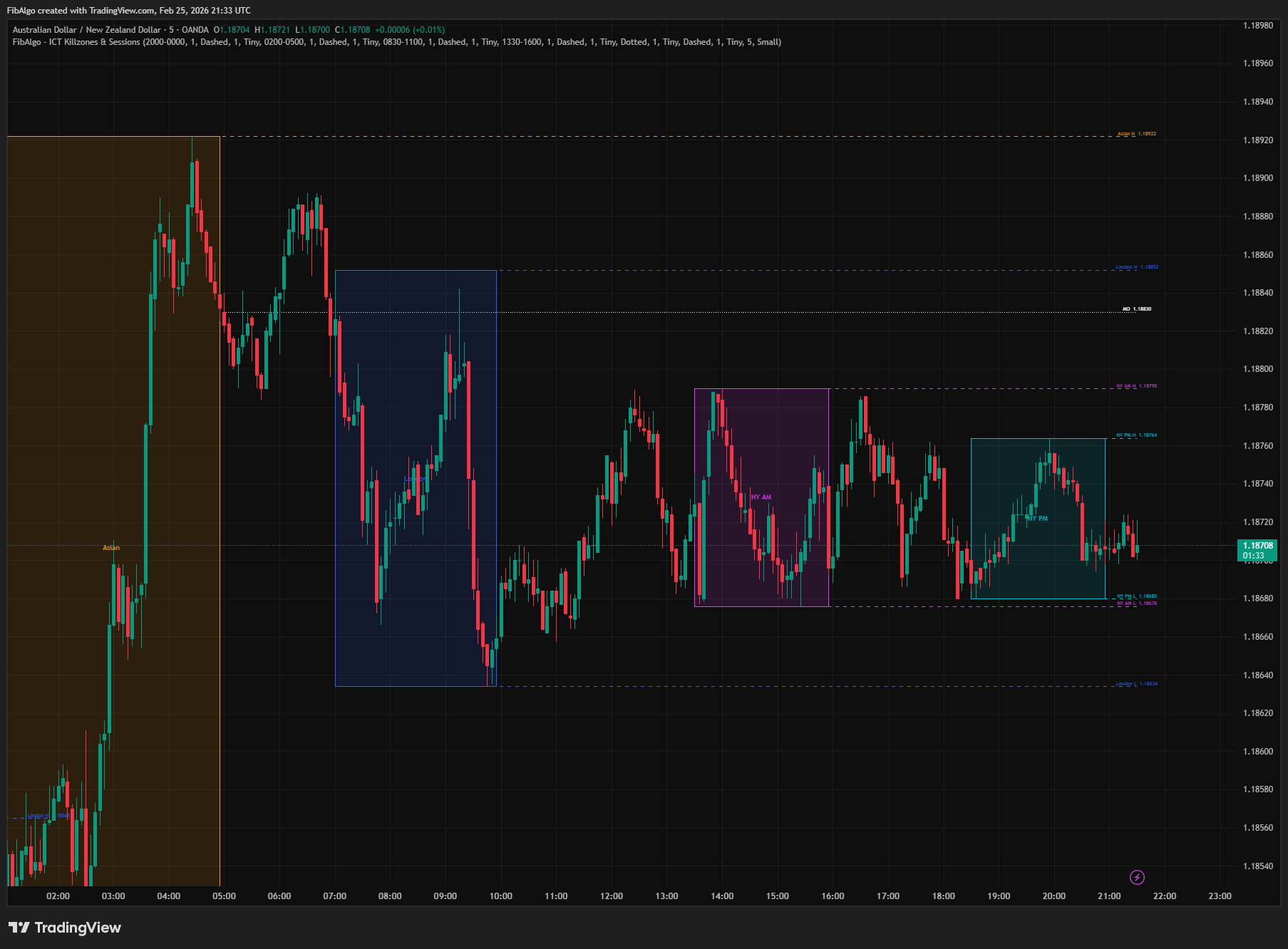
ICT Killzones & Sessions
TradingView indicator that highlights ICT Killzones — Asian, London, NY AM, and NY PM session boxes with high/low extensions and key opening levels.
See Details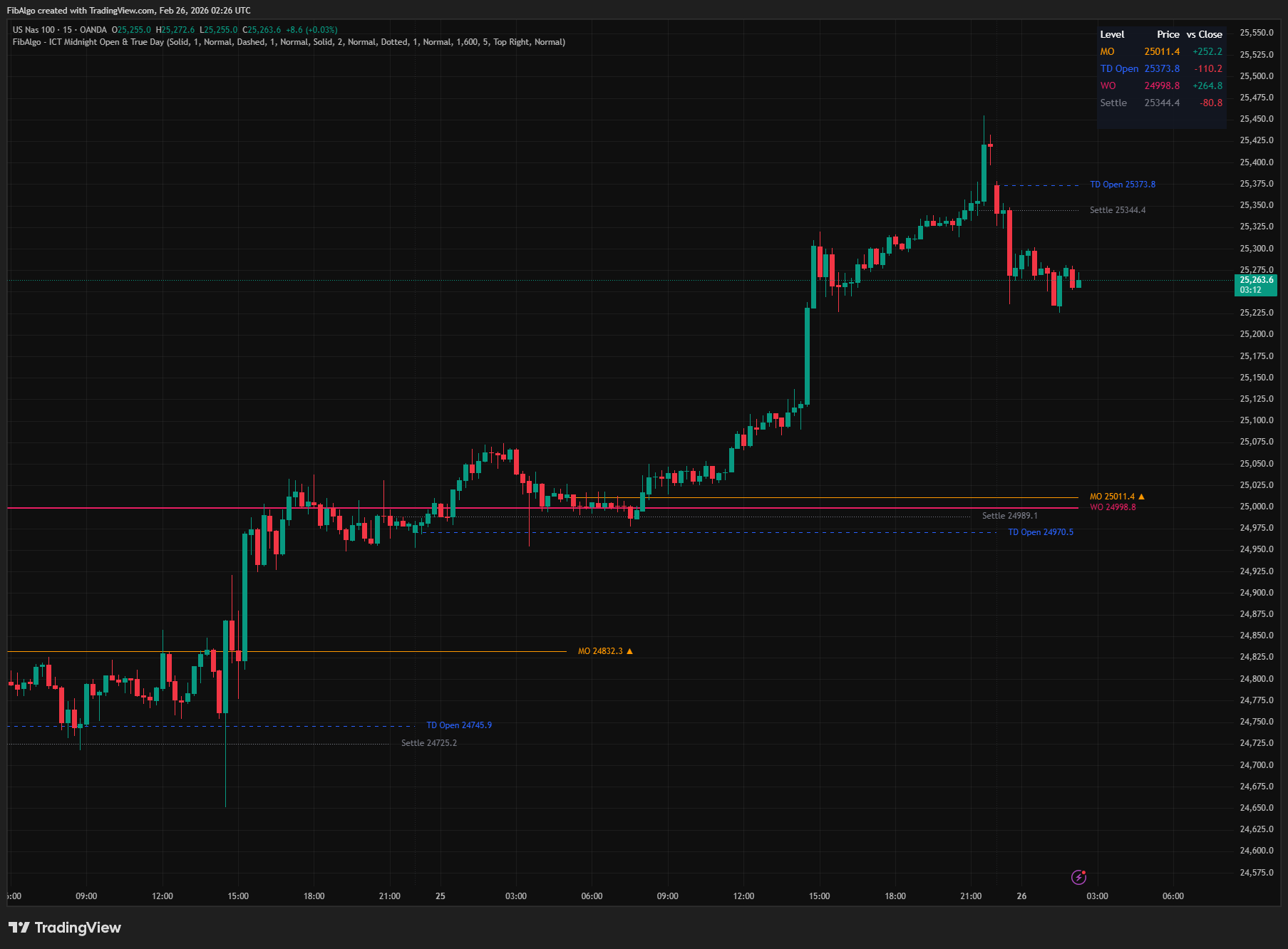
ICT Midnight Open & True Day
TradingView indicator that plots ICT Midnight Open, True Day Open, Weekly Open, and Settlement Price with directional bias analysis.
See Details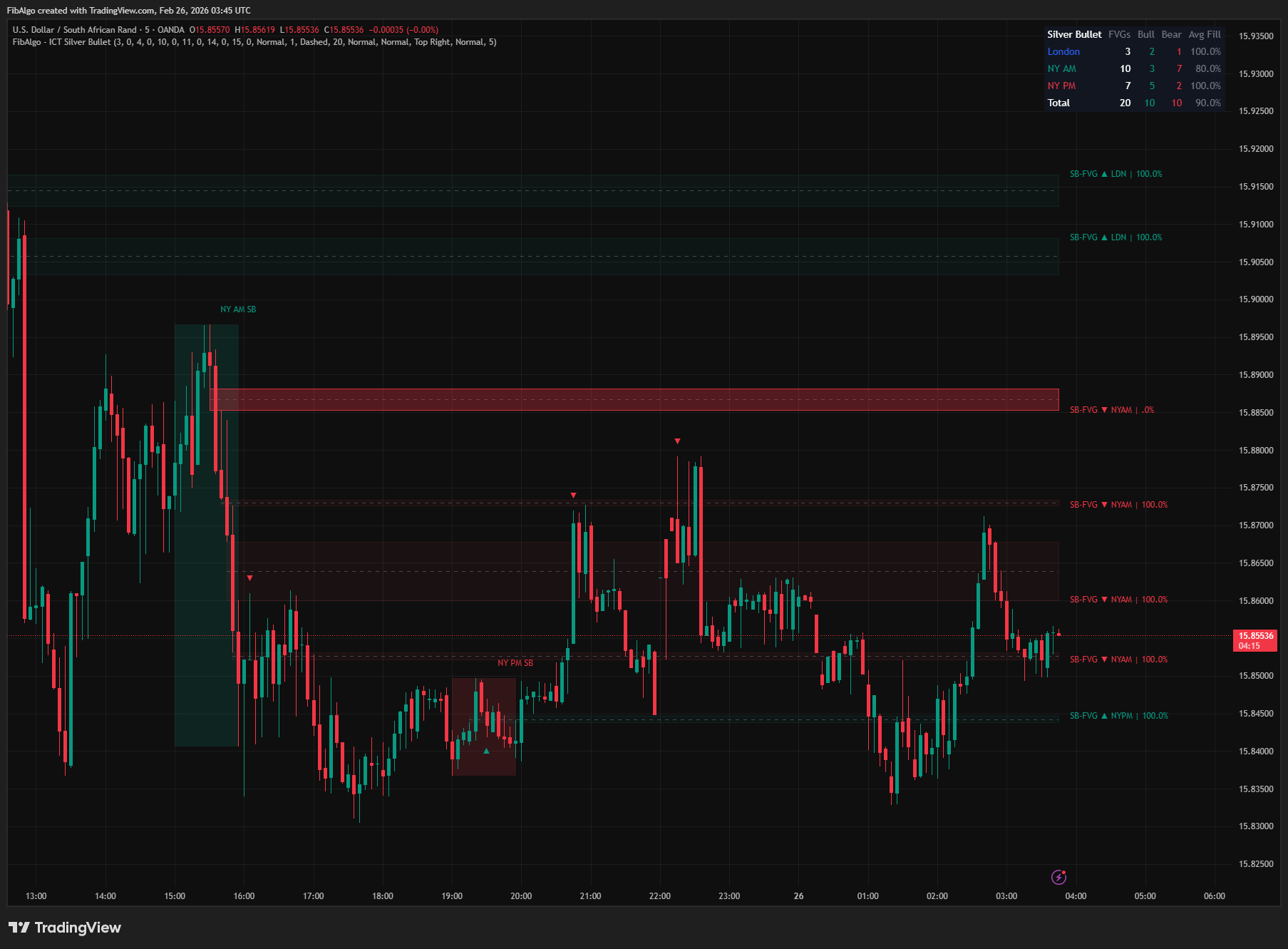
ICT Silver Bullet
TradingView indicator that identifies ICT Silver Bullet windows — London, NY AM, and NY PM — and detects Fair Value Gaps with CE entry signals.
See Details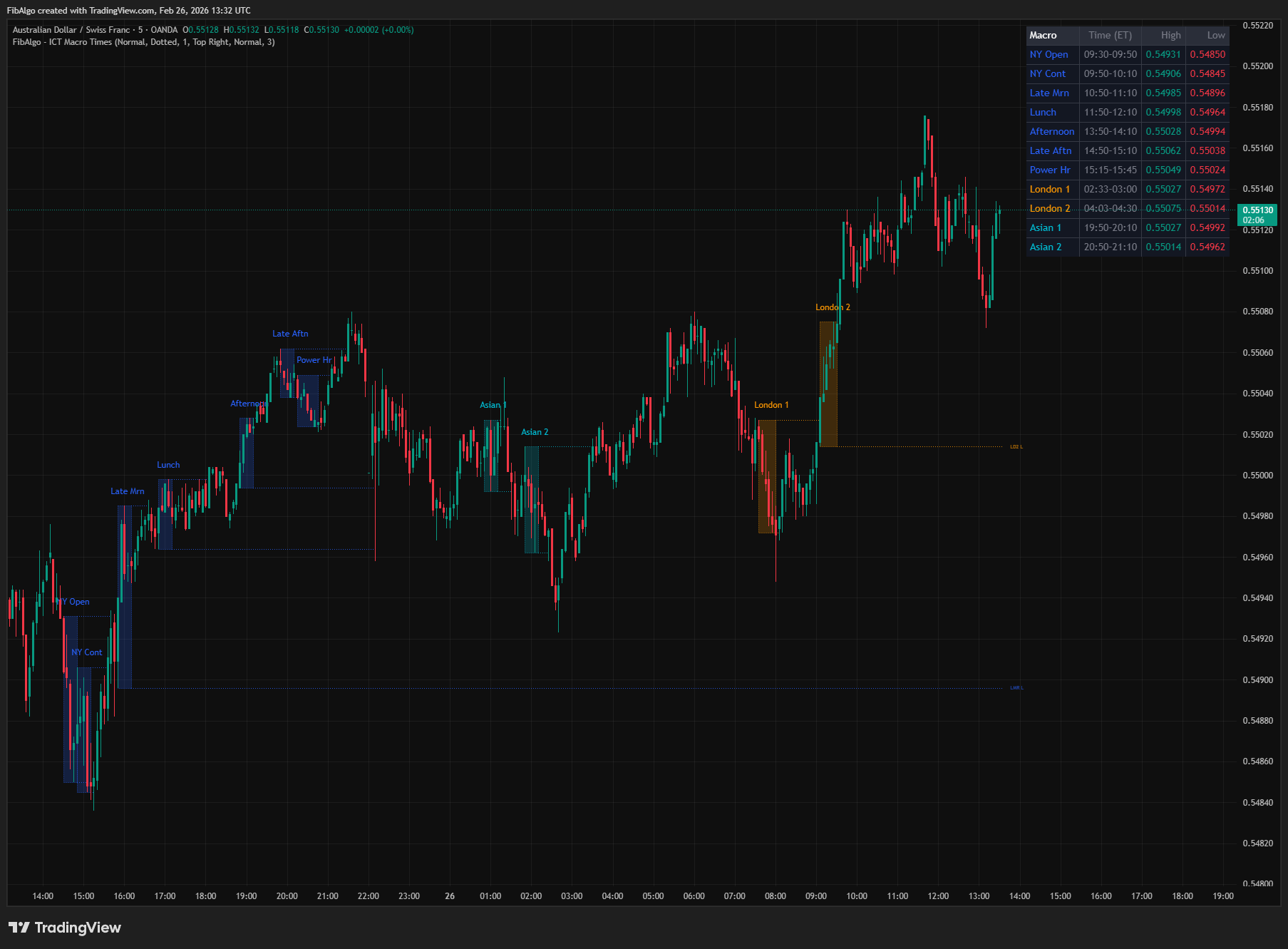
ICT Macro Times
TradingView indicator that highlights the 8 standard ICT Macro Time windows plus 5 additional windows — specific intraday periods where algorithmic price delivery concentrates.
See Details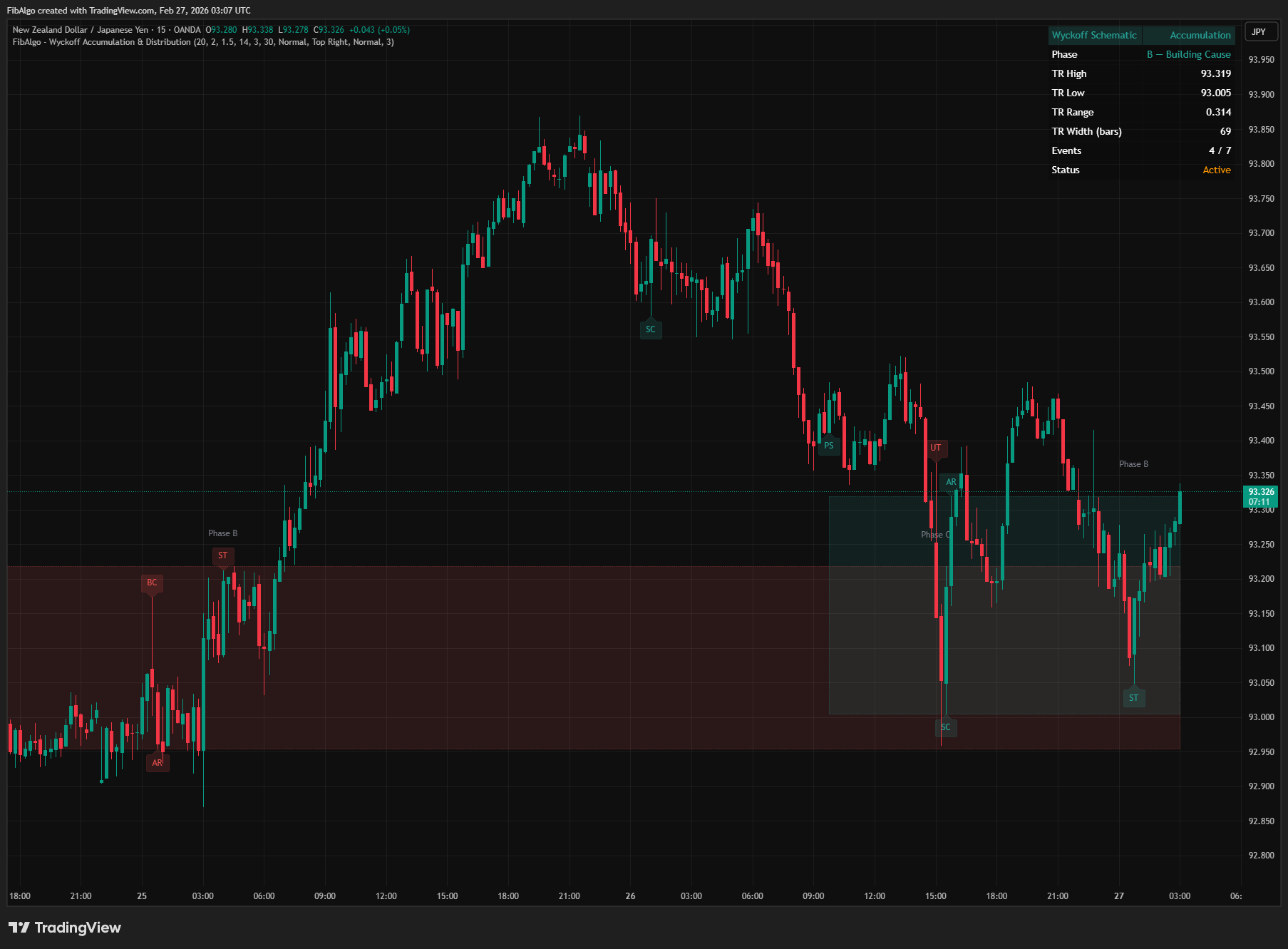
Wyckoff Accumulation & Distribution
TradingView indicator that automatically detects Wyckoff Accumulation and Distribution schematics as each bar closes, with phase classification (A through E).
See Details