
Use this indicator directly on TradingView — the world's most popular charting platform.
What does the ICT Market Structure indicator do?
This indicator provides a comprehensive visualization of ICT (Inner Circle Trader) Market Structure concepts. It identifies Break of Structure (BOS), Change of Character (CHoCH), and Market Structure Shift (MSS) events across two independent structural layers — Internal and Swing — giving traders a clear, multi-layered view of trend direction and potential reversals.
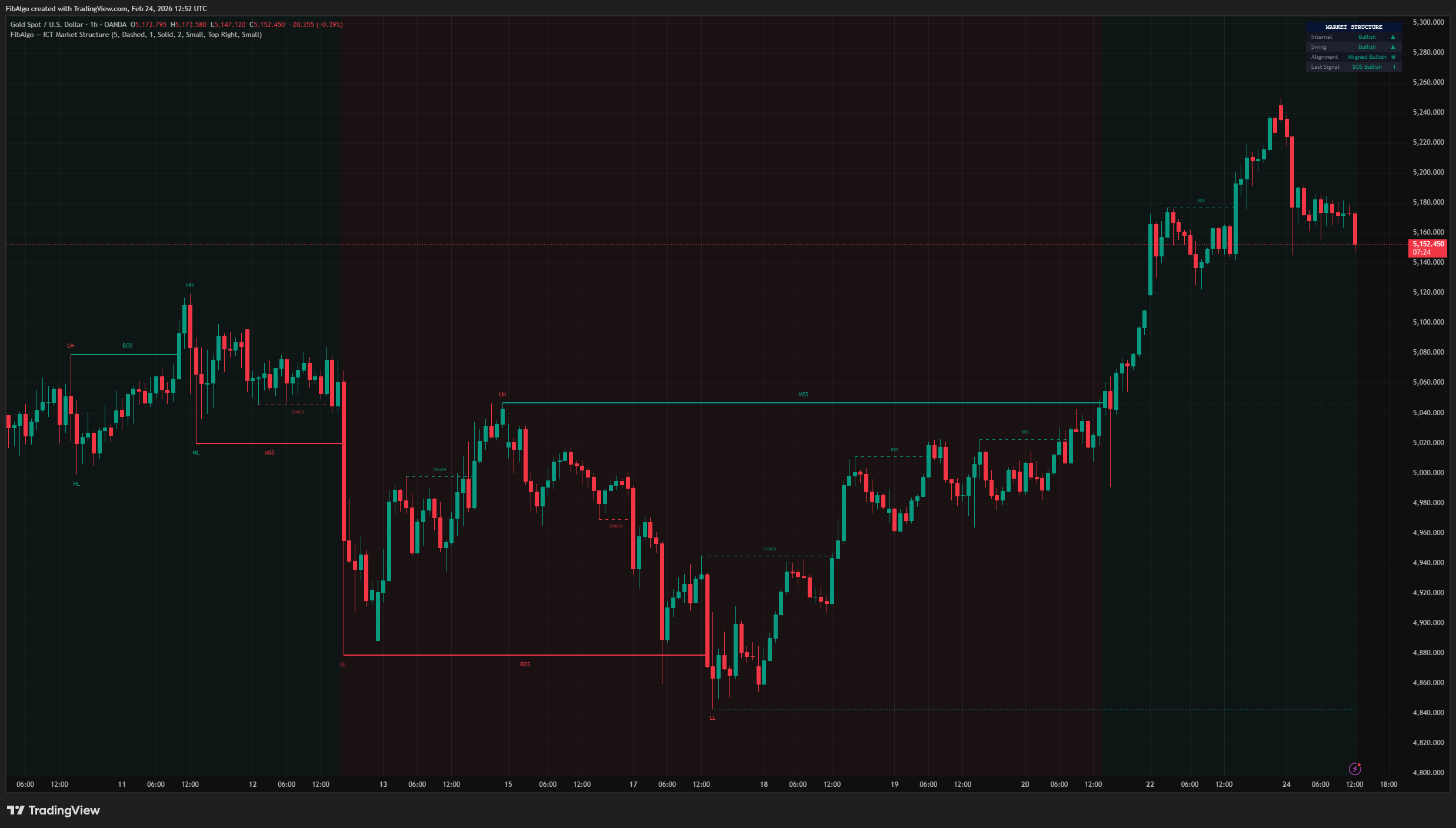
Key Concepts
- Break of Structure (BOS) — A continuation signal. In a bullish trend, a new swing high exceeding the previous swing high confirms the trend is intact. In a bearish trend, a new swing low below the previous swing low confirms continuation.
- Change of Character (CHoCH) — An internal reversal signal. When price breaks the opposing swing point within the current trend (e.g., breaking below the last swing low during a bullish internal trend), it signals a potential change in short-term direction.
- Market Structure Shift (MSS) — A swing-level reversal signal: a change of character at the higher-degree swing structure. In this indicator an MSS is a candle close beyond the opposing swing level; no displacement (candle body size) filter is applied.
- Swing Point Classification (HH/HL/LH/LL) — Each confirmed swing pivot is classified relative to its predecessor: Higher High (HH), Higher Low (HL), Lower High (LH), or Lower Low (LL), providing immediate visual context of the trend's health.
How does the ICT Market Structure indicator work?
The indicator operates on two independent structural layers, each using pivot-based swing detection:
1. Internal Structure Uses the base Swing Length parameter to detect short-term pivots. When a new pivot is confirmed, it sets a key level. The break signal is placed on the breakout candle as soon as that candle closes beyond the level — producing BOS (continuation) or CHoCH (reversal) signals. This layer captures quick shifts in momentum.
2. Swing Structure Uses a 3x multiplier of the Swing Length for higher-degree pivot detection. Like Internal Structure, break signals are placed on the candle that closes beyond the established swing level. This layer generates BOS (continuation) and MSS (reversal) signals at the major structural level. MSS events carry more weight because they occur at the higher-degree swing structure.
Detection Logic
- Swing highs and lows are confirmed using a left/right bar lookback (Swing Length parameter). These confirmed pivots establish the key structural levels.
- Breaks are evaluated at bar close: when a candle closes above a pivot high level or below a pivot low level, the signal is placed on that breakout candle — no additional confirmation delay. Signals do not appear and disappear while a bar is still forming, and drawn signals are never removed later by the detection logic.
- In a bullish trend: close above the last pivot high = BOS Up (continuation); close below the last pivot low = CHoCH/MSS Down (reversal).
- In a bearish trend: close below the last pivot low = BOS Down (continuation); close above the last pivot high = CHoCH/MSS Up (reversal).
- Each level can only trigger once. A new pivot must form to establish a fresh level for the next potential break.
- When both Internal and Swing signals fire at the same price level on the same bar, only the Swing signal is displayed (when Swing Structure is shown) to avoid visual clutter. With Swing Structure hidden, the Internal signal is displayed.
- The first swing point in the classification sequence is skipped to avoid false labeling.
Features
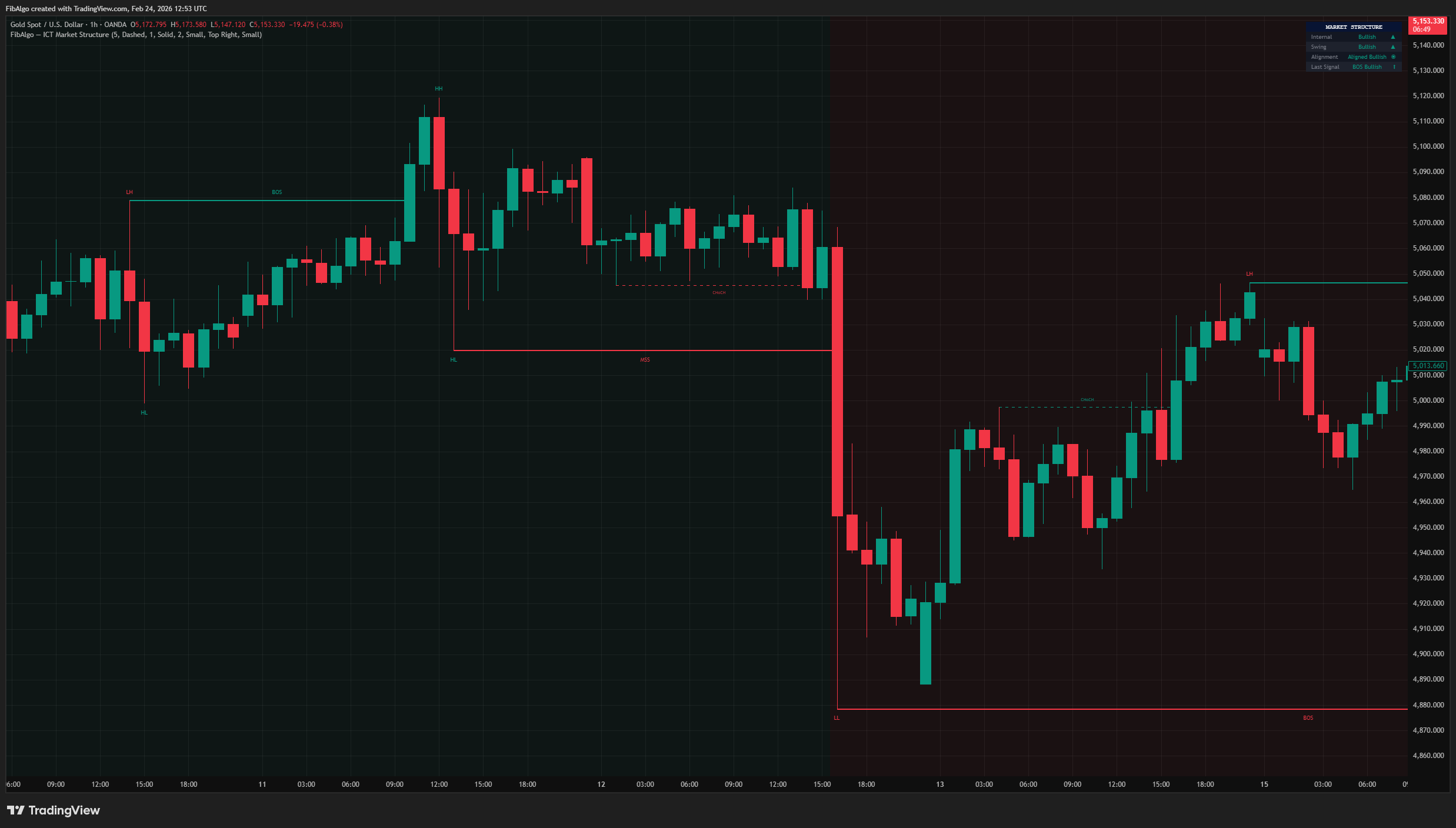
- Dual-Layer Structure — Internal and Swing structure tracked independently with separate visual styles.
- BOS / CHoCH / MSS Labels — Horizontal lines with text labels at the exact broken level, connecting the origin bar to the break bar.
- HH / HL / LH / LL Classification — Swing point labels at each confirmed major pivot.
- Active Level Lines — Dotted horizontal lines showing the current unbroken swing high and low. When one of these levels breaks, a swing BOS or MSS is triggered and that line is removed until a new swing point sets a fresh level.
- Trend Background — Subtle background color indicating the current swing trend direction.
- Dashboard — Optional info panel showing Internal trend, Swing trend, Alignment status, and Last Signal with directional icons (disabled by default).
- Full Customization — Independent colors for each signal type (BOS Up/Down, CHoCH Up/Down, MSS Up/Down), line styles, line widths, structure label size and swing point label size.
- Alert System — Six configurable alert toggles: BOS Bullish/Bearish, CHoCH Bullish/Bearish, MSS Bullish/Bearish. Each message names the layer (Internal BOS, Internal CHoCH, Swing BOS, Swing MSS) and includes the price level, symbol, and timeframe. Alerts fire once per bar close and follow the structure layers that are shown.
How to use the ICT Market Structure indicator
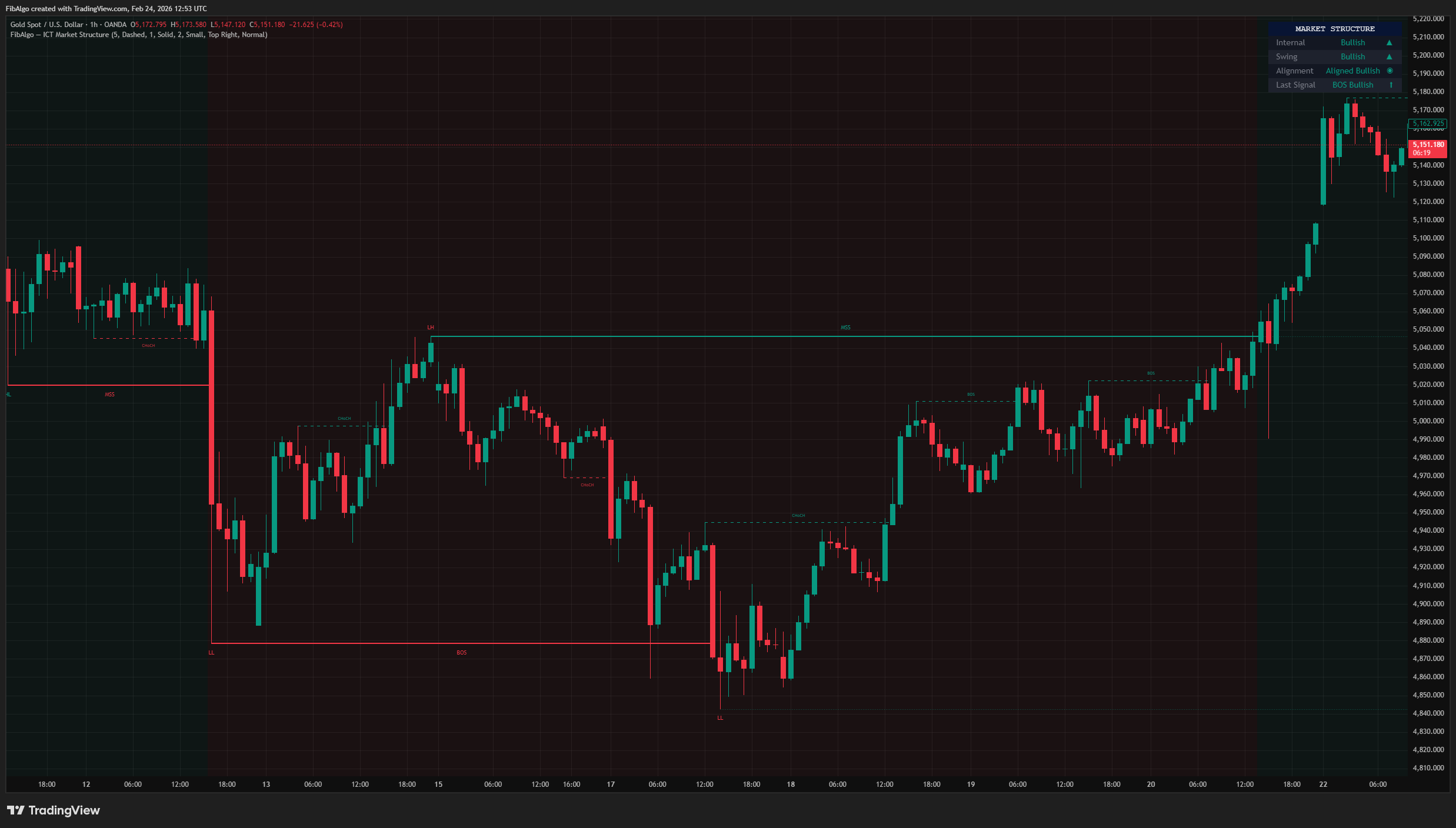
- Trend Identification: When both Internal and Swing structures are aligned (both Bullish or both Bearish), the trend is strong. Conflicting signals may indicate a transition or consolidation phase.
- Entry Timing: Look for MSS or CHoCH events as potential reversal entry signals. BOS events confirm the trend is continuing and can be used for trend-following entries.
- Active Levels: The dotted active lines show the unbroken swing levels that need to break for the next swing BOS or MSS. Monitor these as key decision points.
- Multi-Timeframe: Apply the indicator on multiple timeframes. Use a higher timeframe for bias (Swing Structure) and a lower timeframe for entries (Internal Structure).
- Swing Length: Lower values (2-3) create more sensitive, frequent signals. Higher values (8-15) produce fewer but more significant structural events.
- Alerts: To receive only Swing BOS/MSS alerts, turn off Show Internal Structure; to receive only Internal BOS/CHoCH alerts, turn off Show Swing Structure.
Limitations
- Pivot establishment requires a lookback period (Swing Length bars for Internal, 3x Swing Length bars for Swing). Once a level is set, the break signal is placed on the actual breakout candle when it closes.
- This indicator identifies structure — it does not generate buy/sell signals. It should be combined with other analysis tools (order blocks, fair value gaps, liquidity levels, etc.) for complete trade setups.
- MSS is detected from the close beyond a swing level only; no displacement filter is applied, so an MSS does not by itself confirm a reversal.
- Performance on very low timeframes (1-minute or less) may produce excessive signals. Adjust the Swing Length parameter accordingly.
- The first few swing points on any chart will not be classified (HH/HL/LH/LL) as there is no prior reference point for comparison.
- To stay within TradingView drawing limits, the chart keeps the most recent 290 BOS/CHoCH/MSS lines with their labels and the most recent 200 swing point labels; older drawings are removed.
Trading involves risk. This indicator is an analysis tool, not financial advice: use it alongside your own analysis and risk management.
Release notes
v2.0LatestSignals that stay, closed-bar structure and layer alerts
Drawn BOS, CHoCH and MSS signals are no longer deleted later, structure is evaluated on closed bars, and alert messages now name the Internal or Swing layer.
After updating
- Delete and re-create your alerts for this indicator with the "Any alert() function call" condition. TradingView alerts keep running the script version they were created with.
- Alert messages now start with the layer name, for example "Swing BOS Bullish". If you filter alert messages automatically, for example through a webhook, update your filters.
- Charts that already have the indicator may keep the old text sizes. The new Normal defaults apply when you add the indicator again or choose Reset settings.
Fixed
- Older internal BOS and CHoCH signals were deleted later when a swing break formed near the same price. Signals that were drawn, and alerted, now stay on the chart.
- Structure is evaluated on closed bars only, so BOS, CHoCH and MSS signals, swing labels, the background and the dashboard no longer appear and disappear while a bar is forming. Past signals are unchanged.
- Active level lines no longer disappear on long charts, and they now show only while the level is unbroken.
- With Swing Structure hidden, an internal break at the same level as a swing break is now drawn instead of being hidden.
Improved
- Alert messages name the layer (Internal BOS, Internal CHoCH, Swing BOS, Swing MSS) with its own level, and alerts follow the structure layers that are shown.
- Old structure lines and labels are removed in pairs, so lines no longer lose their labels further back in history.
Added
- A Structure Label Size setting for the BOS, CHoCH and MSS labels. Label and dashboard text now default to Normal, and the dashboard's emoji-style icons were replaced with plain symbols.
Frequently Asked Questions
What is a break of structure (BOS) in ICT?
A break of structure is a continuation signal. In a bullish trend, a candle closing above the previous swing high confirms the uptrend is intact; in a bearish trend, a close below the previous swing low confirms the downtrend. The indicator marks each BOS with a line and label at the broken level as soon as a candle closes beyond it.
What is the difference between CHoCH and MSS?
Both are reversal signals that appear when price closes beyond the opposing swing point of the current trend, for example below the last swing low during an uptrend. A change of character (CHoCH) happens on the short-term internal structure, while a market structure shift (MSS) happens on the higher-degree swing structure and is treated as the more significant reversal.
What do HH, HL, LH and LL mean?
They classify each confirmed swing point against the previous one: higher high (HH), higher low (HL), lower high (LH) and lower low (LL). Higher highs with higher lows describe an uptrend, and lower highs with lower lows describe a downtrend. The indicator labels these points on the swing structure so the condition of the trend is visible at a glance.
What is the difference between internal and swing structure?
Internal structure tracks short-term pivots set by the swing length input and produces BOS and CHoCH signals. Swing structure uses pivots three times that length to capture higher-degree highs and lows and produces BOS and MSS signals. When both layers point the same way, the trend is considered strong; when they conflict, the market may be in transition or consolidating.
How do traders use BOS and MSS for entries?
BOS events confirm that the trend is continuing and are used for trend-following entries, while MSS and CHoCH events flag potential reversals. A common approach is to read bias from swing structure on a higher timeframe and time entries with internal structure on a lower timeframe, combining the break with order blocks, fair value gaps or liquidity levels.
Learn More
- Smart Money Concepts (SMC): How Institutional Traders Move MarketsLearn Smart Money Concepts including order blocks, fair value gaps, liquidity sweeps, and breaker blocks. Understand how institutions trade.
- Technical Analysis for Crypto Trading: The Definitive GuideLearn technical analysis from basics to advanced for cryptocurrency trading. Master chart patterns, indicators, volume analysis, and multi-timeframe strategies.
- Risk Management in Crypto Trading: The Complete Survival GuideMaster position sizing, stop losses, portfolio allocation, and emotional discipline for crypto trading. Learn why risk management matters most.
Start Using ICT Market Structure
This indicator is free to use on TradingView. Add it to your charts and use it alongside your own analysis.
Related indicators
View All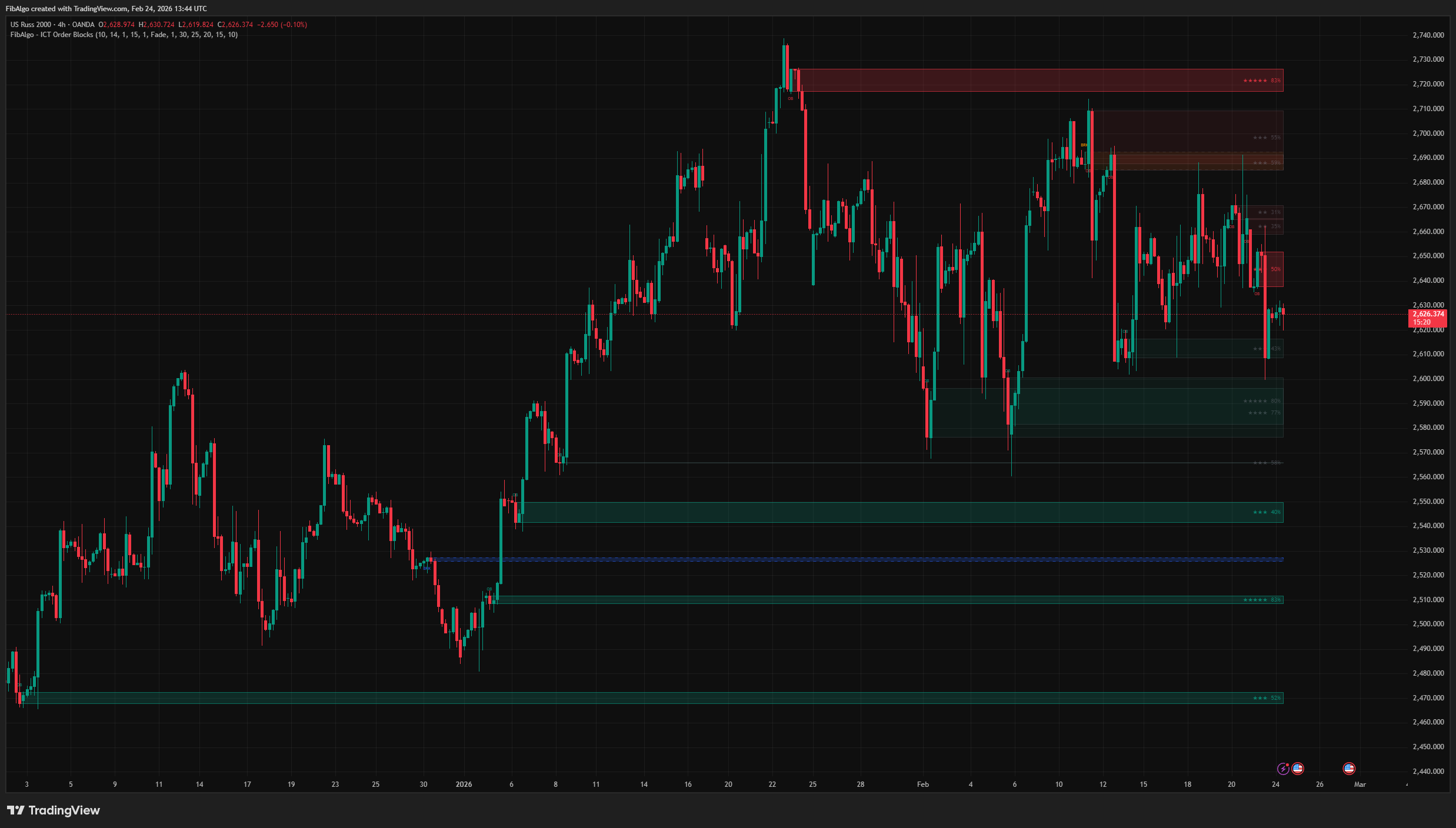
ICT Order Blocks
TradingView indicator that detects ICT Order Blocks, converts invalidated zones into Breaker Blocks, and provides institutional Strength Rating analysis.
See Details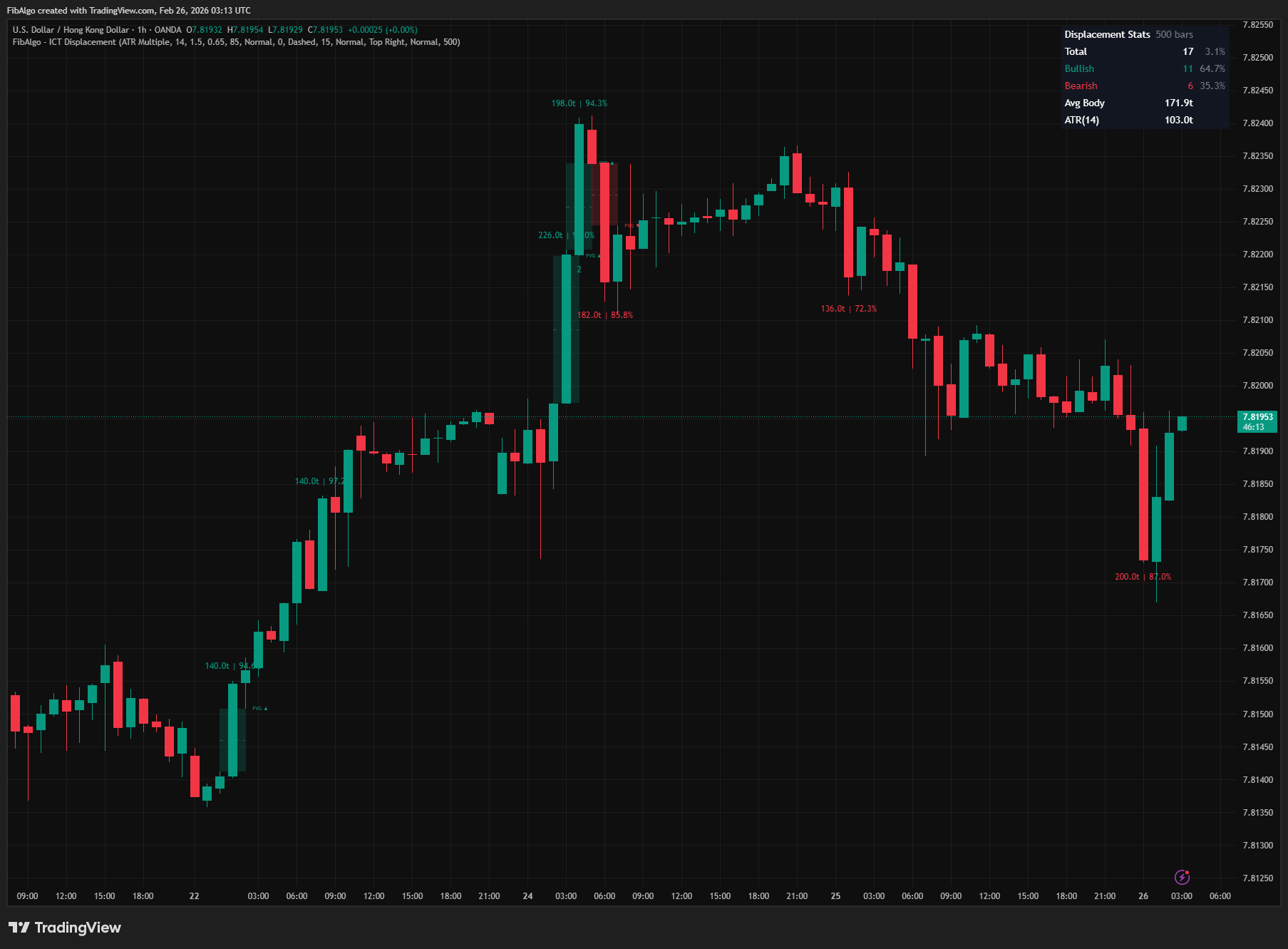
ICT Displacement
TradingView indicator that detects ICT Displacement candles — aggressive institutional order flow using ATR Multiple and Body/Range Ratio analysis.
See Details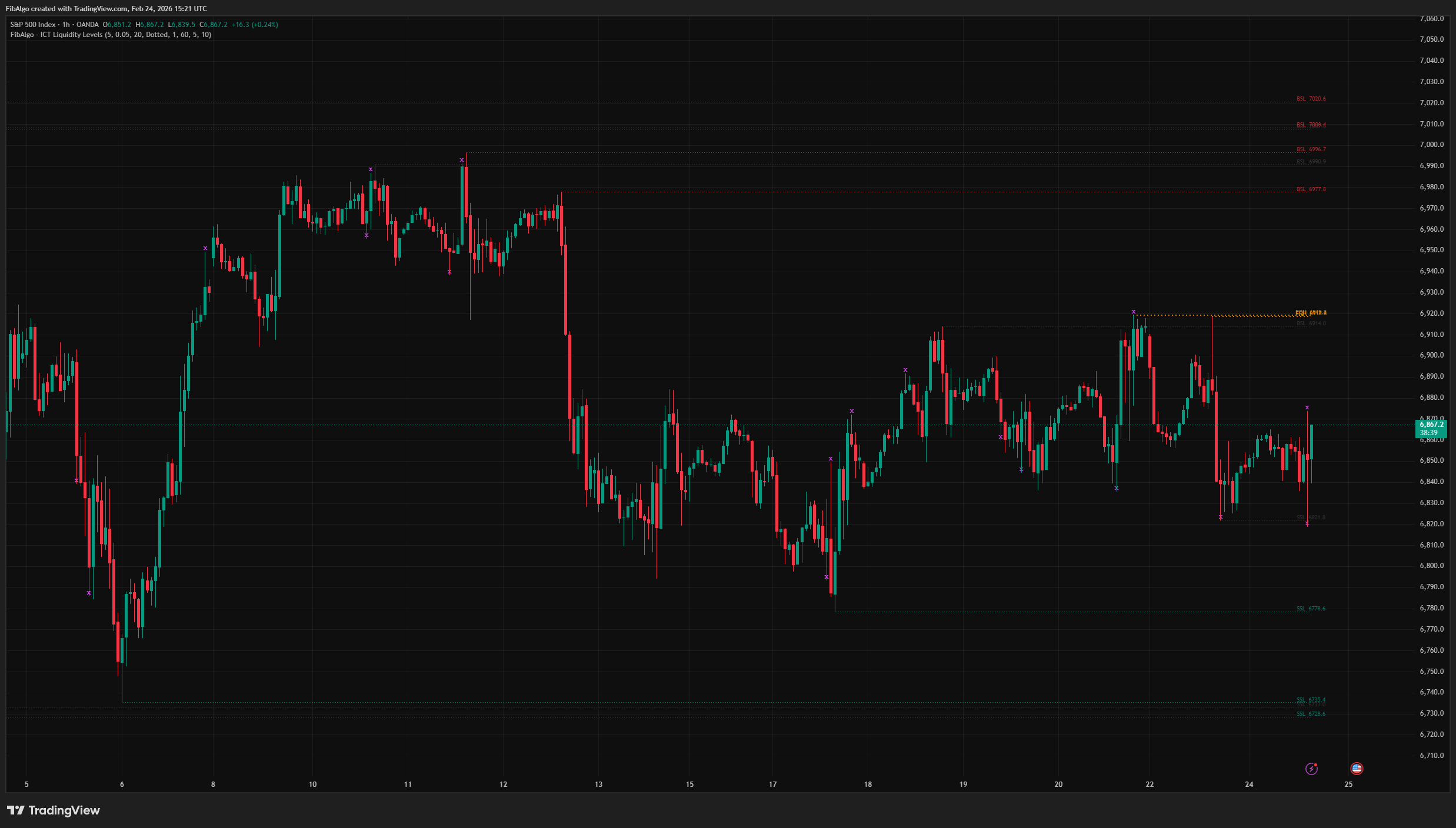
ICT Liquidity Levels
TradingView indicator that maps ICT Liquidity Levels — Buy Side (BSL), Sell Side (SSL), Equal Highs/Lows, and Liquidity Sweeps with HTF support.
See Details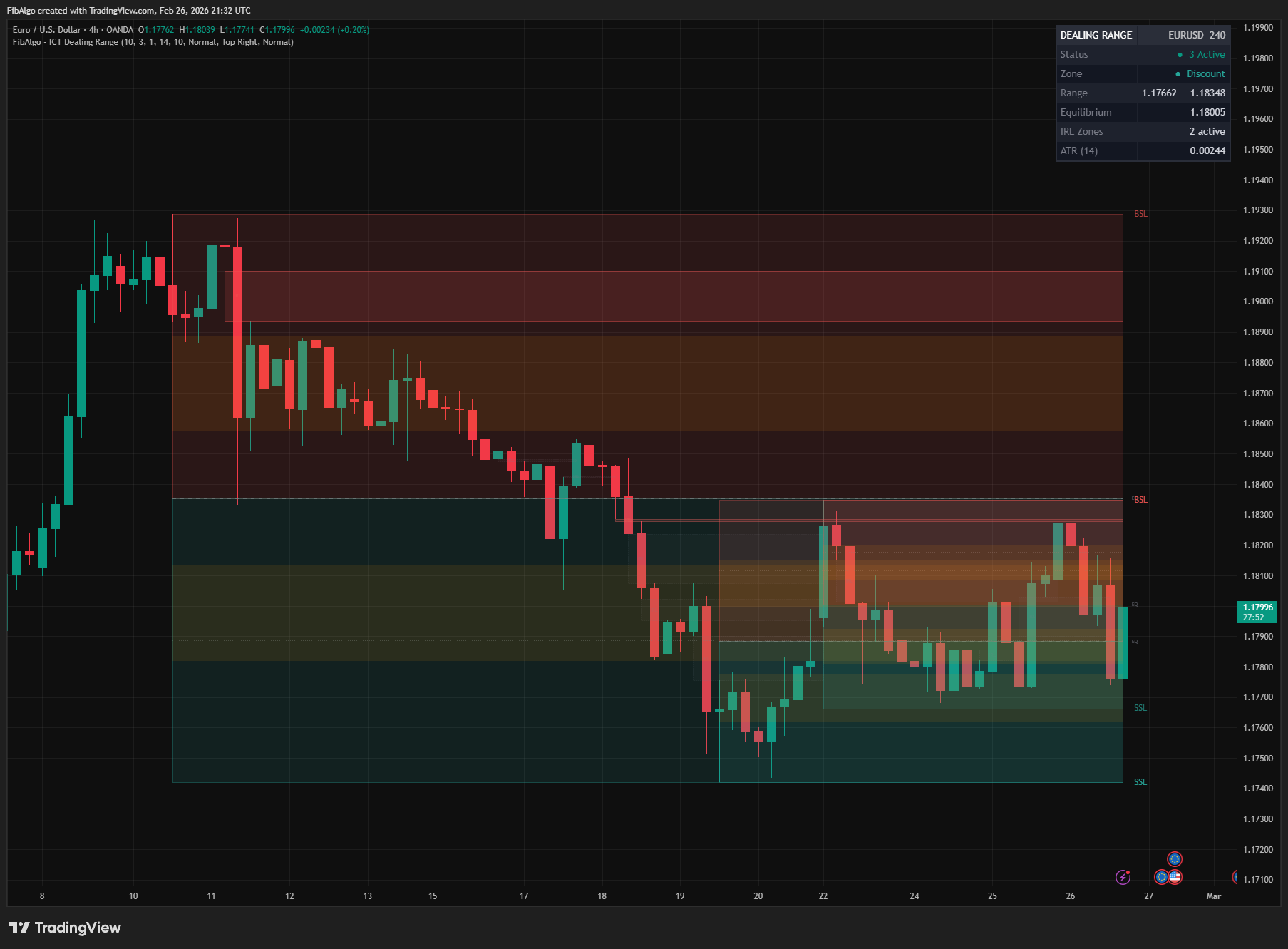
ICT Dealing Range
TradingView indicator that identifies ICT Dealing Ranges with Premium, Discount, and Equilibrium zones, plus internal and external range liquidity mapping.
See Details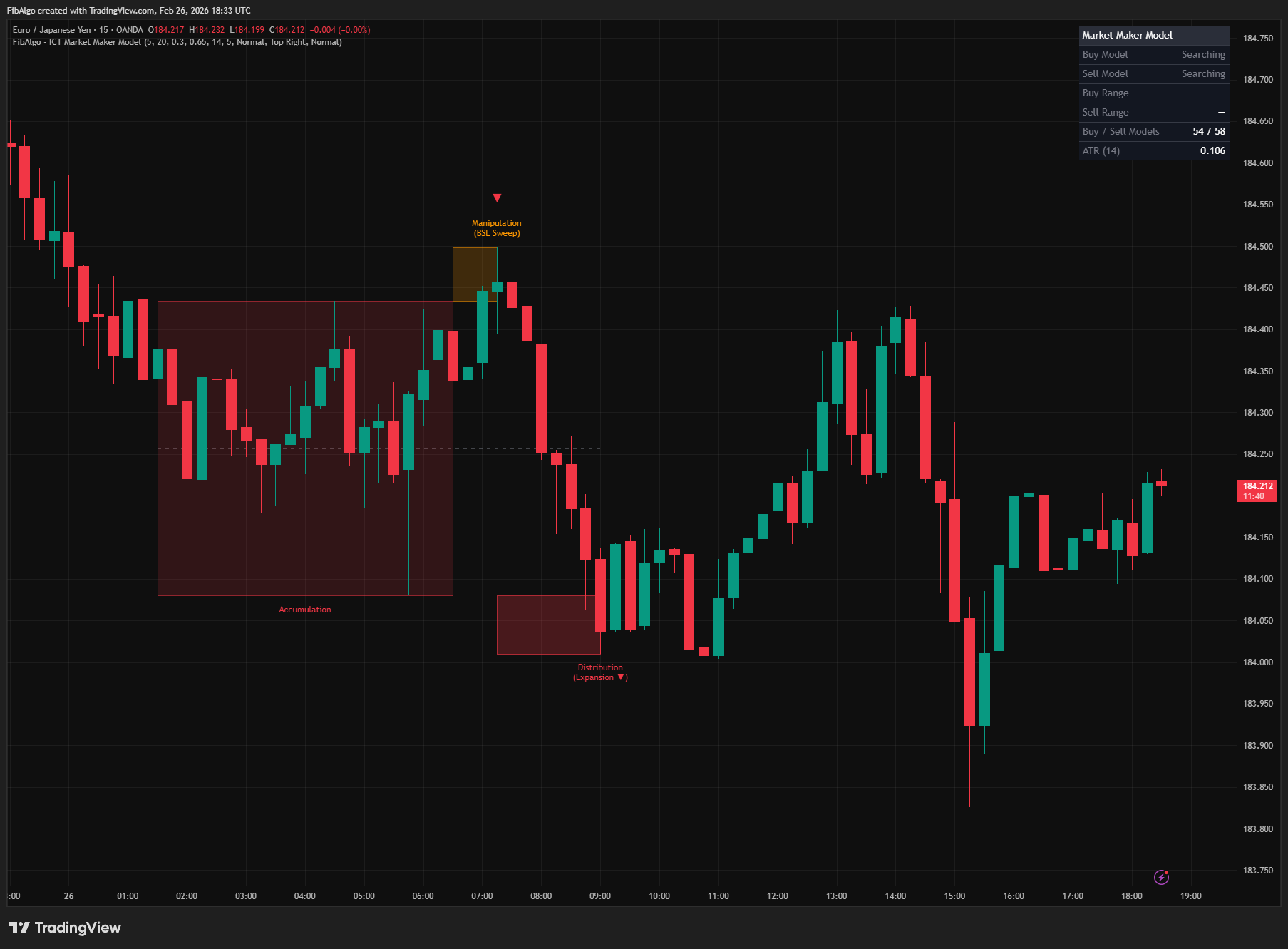
ICT Market Maker Model
TradingView indicator that detects ICT Market Maker Model — the Accumulation, Manipulation, and Distribution institutional price cycle.
See Details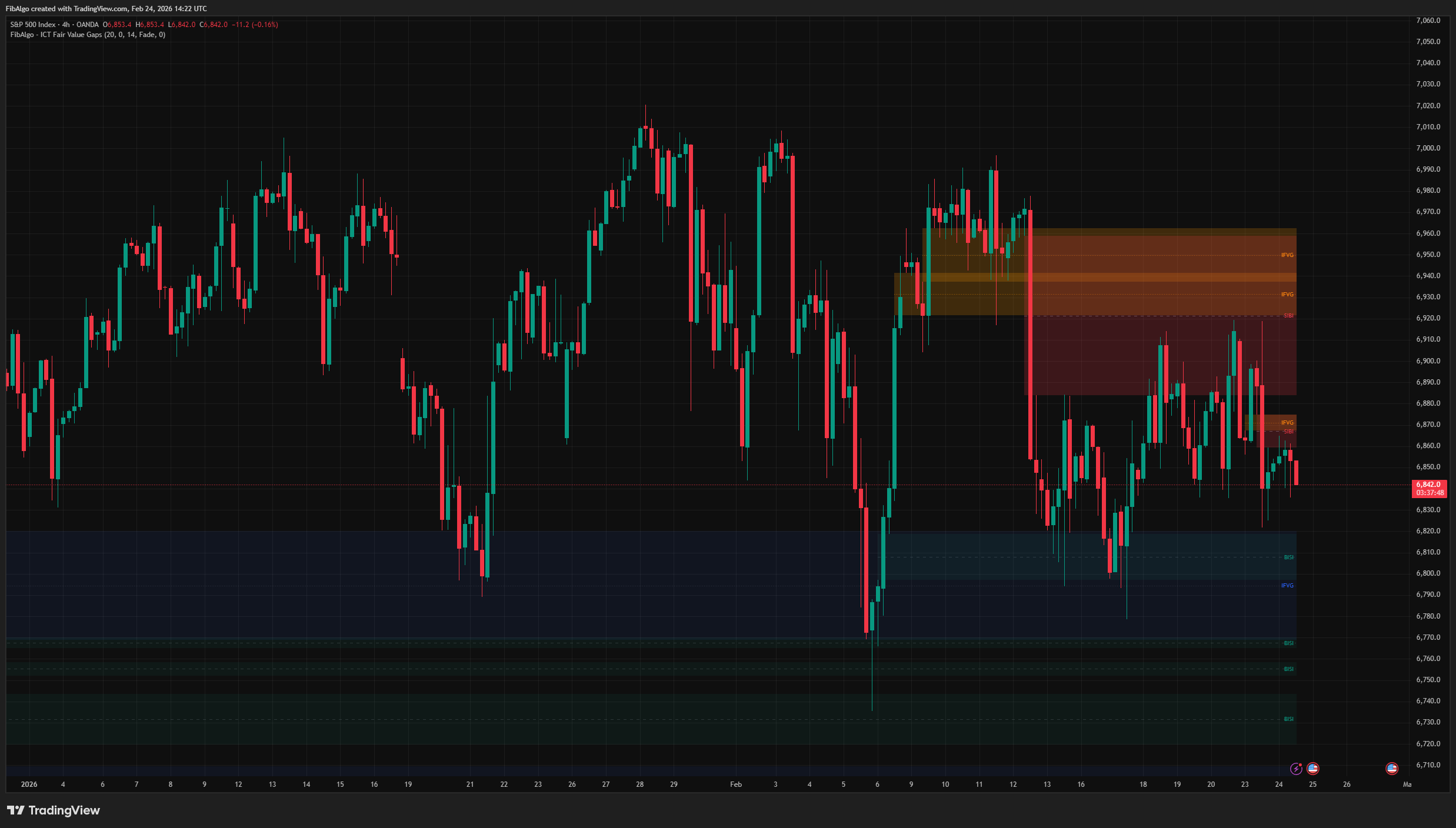
ICT Fair Value Gaps
TradingView indicator that detects ICT Fair Value Gaps (BISI/SIBI), draws CE midlines, identifies Inversion FVGs, and maps Balanced Price Range zones.
See Details