
Use this indicator directly on TradingView — the world's most popular charting platform.
What does the ICT Market Maker Model indicator do?
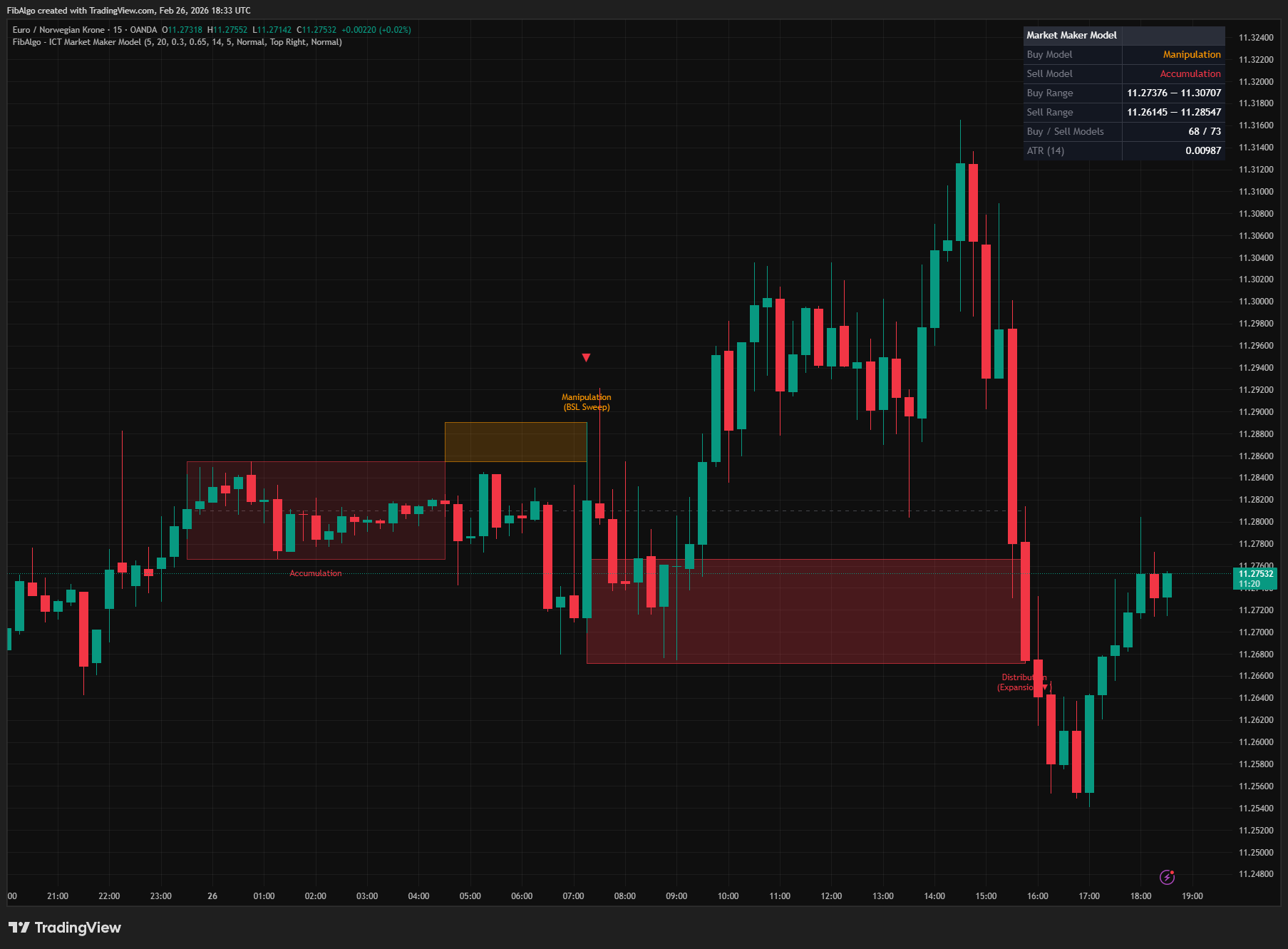
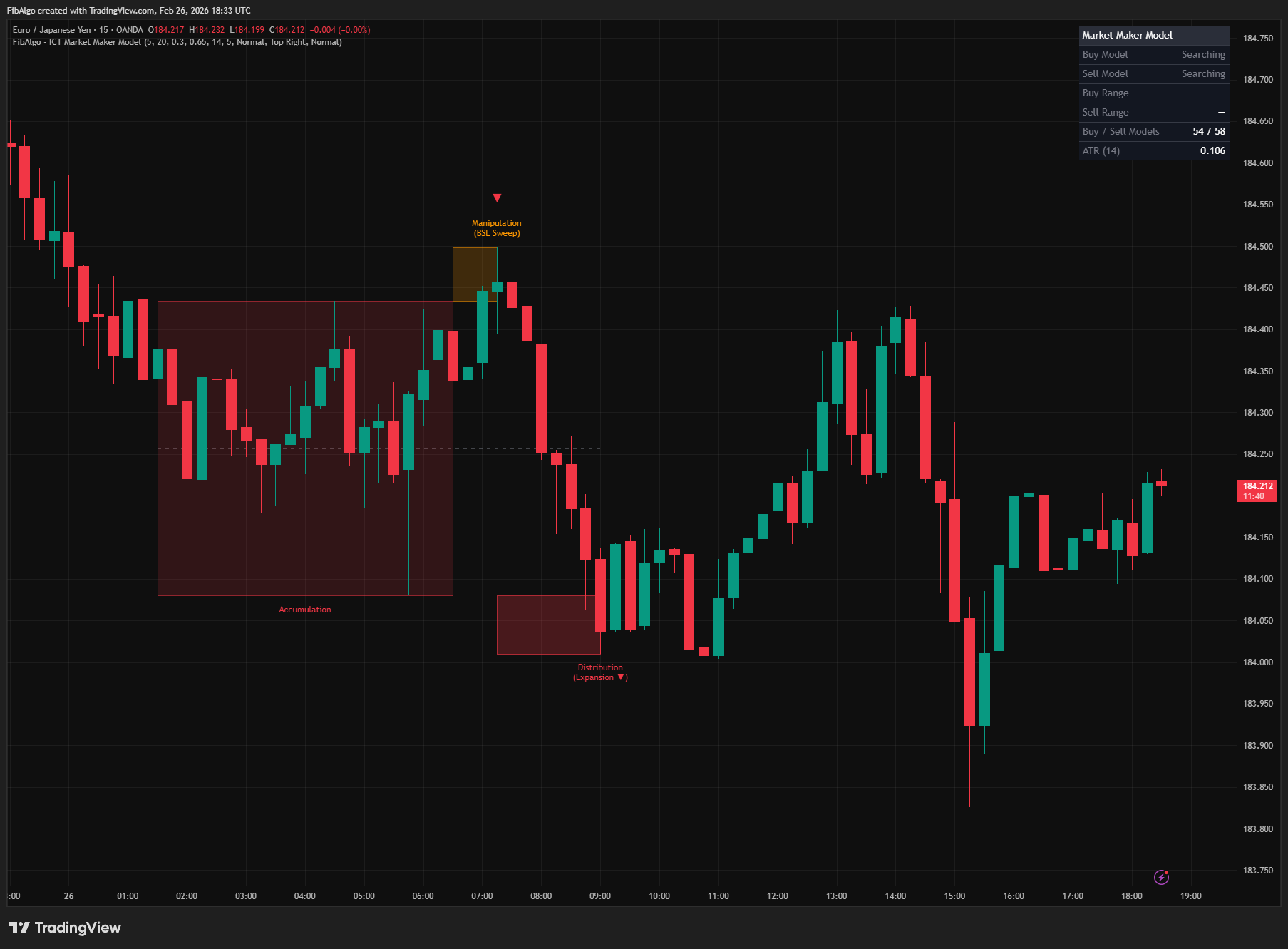
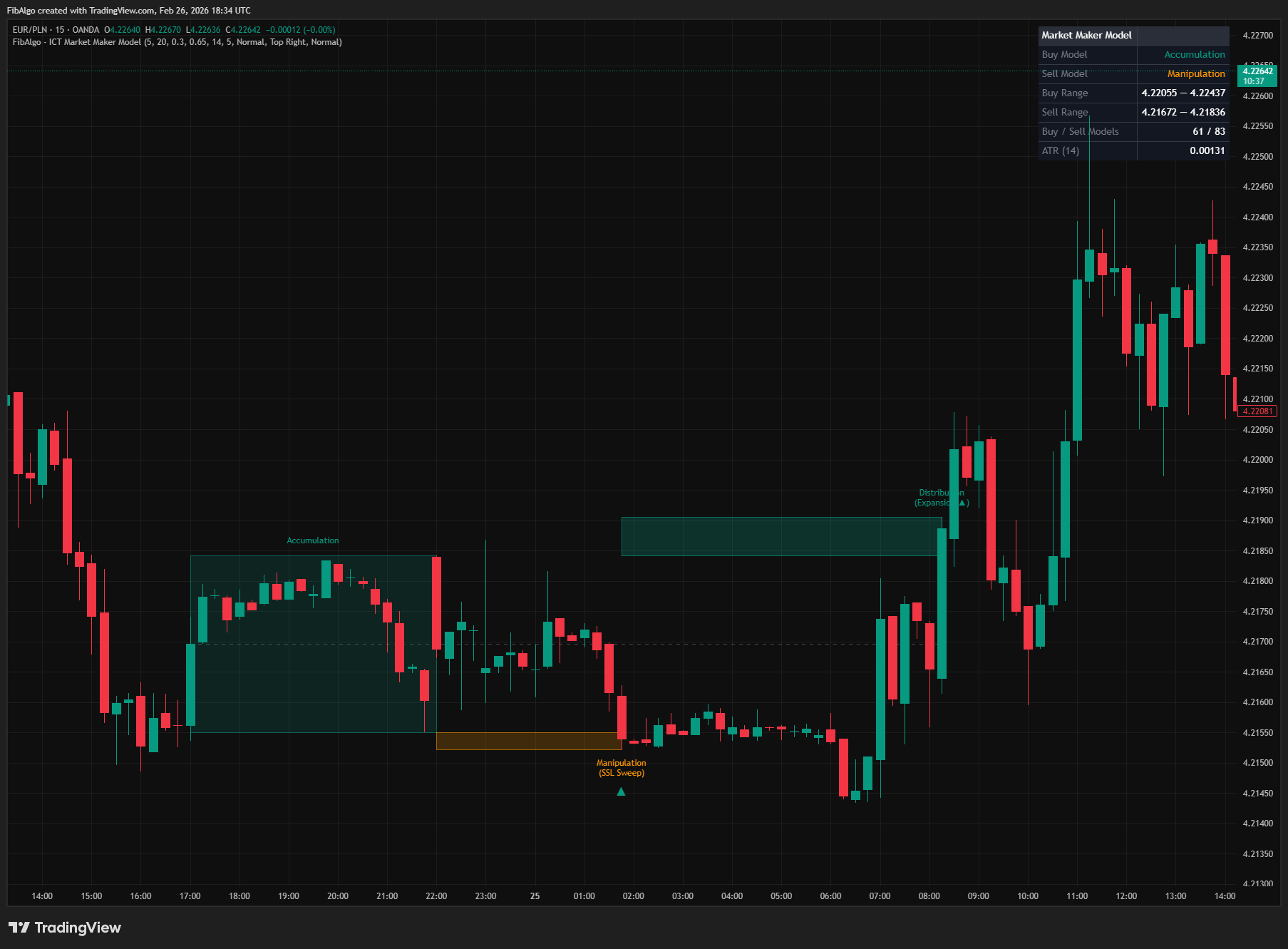
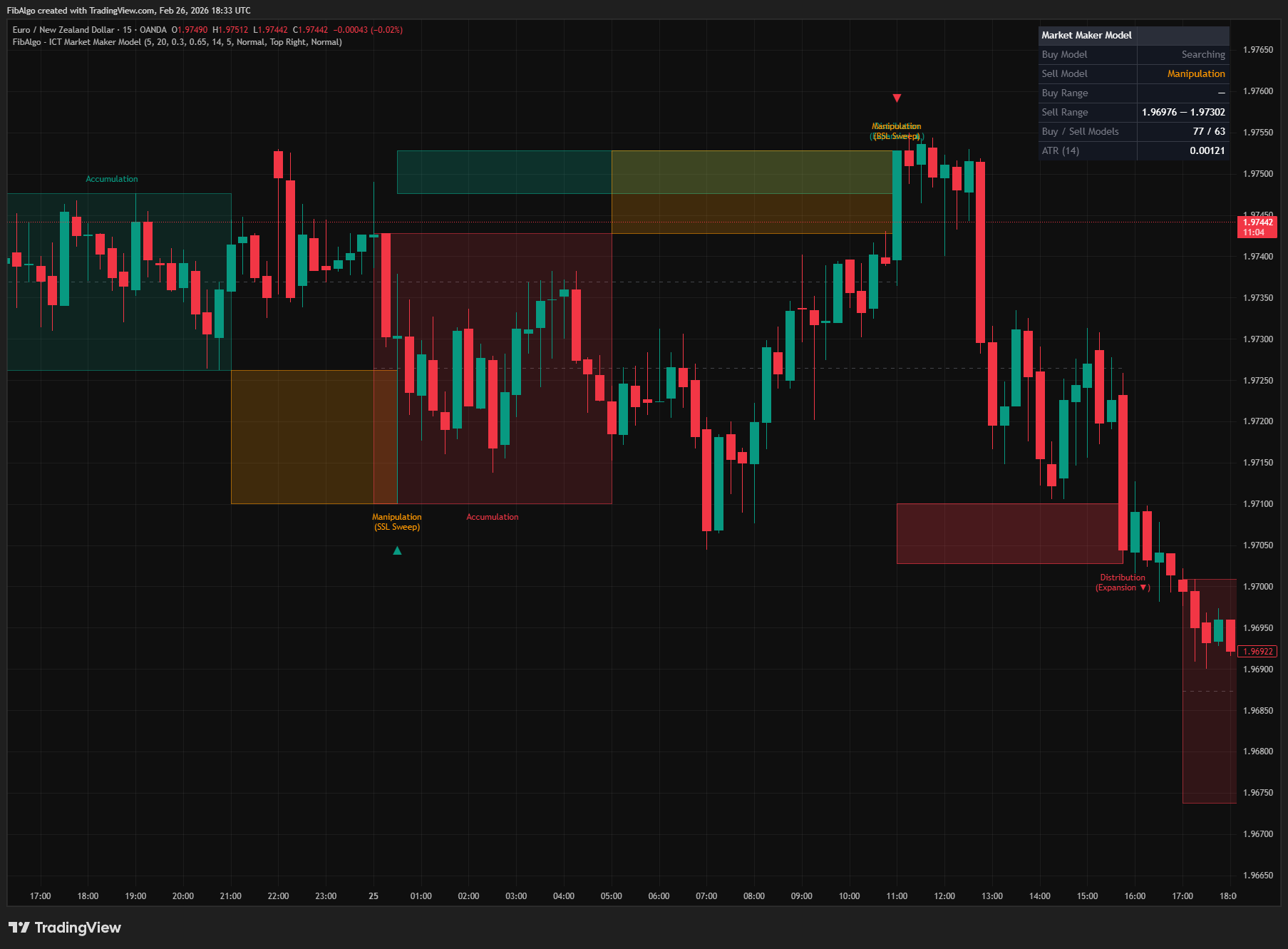
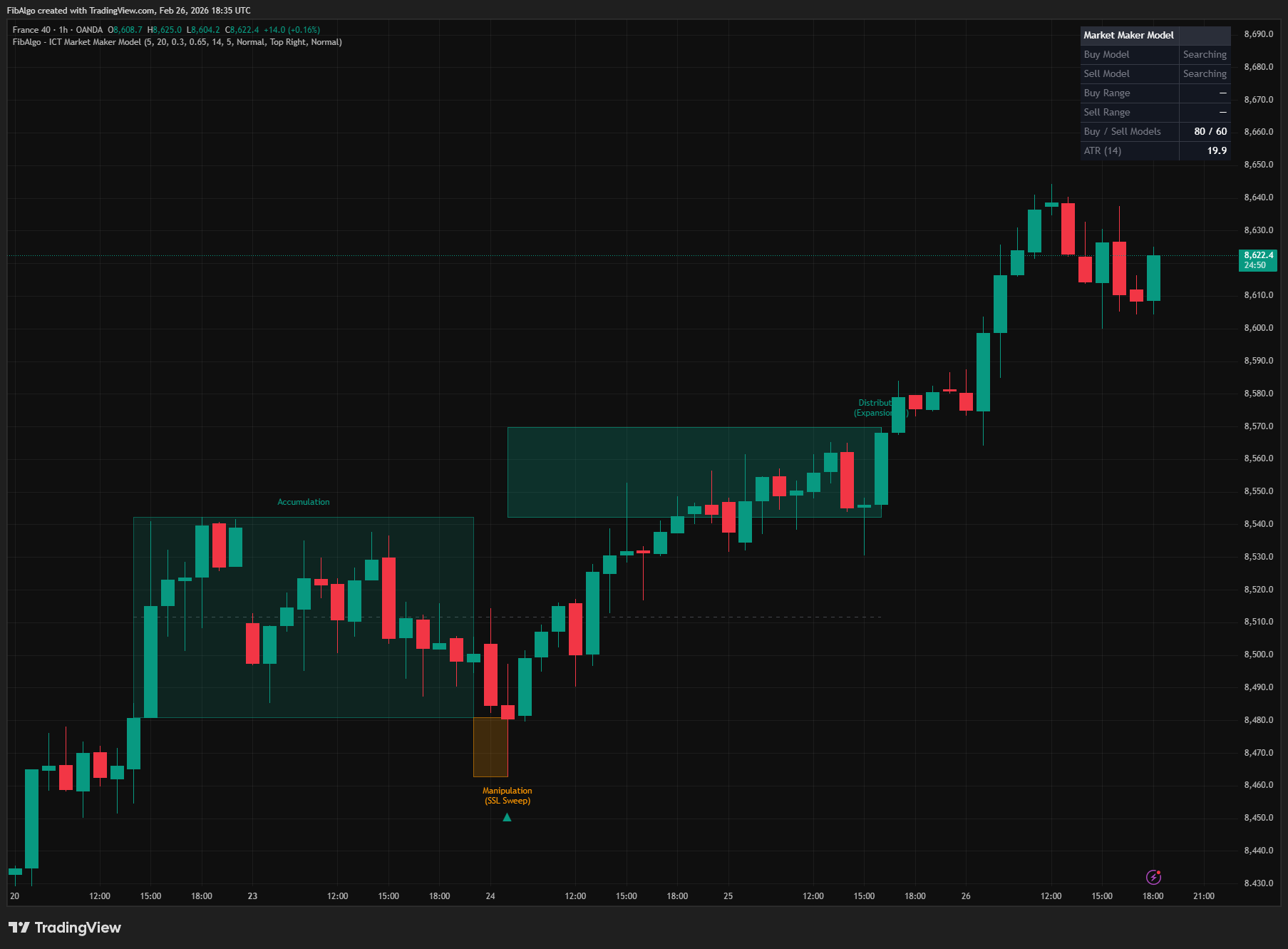
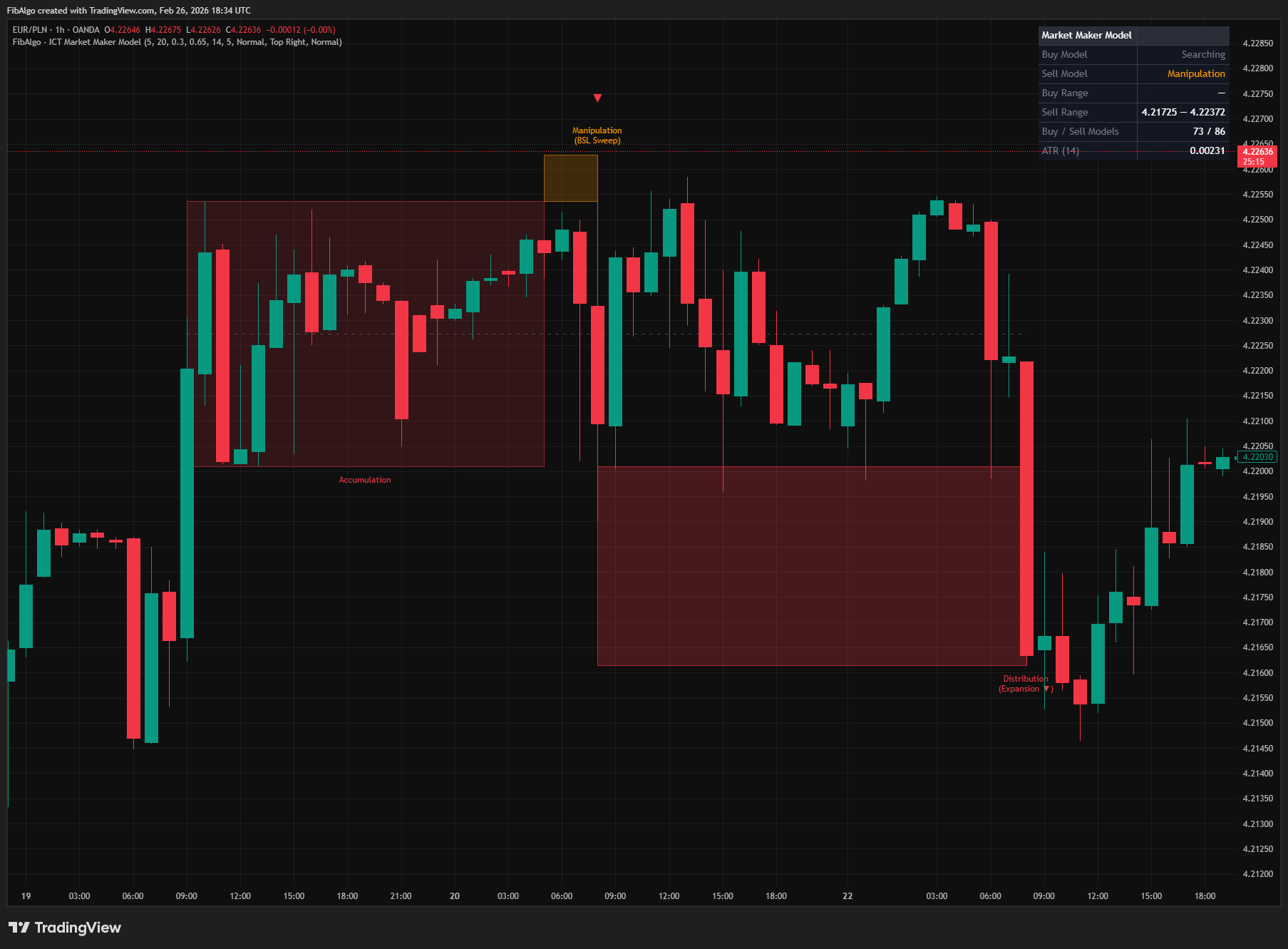
This indicator automatically detects and visualizes ICT's Market Maker Model (MMM) — the three-phase institutional price cycle of Accumulation → Manipulation → Distribution/Expansion. It identifies both the Buy Model (SSL sweep followed by bullish expansion) and the Sell Model (BSL sweep followed by bearish expansion), drawing phase-specific boxes, labels, directional arrows, and an equilibrium midline for each completed pattern. A real-time info table tracks the current state of each model.
Key Concepts
- Market Maker Model (MMM) — ICT's framework for how market makers (institutions) engineer price delivery through a three-phase cycle. The model describes how institutional participants build positions quietly, create a false move to generate liquidity, and then drive price in their intended direction. This cycle is analogous to ICT's Power of Three (PO3) / AMD framework.
- Accumulation Phase — A period of consolidation where institutions build positions within a tight price range. Price moves sideways as smart money accumulates orders without alerting retail participants. This indicator detects accumulation as a price range that stays within a configurable ATR-based threshold over a minimum number of bars.
- Manipulation Phase (The Raid) — A deliberate stop hunt where price sweeps beyond the accumulation range to trigger retail stop-loss orders and generate liquidity for institutional positioning. In the Buy Model, this manifests as an SSL (Sell-Side Liquidity) sweep below the accumulation low. In the Sell Model, a BSL (Buy-Side Liquidity) sweep above the accumulation high. Detection requires the sweep to exceed a configurable ATR-based threshold beyond the range boundary.
- Distribution / Expansion Phase — The real institutional move following manipulation. Price expands aggressively in the intended direction, confirmed by a displacement candle — a large-bodied candle with a body-to-range ratio exceeding the configurable threshold and range exceeding 80% of ATR. For the Buy Model, a bullish displacement candle closing above the accumulation high confirms expansion. For the Sell Model, a bearish displacement candle closing below the accumulation low.
- Market Maker Buy Model — Consolidation → SSL sweep below the range → bullish expansion above the range. Smart money accumulates in the range, sweeps sell-side liquidity below to fill remaining orders, then drives price upward.
- Market Maker Sell Model — Consolidation → BSL sweep above the range → bearish expansion below the range. Smart money distributes in the range, sweeps buy-side liquidity above to fill remaining orders, then drives price downward.
- Equilibrium (50% Midline) — The midpoint of the accumulation range, representing the fair value of the consolidation zone. ICT teaches that price references equilibrium after displacement — the midline serves as a potential retracement target within a confirmed model.
How does the ICT Market Maker Model indicator work?
1. Accumulation Detection The indicator calculates a rolling price range using the highest high and lowest low over the configurable accumulation period (default 20 bars). A consolidation is confirmed when this range remains within 3.5× ATR — tight enough relative to current volatility to indicate institutional position building rather than trending activity. The 3.5× ATR threshold is fixed; the ATR period is independently configurable (default 14). All phase transitions are evaluated on closed bars only, so boxes, labels, table states and alerts do not repaint: a phase that develops during a live bar is shown when that bar closes.
2. Manipulation Detection (SSL/BSL Sweep) Once an accumulation range is established, the indicator monitors for a liquidity sweep:
- Buy Model: Price must sweep below the accumulation low by at least the Manipulation Threshold (default 0.3× ATR). This SSL sweep confirms that sell-side liquidity has been taken.
- Sell Model: Price must sweep above the accumulation high by at least the same threshold. This BSL sweep confirms that buy-side liquidity has been taken.
If price breaks significantly in the opposite direction (2× ATR beyond the range) before a sweep occurs, or if no sweep occurs within 3× the accumulation period after the range forms, the accumulation is invalidated and the search resets using the most recent bars. This prevents stale ranges from generating false signals.
While the model waits for expansion, the sweep level follows the extreme of the raid (the lowest low for the Buy Model, the highest high for the Sell Model), so the manipulation box, label, arrow and alerts mark the actual sweep point rather than the first bar that crossed the threshold.
3. Distribution / Expansion Confirmation After manipulation is detected, the indicator waits for a displacement candle — a strong institutional candle that confirms the real move:
- Buy Model: A bullish candle where body/range ≥ Displacement Body Ratio (default 0.65) AND range ≥ 0.8× ATR AND close is above the accumulation high.
- Sell Model: A bearish candle meeting the same body ratio and ATR requirements with close below the accumulation low.
When these conditions are met, the full MMM pattern is confirmed and drawn on the chart. When one model confirms, the opposite model is cancelled if it was watching the same accumulation range, or if it was still waiting for its sweep and the confirming candle would have counted as that sweep, because that move is the expansion of the confirmed model and not a new raid for the opposite side.
A timeout mechanism prevents indefinite waiting: if no expansion occurs within 3× the accumulation period after manipulation, the model resets. This ensures stale manipulations do not produce delayed false signals.
4. Visual Output Each confirmed MMM pattern is drawn with:
- Three phase boxes — Accumulation (full range period), Manipulation (sweep area), and Distribution (expansion area), each with distinct colors per model type.
- Phase labels — "Accumulation", "Manipulation (SSL/BSL Sweep)", "Distribution (Expansion ▲/▼)" at appropriate positions.
- Directional arrow — A large ▲ or ▼ at the manipulation point with a tooltip containing the full model summary: sweep price, expansion target, and institutional interpretation.
- Equilibrium midline — A dashed line at the 50% level of the accumulation range, extending from the range start to the distribution end.
All drawing elements are managed by the Max Active Models setting (default 5), applied to Buy and Sell models separately. When the limit is exceeded, the oldest model's drawings are automatically deleted — boxes, lines, labels, and arrows are tracked in separate arrays for clean removal.
5. Info Table A real-time table displays:
- Buy Model status — Current state (Searching / Accumulation / Manipulation, or Off when the model is disabled) with phase-specific coloring.
- Sell Model status — Same with corresponding colors.
- Active range levels — High and low of the current accumulation range for each model, shown when a range is established.
- Model count — Total Buy and Sell models detected over the chart's loaded history.
- ATR reference — Current ATR value for context on threshold calculations.
Features
- Full MMM Cycle Detection — Three-phase state machine detecting Accumulation → Manipulation → Distribution with configurable parameters for each phase transition.
- Buy Model (Bullish MMM) — SSL sweep below accumulation range followed by bullish displacement expansion. Independently toggleable.
- Sell Model (Bearish MMM) — BSL sweep above accumulation range followed by bearish displacement expansion. Independently toggleable.
- ATR-Based Consolidation Detection — Accumulation range must be tight relative to ATR (≤ 3.5× ATR) to qualify as genuine institutional consolidation, filtering out wide-range trending conditions.
- Displacement Candle Validation — Expansion phase requires a displacement-grade candle: body/range ratio ≥ configurable threshold (default 0.65) and total range ≥ 0.8× ATR. Prevents weak candles from triggering false completions.
- Phase Boxes with Stage Coloring — Three visually distinct boxes per model with customizable colors: Buy (green shades + orange manipulation), Sell (red shades + orange manipulation). All six colors independently configurable.
- Phase Labels — Descriptive labels at each phase identifying Accumulation, Manipulation (SSL/BSL Sweep), and Distribution (Expansion ▲/▼).
- Directional Arrows — Large ▲/▼ arrows at the manipulation point with detailed tooltips summarizing the complete model: sweep price, expansion target, and institutional interpretation.
- Equilibrium Midline — Dashed line at the 50% level of the accumulation range, extending from range start to distribution end. Represents ICT's fair value / equilibrium concept within the model.
- Invalidation Logic — Models are automatically invalidated if price breaks 2× ATR in the wrong direction before manipulation, if no sweep occurs within 3× accumulation period after the range forms, or if no expansion occurs within 3× accumulation period after manipulation. A confirmed model also cancels the opposite model when both watch the same range or when the confirming candle would otherwise count as the opposite model's sweep. Prevents stale ranges from producing delayed false signals.
- Closed-Bar Confirmation — Every phase transition is evaluated when the bar closes, so drawings, table states and alerts do not appear and disappear during a live bar.
- Drawing Cleanup — Max Active Models setting (default 5, applied to Buy and Sell separately) limits chart clutter. Oldest drawings are automatically removed when the limit is exceeded. Boxes, lines, labels, and arrows are tracked in separate arrays.
- Real-Time Info Table — Displays current Buy/Sell model state, active accumulation ranges, total model counts, and ATR reference. Position and text size configurable.
- 3 Alert Events — Accumulation Detected, Manipulation (Sweep) Detected, and Distribution (Expansion) Confirmed, sent at bar close through alert() calls: create one alert with the "Any alert() function call" condition. Each message starts with the symbol and timeframe and includes price levels, model direction, and descriptive text; events of the same bar arrive in one message. Master enable toggle with per-event controls.
How to use the ICT Market Maker Model indicator
- Full Cycle Analysis: Watch the info table for model state progression. When a model enters "Accumulation," prepare for a potential opportunity. "Manipulation" means the sweep has occurred — watch for the displacement candle. When the full model completes, the directional bias is confirmed by the expansion direction.
- Sweep Confirmation: The manipulation phase is the key entry signal in ICT methodology. When the Buy Model shows "Manipulation" (SSL sweep detected), look for bullish setups on the lower timeframe. When the Sell Model shows BSL sweep, look for bearish setups.
- Equilibrium Retracement: After a completed model, price may retrace to the midline (50% of accumulation range). This is a potential re-entry zone — the equilibrium represents fair value within the model's context.
- Multi-Timeframe: Apply on higher timeframes (1H, 4H, Daily) for directional bias. Use lower timeframes (5M, 15M) for entry refinement within the higher-timeframe model's direction.
- Combine with ICT Tools: MMM provides the macro framework. Combine with Order Blocks for entry zones within the manipulation sweep, Fair Value Gaps for precise entries during expansion, Killzones for session timing, and Liquidity Levels for sweep targets. The MMM tells you WHAT is happening; other tools tell you WHERE to act.
- Parameter Tuning: Increase Min Accumulation Bars for fewer, more significant models. Decrease Manipulation Threshold for more sensitive sweep detection. Increase Displacement Body Ratio for stricter expansion confirmation.
Limitations
- Accumulation detection uses a rolling range over the configured period. Very volatile markets with naturally wide ranges may produce fewer accumulation detections. The 3.5× ATR threshold is fixed; decrease Min Accumulation Bars to detect shorter, tighter consolidations.
- The state machine processes one model at a time per direction. Buy and Sell run independently, except that a confirmed model cancels the opposite model on the same range, and a confirming candle is never counted as the opposite model's sweep. If one model is invalidated, the next accumulation detection begins fresh — overlapping models are not tracked simultaneously within the same direction.
- Manipulation detection requires price to exceed the accumulation boundary by the ATR-based threshold. Very shallow sweeps that barely touch the boundary will not be detected. Decrease the Manipulation Threshold for more sensitive sweep detection.
- Distribution confirmation requires a displacement-grade candle — a gradual trend reversal without a single strong candle will not trigger completion. This is intentional: ICT methodology emphasizes displacement as the hallmark of institutional order flow.
- The timeout mechanism (3× accumulation period, both for the sweep after the range forms and for the expansion after the sweep) prevents stale ranges and manipulations from waiting indefinitely. In slow-moving markets, this may cause valid models to expire before the sweep or the expansion occurs. Increase Min Accumulation Bars to extend the timeout proportionally.
- Because phases are confirmed at bar close, a sweep or expansion that happens during a live bar is drawn and alerted when that bar closes, not intrabar.
- Drawing objects are limited to 500 each (boxes, lines, labels) by TradingView. The Max Active Models setting manages this, but enabling both Buy and Sell models with high limits may approach TradingView's caps. Default of 5 models is conservative.
- This indicator identifies institutional price cycles — it does not generate buy/sell signals. Use it as a structural framework alongside Order Blocks, Fair Value Gaps, Liquidity Levels, Killzones, and Market Structure for complete trade setups.
Trading involves risk. This indicator is an analysis tool, not financial advice: use it alongside your own analysis and risk management.
Release notes
v2.0LatestFresh ranges, bar-close phases and true sweep extremes
The accumulation range is always measured over the latest bars, phases and alerts are decided at bar close, and the manipulation marks now sit at the true extreme of the sweep.
After updating
- Delete and re-create your alerts for this indicator with the "Any alert() function call" condition. TradingView alerts keep running the script version they were created with.
- The alert message format has changed. If you filter alert messages automatically, for example through a webhook, update your filters.
Fixed
- The accumulation range is always measured over the latest bars. Before, a new range could reuse bars from an earlier model and produce a false accumulation.
- Phases, drawings, table states and alerts are decided at bar close, so nothing appears and disappears on a live bar.
- A candle that confirms one model is no longer counted as a sweep by the opposite model.
- Max Active Models now also removes old arrows, and arrows no longer cover the manipulation label.
Improved
- The manipulation box, label, arrow and alerts mark the extreme of the sweep, not the first bar that crossed the threshold.
- A range with no sweep within 3x the accumulation period now expires, so stale ranges no longer produce late signals.
- One alert per bar that starts with the symbol and timeframe, without duplicates, and the table shows Off for a disabled model.
Frequently Asked Questions
What is the ICT Market Maker Model indicator?
TradingView indicator that detects ICT Market Maker Model — the Accumulation, Manipulation, and Distribution institutional price cycle.
Is ICT Market Maker Model free to use on TradingView?
Yes, ICT Market Maker Model is completely free to use. You can add it directly to your TradingView charts at no cost.
How do I add ICT Market Maker Model to my TradingView chart?
Open TradingView, click on "Indicators" at the top of your chart, search for "ICT Market Maker Model" by FibAlgo, and click to add it. It will appear on your chart immediately.
What trading strategies work best with ICT Market Maker Model?
ICT Market Maker Model is commonly used for Smart Money, Market Structure, and Signals analysis. It works well as part of a multi-indicator confirmation strategy on any timeframe.
Learn More
- Smart Money Concepts (SMC): How Institutional Traders Move MarketsLearn Smart Money Concepts including order blocks, fair value gaps, liquidity sweeps, and breaker blocks. Understand how institutions trade.
- Technical Analysis for Crypto Trading: The Definitive GuideLearn technical analysis from basics to advanced for cryptocurrency trading. Master chart patterns, indicators, volume analysis, and multi-timeframe strategies.
- Risk Management in Crypto Trading: The Complete Survival GuideMaster position sizing, stop losses, portfolio allocation, and emotional discipline for crypto trading. Learn why risk management matters most.
Start Using ICT Market Maker Model
This indicator is free to use on TradingView. Add it to your charts and use it alongside your own analysis.
Related indicators
View All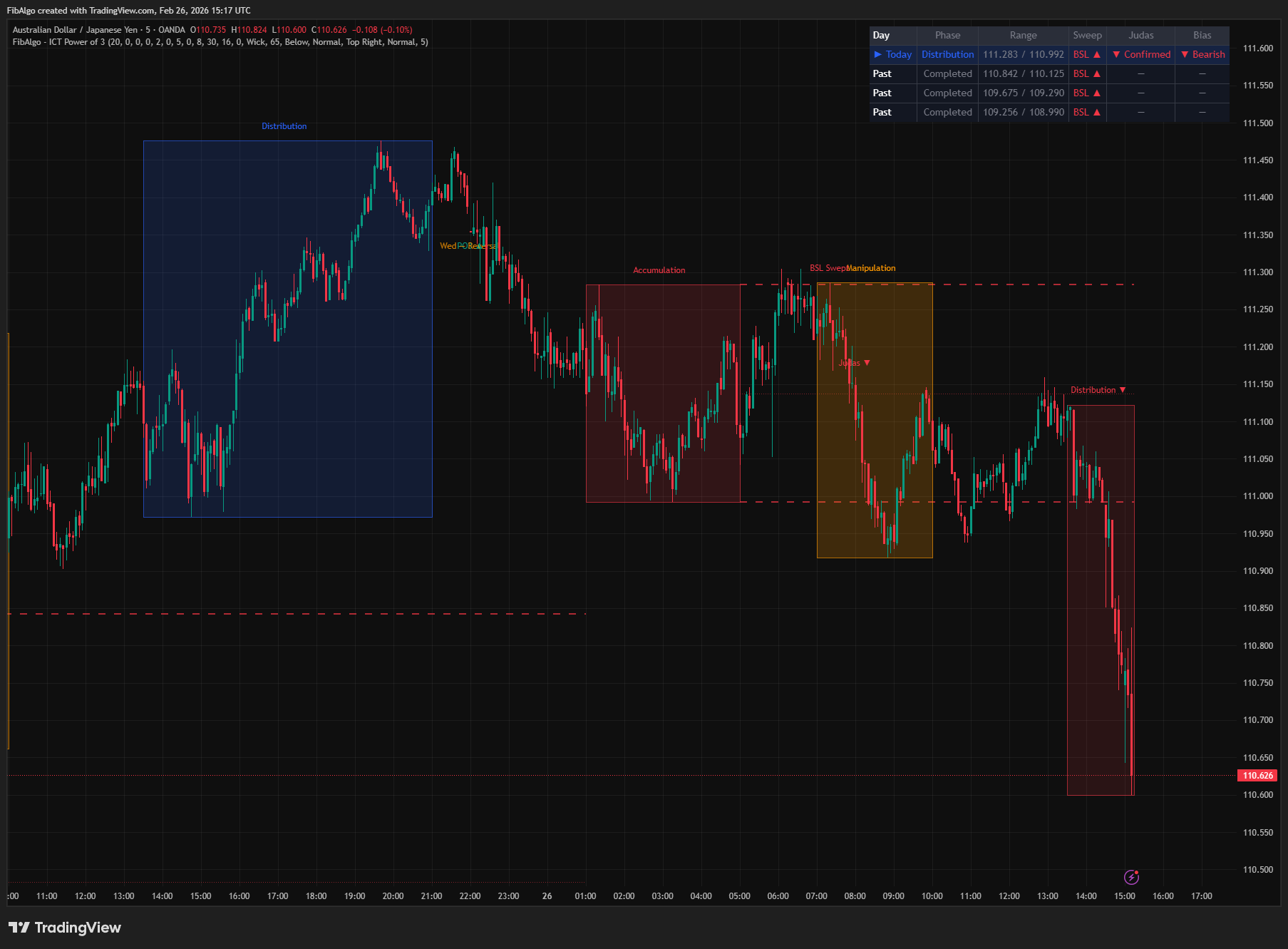
ICT Power of 3
TradingView indicator that visualizes the ICT Power of 3 daily cycle — Accumulation, Manipulation, and Distribution across Asia, London, and New York.
See Details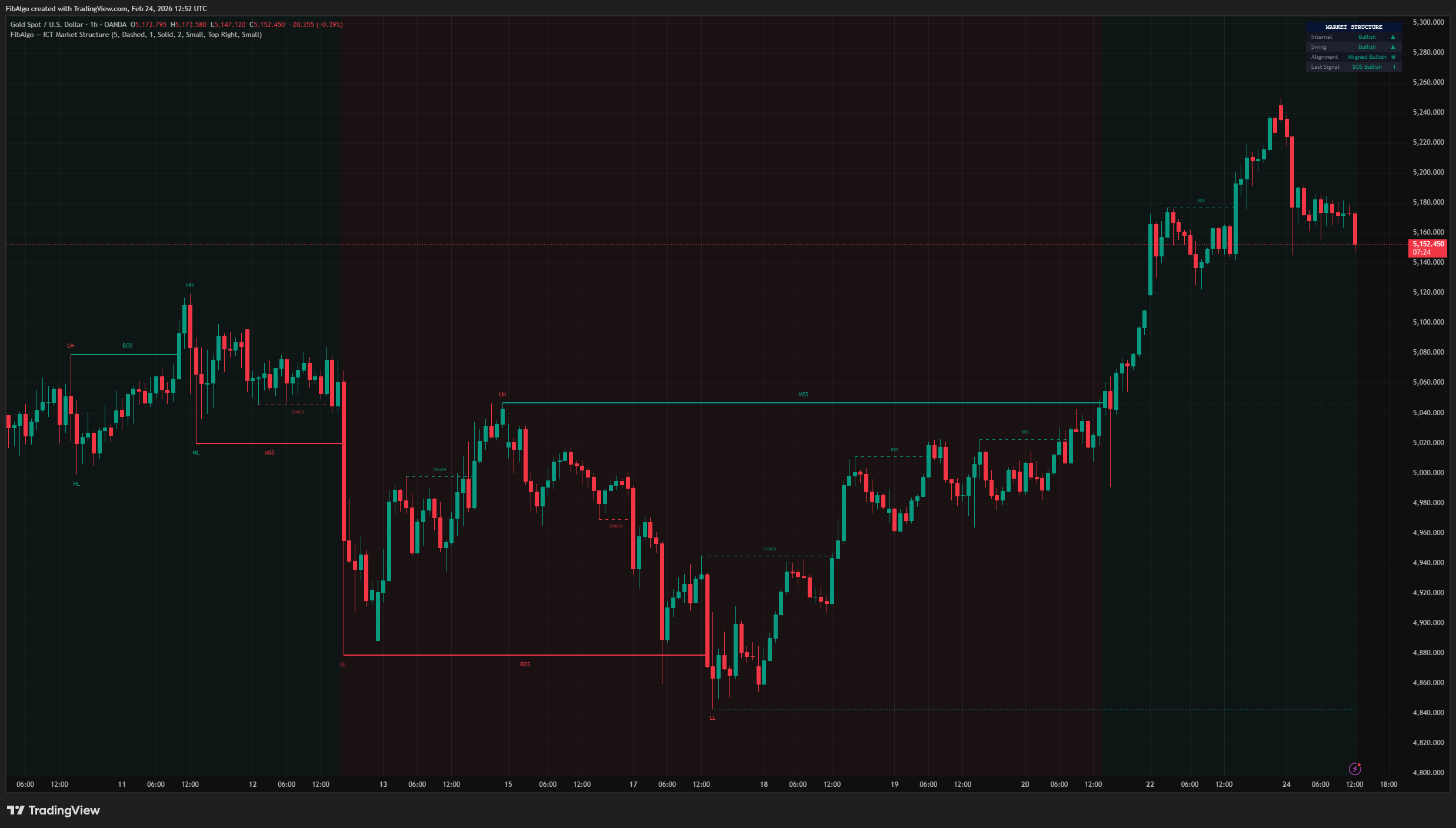
ICT Market Structure
TradingView indicator for ICT Market Structure — identifies Break of Structure (BOS), Change of Character (CHoCH), and Market Structure Shift (MSS).
See Details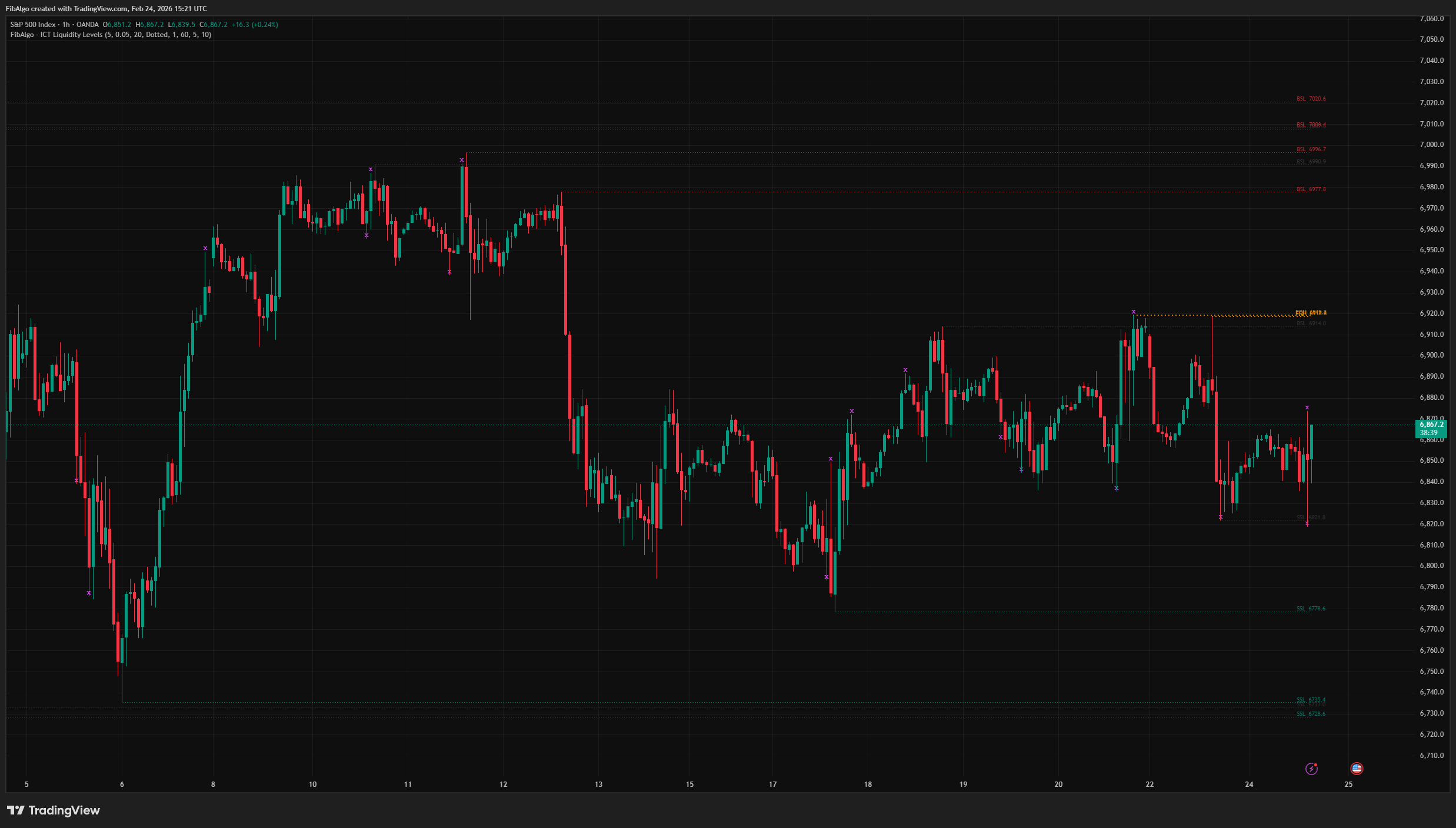
ICT Liquidity Levels
TradingView indicator that maps ICT Liquidity Levels — Buy Side (BSL), Sell Side (SSL), Equal Highs/Lows, and Liquidity Sweeps with HTF support.
See Details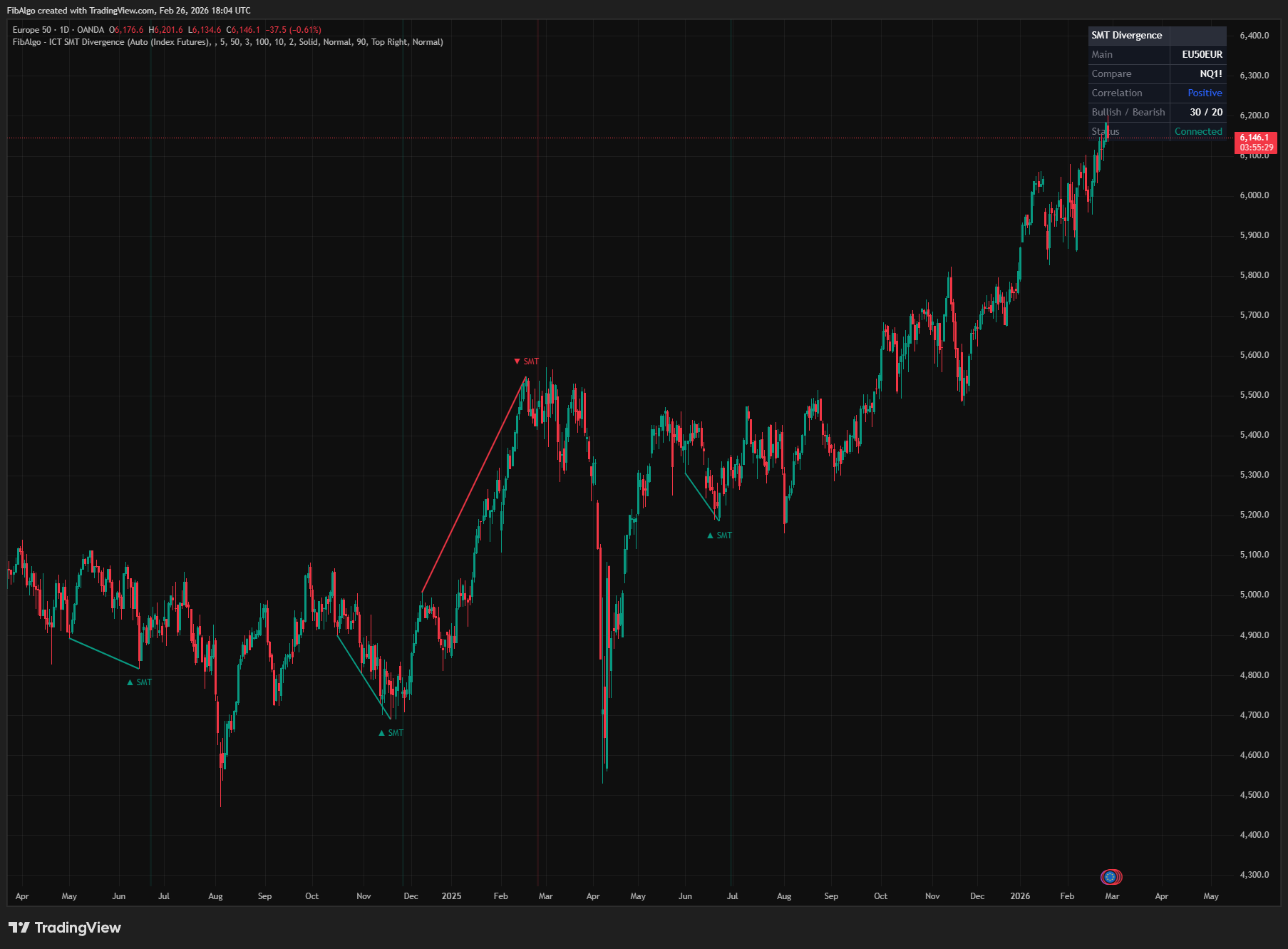
ICT SMT Divergence
TradingView indicator that detects ICT SMT Divergence — cross-symbol analysis comparing swing extremes to identify institutional manipulation.
See Details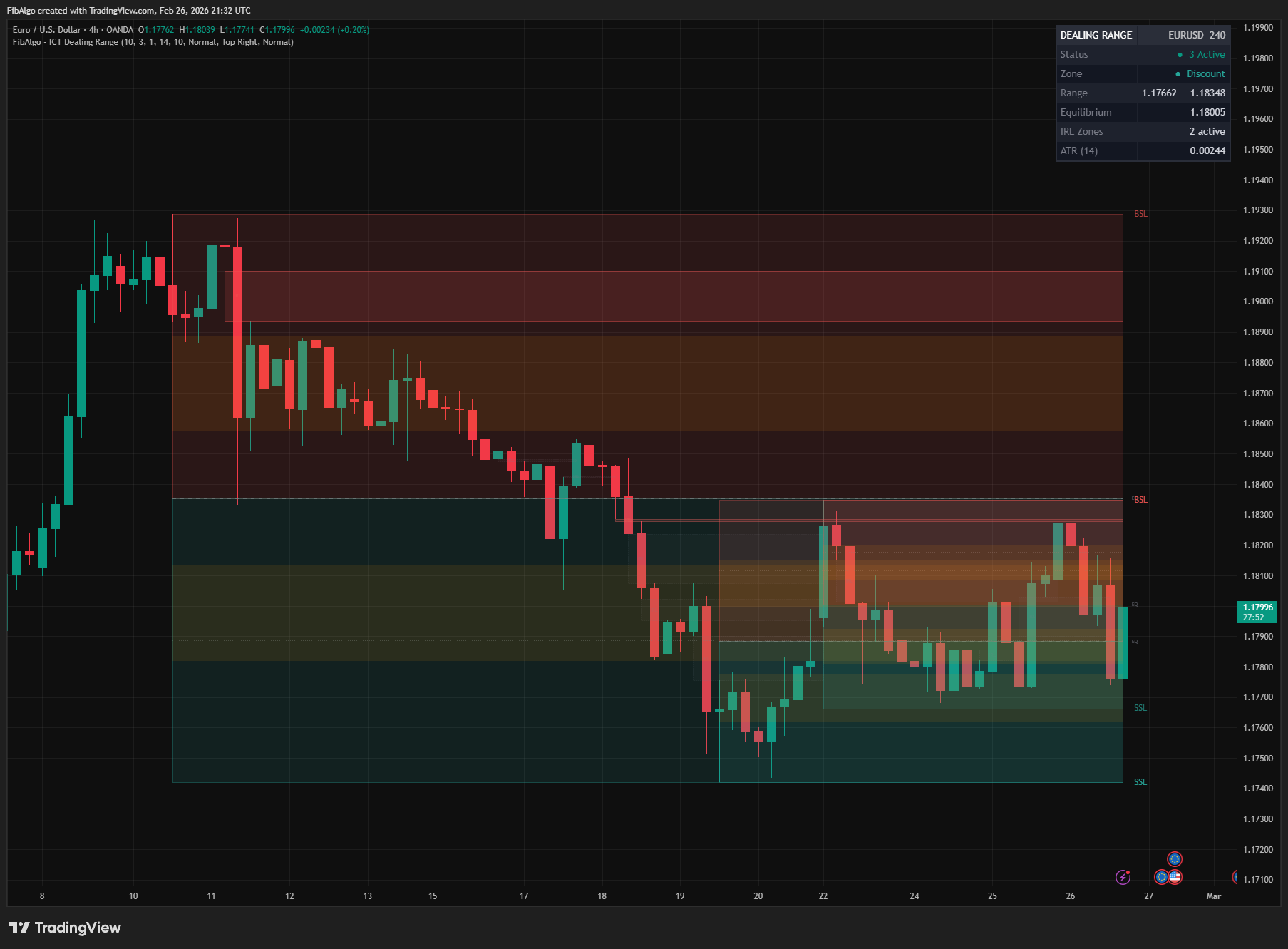
ICT Dealing Range
TradingView indicator that identifies ICT Dealing Ranges with Premium, Discount, and Equilibrium zones, plus internal and external range liquidity mapping.
See Details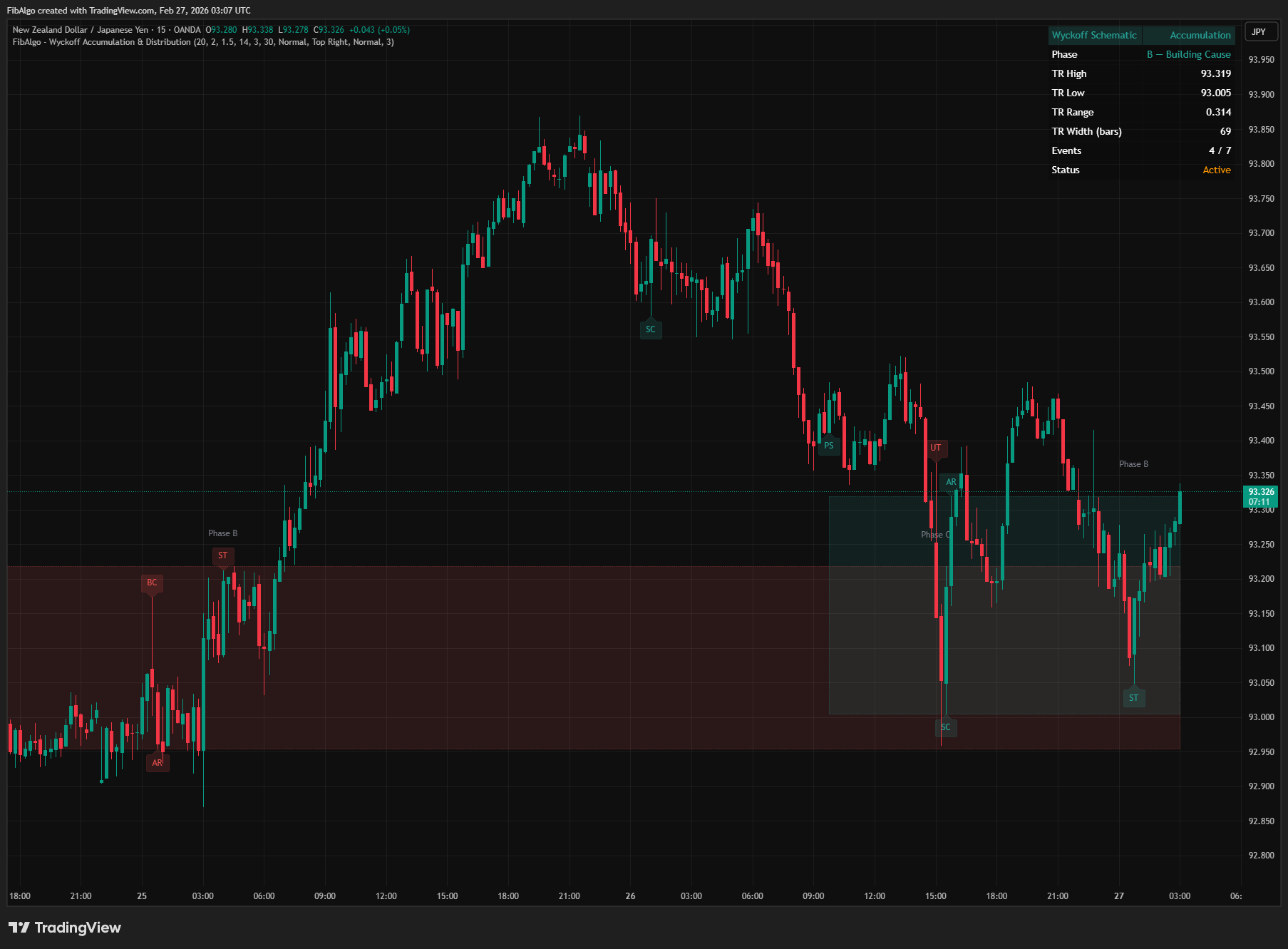
Wyckoff Accumulation & Distribution
TradingView indicator that automatically detects Wyckoff Accumulation and Distribution schematics as each bar closes, with phase classification (A through E).
See Details