
Use this indicator directly on TradingView — the world's most popular charting platform.
What does the ICT IPDA Data Range indicator do?
This indicator plots the ICT IPDA (Interbank Price Delivery Algorithm) Data Ranges — the 20, 40, and 60 trading day lookback periods that ICT identifies as the key reference windows used by the algorithm to target liquidity and imbalances. Each range displays the highest high, lowest low, and equilibrium (50% midpoint) as horizontal reference levels. Optional Premium/Discount zone shading helps identify whether price is trading in the upper or lower half of each range. A real-time summary table shows all three ranges with their high, low, equilibrium, total range size, current position percentage, and Premium/Discount/Equilibrium zone classification.
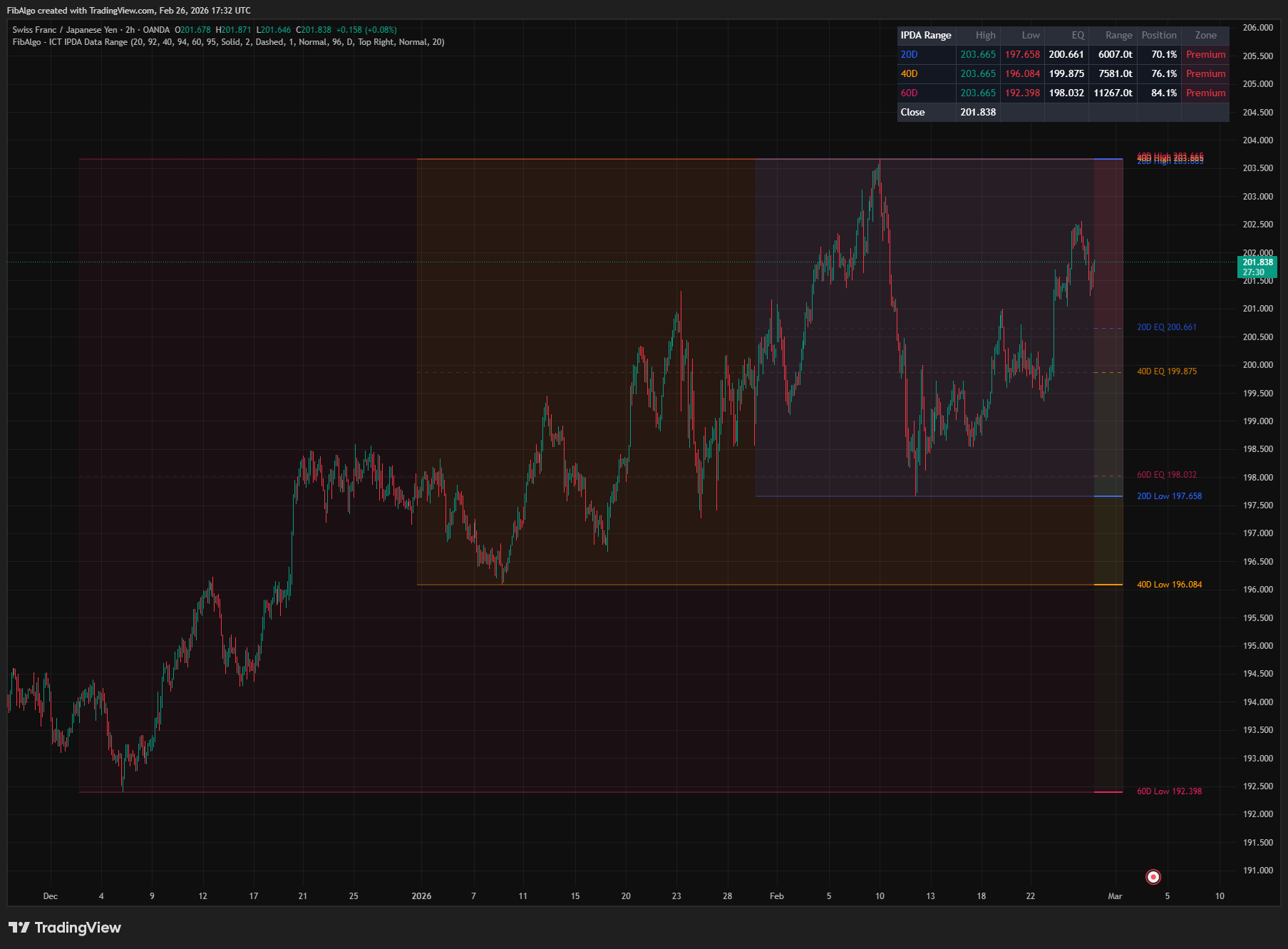
Key Concepts
- IPDA — Interbank Price Delivery Algorithm — ICT's core theory that price in financial markets is delivered algorithmically, not randomly. The algorithm systematically seeks three targets: (1) Liquidity pools (stop orders above highs / below lows), (2) Imbalances (Fair Value Gaps that need rebalancing), and (3) Institutional levels (Order Blocks). The algorithm references specific lookback periods to identify these targets.
- IPDA Data Range — The specific lookback periods (20, 40, and 60 trading days) that the algorithm references when identifying targets. Within each data range, the algorithm catalogs all available liquidity pools, FVGs, and order blocks as potential destinations for price delivery. The 20-day range provides immediate short-term targets, the 40-day range provides intermediate targets, and the 60-day range provides major long-term targets.
- Range High/Low as Draw on Liquidity — The highest high and lowest low within each IPDA data range represent the most significant liquidity pools. Buy-side liquidity accumulates above the range high (buy stops), and sell-side liquidity accumulates below the range low (sell stops). These levels act as the primary "draw on liquidity" — the destinations where price is being algorithmically delivered.
- Equilibrium (50%) — The midpoint between the range high and low. ICT considers price at equilibrium to be at "fair value" for that lookback period. Price above equilibrium is in the Premium zone (overvalued relative to the range), and price below is in the Discount zone (undervalued). Institutional traders buy in discount and sell in premium.
- Nested Ranges — The 20-day range nests inside the 40-day range, which nests inside the 60-day range. When all three range highs or lows converge near the same level, that price becomes a very high-probability target. Conversely, when ranges diverge significantly, each provides distinct targets at different scales.
How does the ICT IPDA Data Range indicator work?
1. Daily Data Reference The indicator uses Daily timeframe data by default on intraday and daily charts, whatever the intraday timeframe. This is the correct ICT methodology — IPDA Data Ranges reference trading DAYS, not intraday bars. When the "Use Daily Data" option is enabled, the indicator retrieves the high and low of each reference bar with a single request.security() call. On a chart that is already at the reference timeframe, the request uses the chart's own bars. The reference is never lower than the chart timeframe: on weekly and monthly charts the ranges are measured on the chart's own weekly or monthly bars. On Heikin Ashi, Renko and other non-standard chart types, the requested highs and lows come from standard (real) price data.
Users can override the reference timeframe if they want to explore IPDA concepts on weekly or other timeframes, but the default (Daily) matches ICT's standard teaching. Level labels, table rows and alert messages show the unit of the reference in use: D (days), W (weeks), M (months), or bars for any other timeframe (for example the chart's own intraday bars when "Use Daily Data" is turned off).
2. Range Calculation For each of the three lookback periods (default 20, 40, 60), the indicator calculates: — Highest High: the maximum high across the last N completed trading days — Lowest Low: the minimum low across the last N completed trading days — Equilibrium: the arithmetic midpoint (High + Low) / 2
The current, still-forming day is not part of the range. The levels therefore stay fixed for the whole day, look the same on historical and live bars, and can be broken by price. The values update once per new reference bar (daily by default) as the lookback window rolls forward. When an old extreme is dropped from the window and a new one enters, the range boundaries adjust automatically.
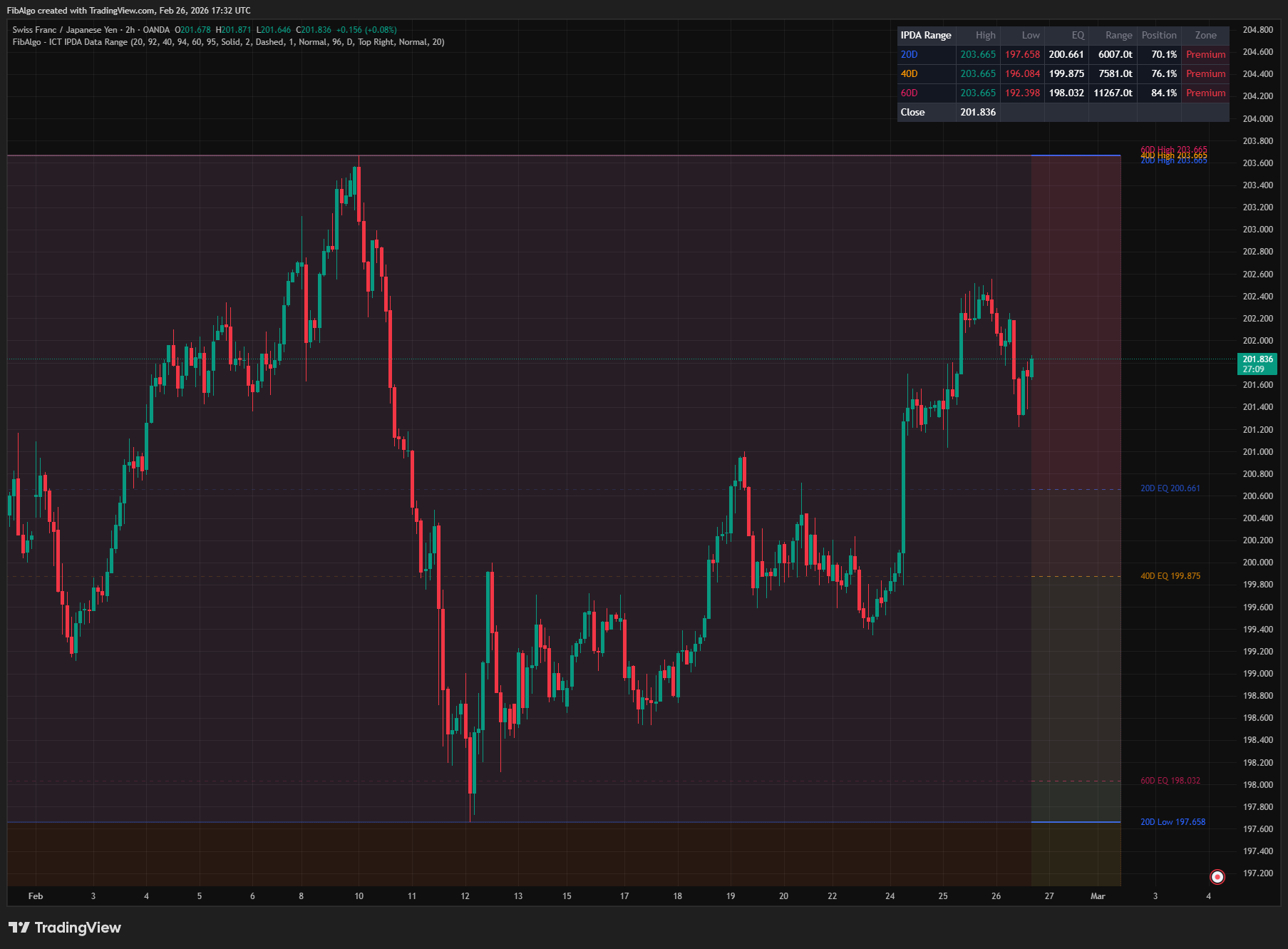
3. Premium/Discount Zone Visualization When enabled, the indicator shades the upper half of each range (High to EQ) with a subtle red tint (Premium) and the lower half (EQ to Low) with a subtle green tint (Discount). This instantly shows whether price is in the expensive or cheap part of each range. ICT teaches that institutional participants tend to buy in discount zones and sell in premium zones — these shadings make that assessment visual and instant. The shading works whether or not the equilibrium line of that range is shown.
4. Position Calculation The indicator calculates price's current position within each range as a percentage: 0% = at the range low, 100% = at the range high, 50% = at equilibrium. This is displayed in the summary table's "Position" column. Values above 50% indicate price is in premium territory; below 50% indicates discount territory. Because the current day is not part of the range, price can trade outside it: a Position above 100% means price is above the range high, and below 0% means price is below the range low.
5. Drawing Management All lines, labels, and boxes are redrawn on the latest bar to reflect the current (rolling) range boundaries. The widest range (60D) is drawn first as the background layer, followed by 40D, then 20D on top — this ensures the narrower ranges are visually accessible when they overlap.
Each level is drawn as two segments: a soft (transparent) line extending left through the lookback box area, and a full-opacity line extending right from the current bar. This provides historical context at a glance without cluttering the chart — the faded left portion shows where the level sat relative to past price action, while the solid right portion projects the level forward as a clear reference. The box and the soft lines start at the first chart bar of the lookback window, so holidays, shortened sessions and a weekly reference timeframe are covered exactly.
Lines extend to the right by a configurable number of bars (default 20) beyond the current bar. When several levels sit at nearly the same price, their labels are stacked so each one stays readable.
6. Summary Table A real-time table displays all enabled ranges with seven columns: Range name (color-coded), High, Low, Equilibrium, Range size (in ticks), Position (%), and Zone (Premium/Discount/Equilibrium). The Zone column uses color-coded backgrounds — red for Premium, green for Discount, gray for Equilibrium. A final row shows the current close price for reference.
7. Alert System Three alert conditions are available. They are evaluated once per bar, on the bar close: — Range High Break: fires when a bar closes above any IPDA range high, signaling expansion beyond the lookback period's boundary — Range Low Break: fires when a bar closes below any IPDA range low — Equilibrium Cross: fires when a bar closes on the other side of any range's equilibrium level, signaling a shift between premium and discount territory
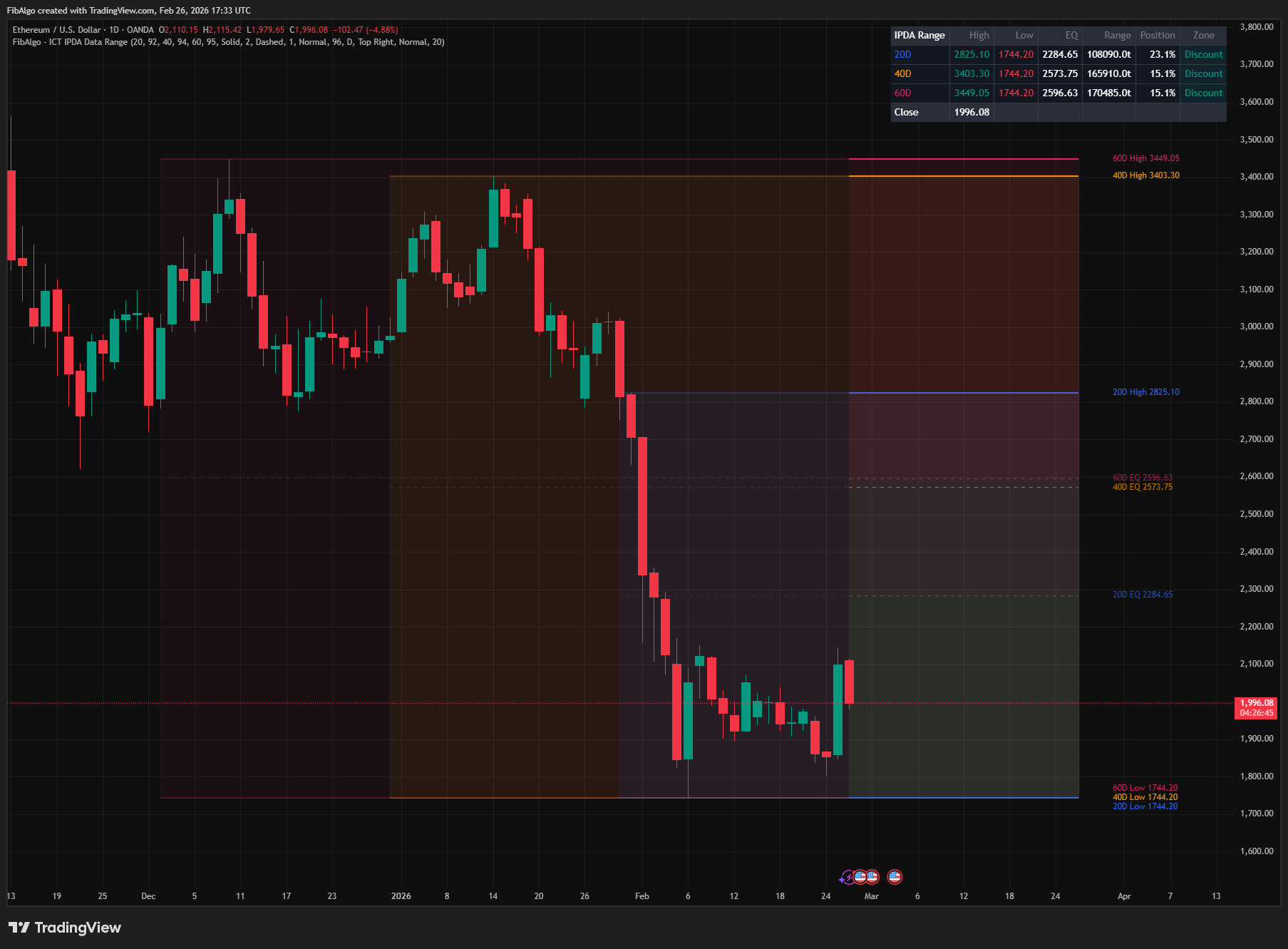
Features
- 3 IPDA Data Ranges — Default 20, 40, and 60 trading day lookback periods matching ICT's published IPDA methodology. Each range is independently configurable from 5 to 120 days. All three can be enabled/disabled individually.
- Automatic Daily Reference — Uses a single request.security() call to reference Daily timeframe data, even on intraday charts. This ensures IPDA ranges reflect actual trading day boundaries regardless of chart timeframe. Reference timeframe is configurable for advanced use cases and is never lower than the chart timeframe.
- Rolling Range Calculation — Highest high and lowest low of the last N completed trading days, updated once per new day as the lookback window rolls forward. Range boundaries automatically adjust when old extremes fall off the window or new extremes are established.
- Equilibrium (50%) Lines — Dashed midpoint line for each range showing the fair value level. Price above EQ = Premium, below EQ = Discount. Each range's EQ is independently toggleable.
- Premium/Discount Zone Shading — Optional red/green tint on the upper/lower halves of each range. Instantly identifies whether price is in the expensive or cheap part of the IPDA range. In ICT methodology, institutions are described as buying in discount and selling in premium.
- Nested Range Visualization — Ranges are drawn in order (60D background, 40D middle, 20D foreground) so that nested range structure is clearly visible. When all ranges share convergent boundaries, the visual overlap highlights high-probability levels.
- Soft Historical Lines — Each level line extends left through the lookback box with reduced opacity, showing how the level relates to past price action without visual clutter. The solid portion projects right from the current bar as a clear forward reference.
- Range Background Boxes — Semi-transparent colored boxes spanning the full lookback period (up to 4999 bars back), showing the historical range visually on the chart. Each box's opacity is independently adjustable.
- Position Percentage — Real-time calculation of price's position within each range (0% = Low, 50% = EQ, 100% = High; below 0% or above 100% = outside the range). Displayed in the summary table for instant quantitative assessment.
- Zone Classification — Each range is classified as Premium (>52%), Discount (<48%), or Equilibrium (48–52%). Color-coded in the summary table with background highlighting.
- Summary Table — 7-column real-time table: Range name, High, Low, EQ, Range (ticks), Position (%), Zone. Color-coded throughout. Current close price displayed in a footer row. Table position and text size configurable.
- 3 Alert Conditions — Range High Break, Range Low Break, and Equilibrium Cross, evaluated on bar close. Each alert fires independently for each enabled range and includes the exact price level, range period, symbol, and timeframe.
- Full Visual Customization — Independent color, opacity, and toggle per range. H/L and EQ line styles (Solid/Dashed/Dotted) and widths are configurable. Label size (Tiny/Small/Normal). Right extension distance adjustable.
- Multi-Timeframe Ready — Works on any chart timeframe. Intraday charts show daily-referenced IPDA ranges projected onto the intraday price action. Charts at or above the reference timeframe use their own bars (weekly and monthly charts show ranges such as 20W or 20M). Higher timeframe reference is configurable.
How to use the ICT IPDA Data Range indicator
- Identify IPDA Targets: The range high and low of each period represent the algorithm's primary targets. If price is in discount and the 20D high has not been swept, the 20D high is the nearest upside target. If price is in premium and the 20D low has not been swept, the 20D low is the nearest downside target.
- Determine Bias from Zone: Check the summary table's Zone column. If price is in Discount across all three ranges, bullish bias is strongest. If in Premium across all three, bearish bias is strongest. Mixed zones (e.g., 20D Premium + 60D Discount) suggest short-term overextension within a longer-term bullish context.
- Look for Convergence: When multiple range highs or lows cluster near the same price level, that level becomes a high-probability target. For example, if the 20D high is very close to the 40D high, buy-side liquidity is concentrated there — the algorithm is likely to drive price to that zone.
- Use EQ as Fair Value: The equilibrium line represents fair value for each lookback period. Price consistently trading above EQ confirms bullish intent; below EQ confirms bearish intent. Crosses of the EQ line signal potential shifts in directional bias.
- Combine with ICT Framework: IPDA Data Ranges identify WHERE the algorithm is likely targeting (the macro framework). Combine with Market Structure (direction), Order Blocks (entry levels), Fair Value Gaps (retracement targets), Liquidity Levels (specific sweep targets), Killzones (session timing), and Premium/Discount (zone positioning) for a complete analytical framework.
- Daily Chart for Swing Trading: On daily charts, the IPDA ranges provide the macro swing trading framework. Identify which range boundary the algorithm is targeting, determine whether price is in premium or discount, then drill down to intraday charts for precise entries at order blocks or FVGs within the target zone.
Limitations
- IPDA Data Ranges reference trading days. On weekends and holidays, no new data is generated — the ranges remain unchanged. The lookback counts calendar trading bars, which correspond to trading days on daily charts.
- The range values come from completed reference bars only and update once per new trading day (with the default Daily reference). Intraday price movements beyond the range high/low do not move the range boundaries until the current daily bar has closed; until then the Position column reads above 100% or below 0%.
- The indicator calculates rolling highest-high and lowest-low using ta.highest() and ta.lowest(). On instruments with limited historical data, shorter histories may produce unreliable ranges — ensure your chart has at least 60+ trading days of data.
- Range background boxes and soft lines reach back at most 4999 bars. On low intraday timeframes (for example 5-minute charts of markets that trade most of the day), the 20/40/60-day boxes can hit this cap and look the same width. The levels themselves are still calculated from the full lookback.
- With "Use Daily Data" turned off, or on weekly and monthly charts, the ranges are measured in the chart's own bars and are labelled with that unit (for example "20 bars" or "20W"). On non-standard chart types (Heikin Ashi, Renko, etc.) the Position column and the alerts use the chart's own close, and with "Use Daily Data" turned off the ranges also use the chart's synthetic prices.
- Premium/Discount zone shading uses semi-transparent boxes. On charts with multiple overlays, these may reduce visibility. Adjust the P/D Zone Opacity or disable the feature if needed.
- Range boundaries are purely mechanical (highest high / lowest low over N bars). They do not incorporate order flow, volume, or other ICT concepts like FVGs or order blocks within the range. Use other ICT indicators (FVG, Order Blocks, Liquidity Levels) to identify specific targets within the IPDA range.
- IPDA is a theoretical framework from ICT methodology. The "algorithm" referenced is a conceptual model — it does not correspond to a specific known algorithm. Ranges identify statistically significant lookback periods for price extremes, which may or may not align with actual institutional targeting.
- This indicator displays reference levels for swing analysis — it does not generate buy/sell signals. Use it alongside ICT Market Structure, Order Blocks, Fair Value Gaps, Liquidity Levels, and Killzones for a complete trading framework.
Trading involves risk. This indicator is an analysis tool, not financial advice: use it alongside your own analysis and risk management.
Release notes
v2.0LatestWorking break alerts and levels that stay fixed
Ranges now use the last N completed days, so Range High and Low Break alerts can fire and the levels stay fixed through the day instead of following price on live bars.
After updating
- Delete and re-create your alerts for this indicator with the "Any alert() function call" condition. TradingView alerts keep running the script version they were created with.
Fixed
- Range High and Range Low Break alerts could never trigger because the range included the current bar. Ranges now use the last N completed days, so a close beyond a level fires the alert.
- Levels no longer move on live intraday bars; they stay fixed for the day and match history. Because today is excluded, Position can read above 100% or below 0% when price is outside the range.
- Range boxes now start at the first bar of the lookback window.
- Labels, table and alerts show the real unit (D, W, M or bars), and weekly and monthly charts use their own bars instead of lower-timeframe data.
Improved
- Labels no longer print on top of each other, and Premium/Discount shading no longer needs the EQ line to be shown.
- One data request instead of three for faster loading, and real prices on Heikin Ashi and Renko charts.
Changed
- All alerts are checked on bar close, matching their "closes above/below" wording.
Frequently Asked Questions
What is IPDA in ICT?
IPDA stands for Interbank Price Delivery Algorithm. It is ICT's theory that price is delivered algorithmically rather than randomly and that it systematically seeks liquidity above highs and below lows, imbalances such as fair value gaps, and institutional levels such as order blocks. The algorithm is said to reference specific lookback periods, the IPDA data ranges, to find those targets.
What are the IPDA data ranges?
They are the last 20, 40 and 60 trading days. ICT describes the 20-day range as the source of short-term targets, the 40-day range as intermediate and the 60-day range as major longer-term targets. The ranges are nested: the 20-day range sits inside the 40-day range, which sits inside the 60-day range.
How do you use IPDA data ranges to find targets?
The high and low of each range mark where buy stops and sell stops are likely to rest, so ICT treats them as draws on liquidity. If price is in discount and the 20-day high has not been taken, that high is the nearest upside target; the reverse applies in premium. When the highs or lows of several ranges cluster near one price, that level becomes a stronger target.
What is equilibrium in an IPDA range?
Equilibrium is the 50% midpoint between a range's high and low, which ICT treats as fair value for that lookback period. Above it, price is in the premium half of the range; below it, in the discount half. Price holding above equilibrium supports a bullish reading, holding below supports a bearish one, and crosses can signal a shift in bias.
Learn More
- Smart Money Concepts (SMC): How Institutional Traders Move MarketsLearn Smart Money Concepts including order blocks, fair value gaps, liquidity sweeps, and breaker blocks. Understand how institutions trade.
- Fibonacci Trading Strategy: The Complete GuideMaster Fibonacci retracement, extension, and time zones for crypto and forex trading. Learn how institutional traders use Fibonacci levels.
- Technical Analysis for Crypto Trading: The Definitive GuideLearn technical analysis from basics to advanced for cryptocurrency trading. Master chart patterns, indicators, volume analysis, and multi-timeframe strategies.
Start Using ICT IPDA Data Range
This indicator is free to use on TradingView. Add it to your charts and use it alongside your own analysis.
Related indicators
View All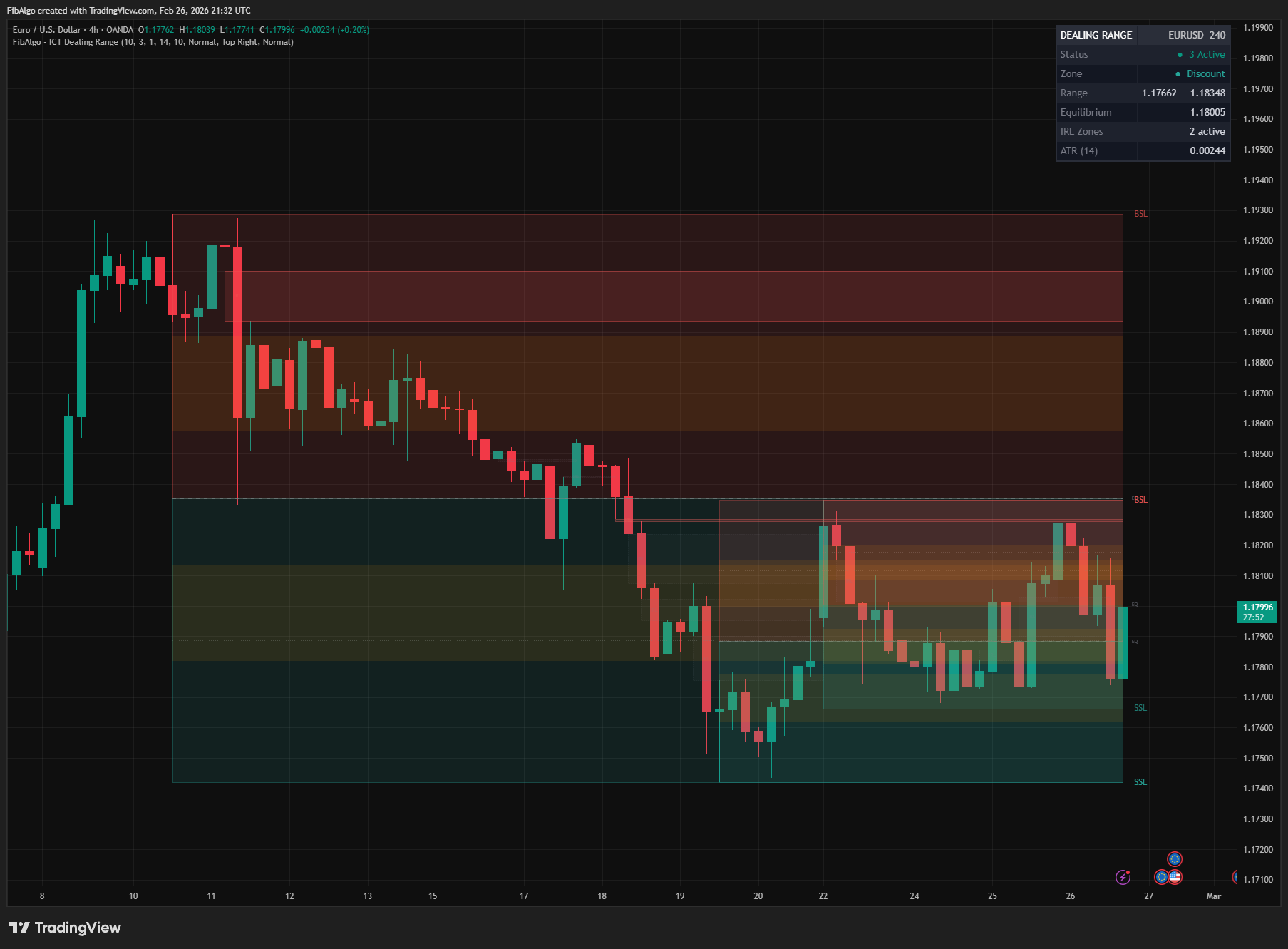
ICT Dealing Range
TradingView indicator that identifies ICT Dealing Ranges with Premium, Discount, and Equilibrium zones, plus internal and external range liquidity mapping.
See Details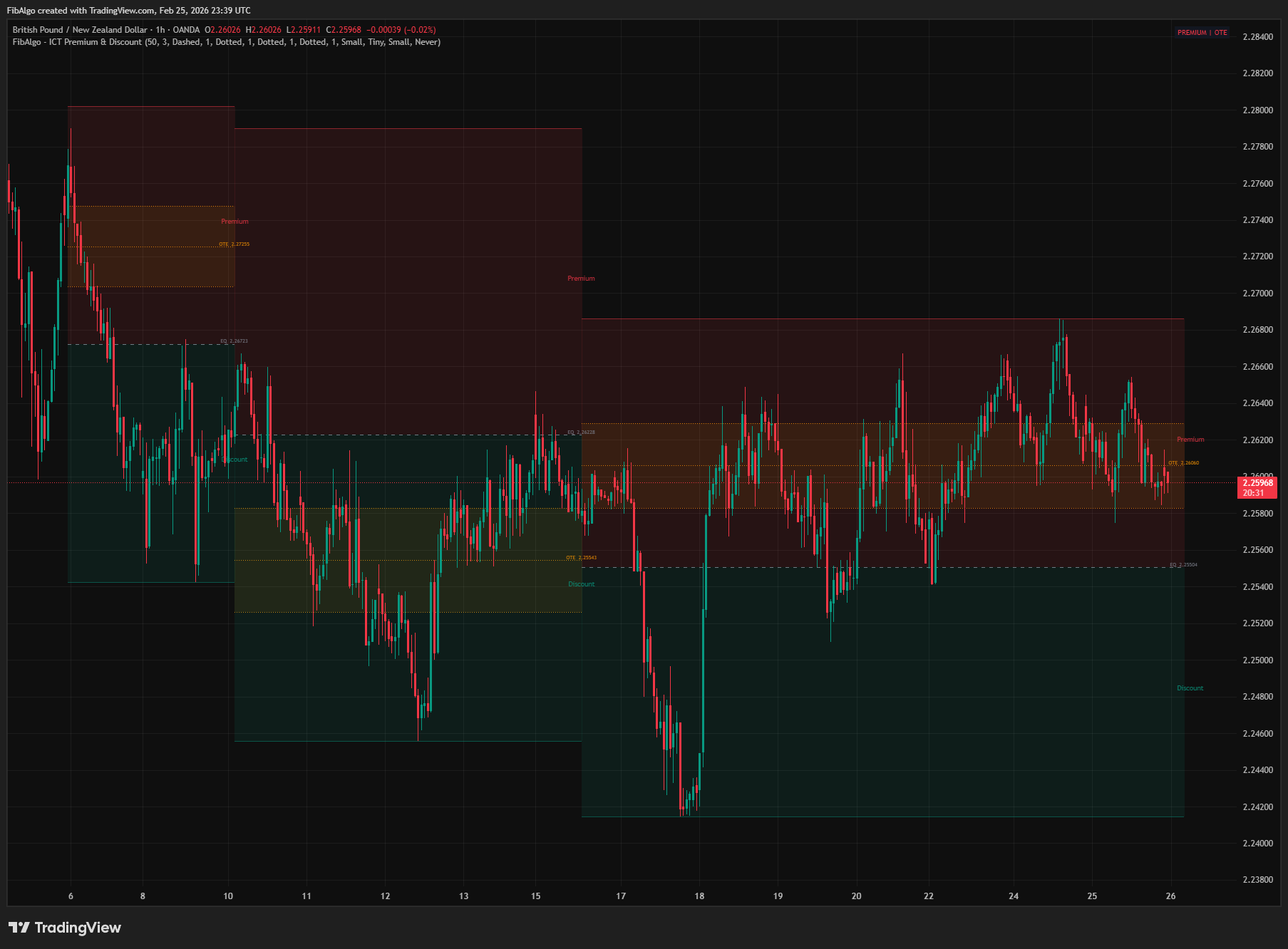
ICT Premium & Discount
TradingView indicator that detects ICT Premium and Discount zones in real-time using zigzag analysis with Equilibrium and OTE retracement highlights.
See Details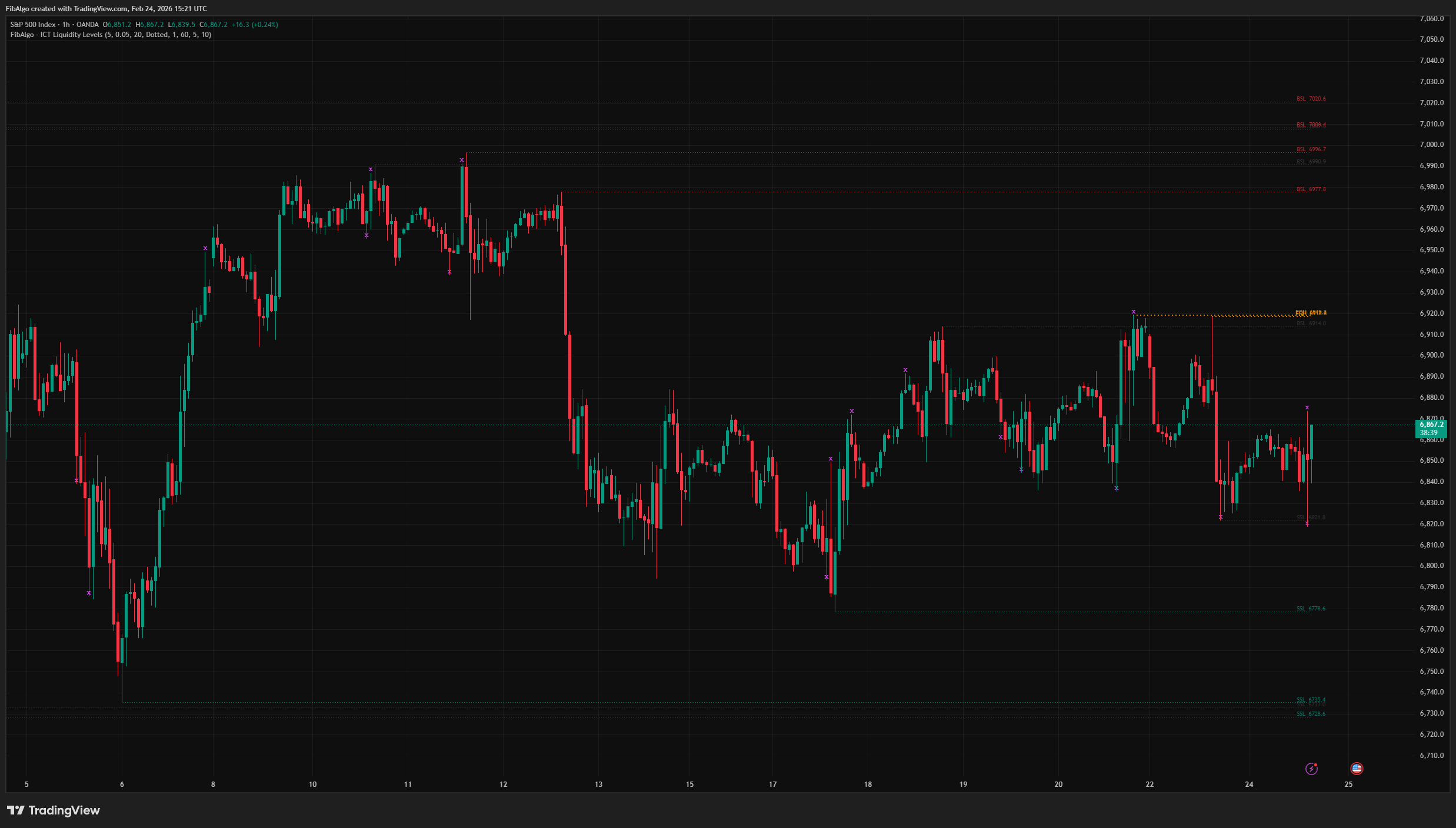
ICT Liquidity Levels
TradingView indicator that maps ICT Liquidity Levels — Buy Side (BSL), Sell Side (SSL), Equal Highs/Lows, and Liquidity Sweeps with HTF support.
See Details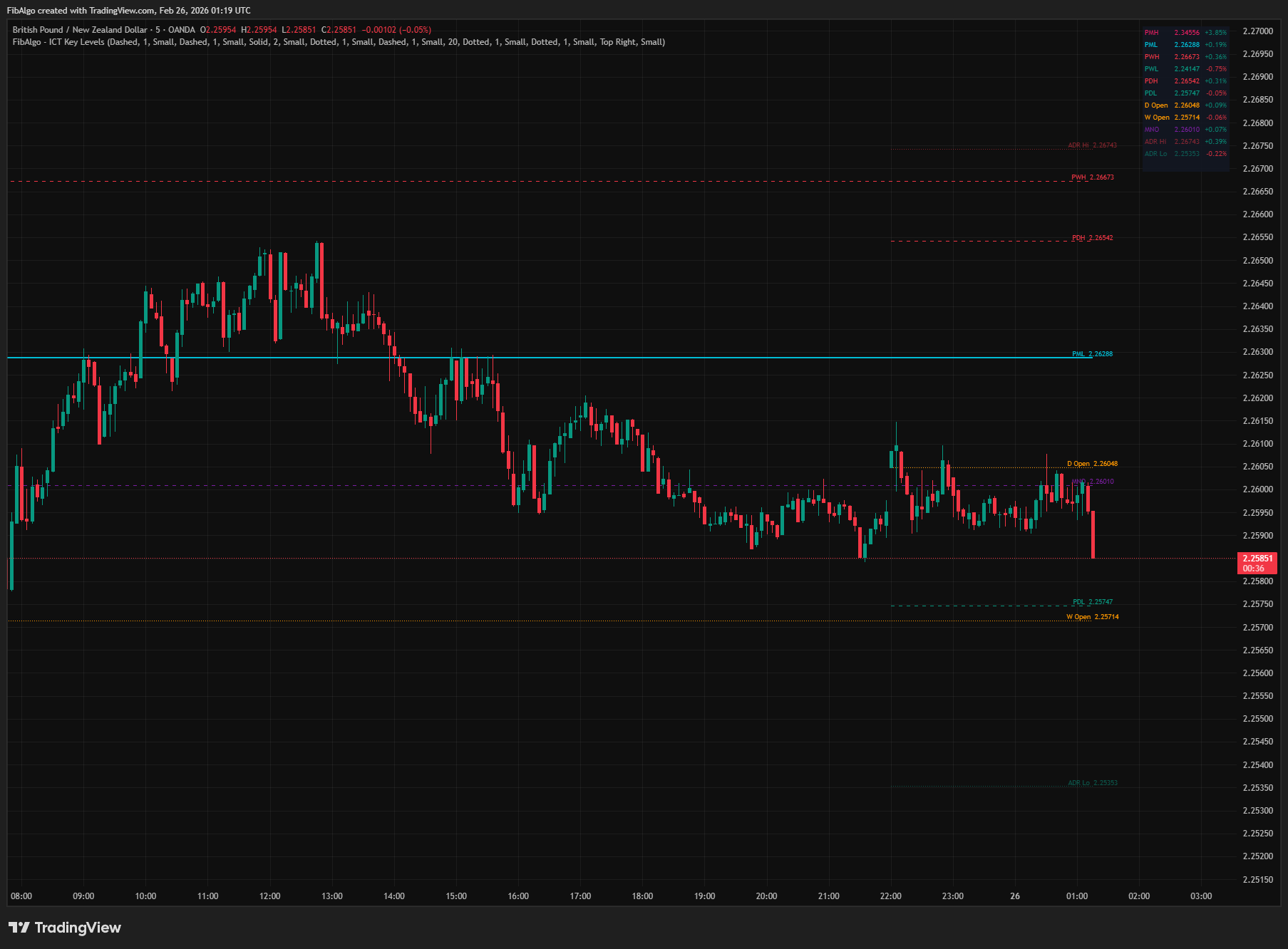
ICT Key Levels
TradingView indicator that draws ICT institutional reference levels — Previous Day/Week/Month High/Low, Daily Opens, Midnight Open, and ADR lines.
See Details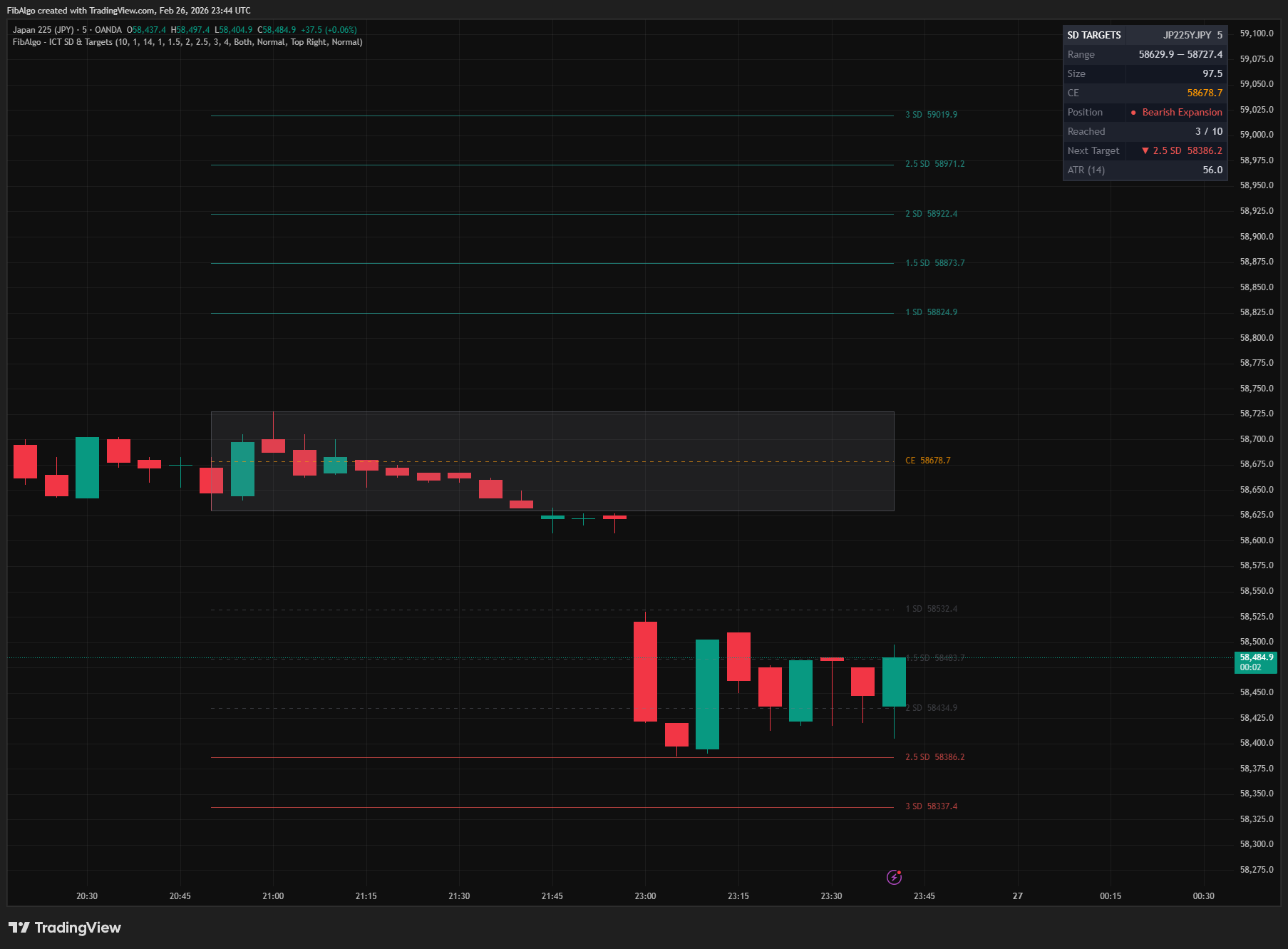
ICT Standard Deviation & Targets
TradingView indicator that projects ICT Standard Deviation extension levels from swing ranges for identifying potential price targets.
See Details